
Docs
Author:
Fluent Commerce
Changed on:
4 Apr 2025
`https://<ACCOUNT_ID>.<ENVIRONMENT>.apps.fluentcommerce.com/oms``https://<ACCOUNT_ID>.sandbox.apps.fluentcommerce.com/oms/`Enter your existing retailer username and password that you have been using to access the Webapps OMS.Additional Information`fc.mystique.manifest.<web-app-name>``fc.mystique.manifest.<web-app-name>.fragment.<fragment-name>`Should you wish to customize any part of the default Fluent OMS web app, you can override the relevant manifest by copying the base manifest fragment into an account setting, and then modify it.| Manifest Category | Available Template Links |
| OMS | OMS Manifest |
| Dashboards | Dashboards Fragment |
| Order Management | Order Management FragmentMixed Baskets Order Management Fragment |
| Availability | Availability Fragment |
| Products | Products Fragment |
| Inventory | Inventory Fragment |
| Unified View of Inventory | Unified View of Inventory Fragment |
| Stores | Stores Fragment |
| Insights | Insights Fragment |
| Admin | Admin Fragment |
| Field | Sample Value |
| Name | `fc.mystique.manifest.oms.fragment.dashboard` |
| Type | JSON |
| JSON Value | `{ ... <YOUR MANIFEST JSON HERE> ... }` |
| Context | ACCOUNT |
| Context ID | 0 |
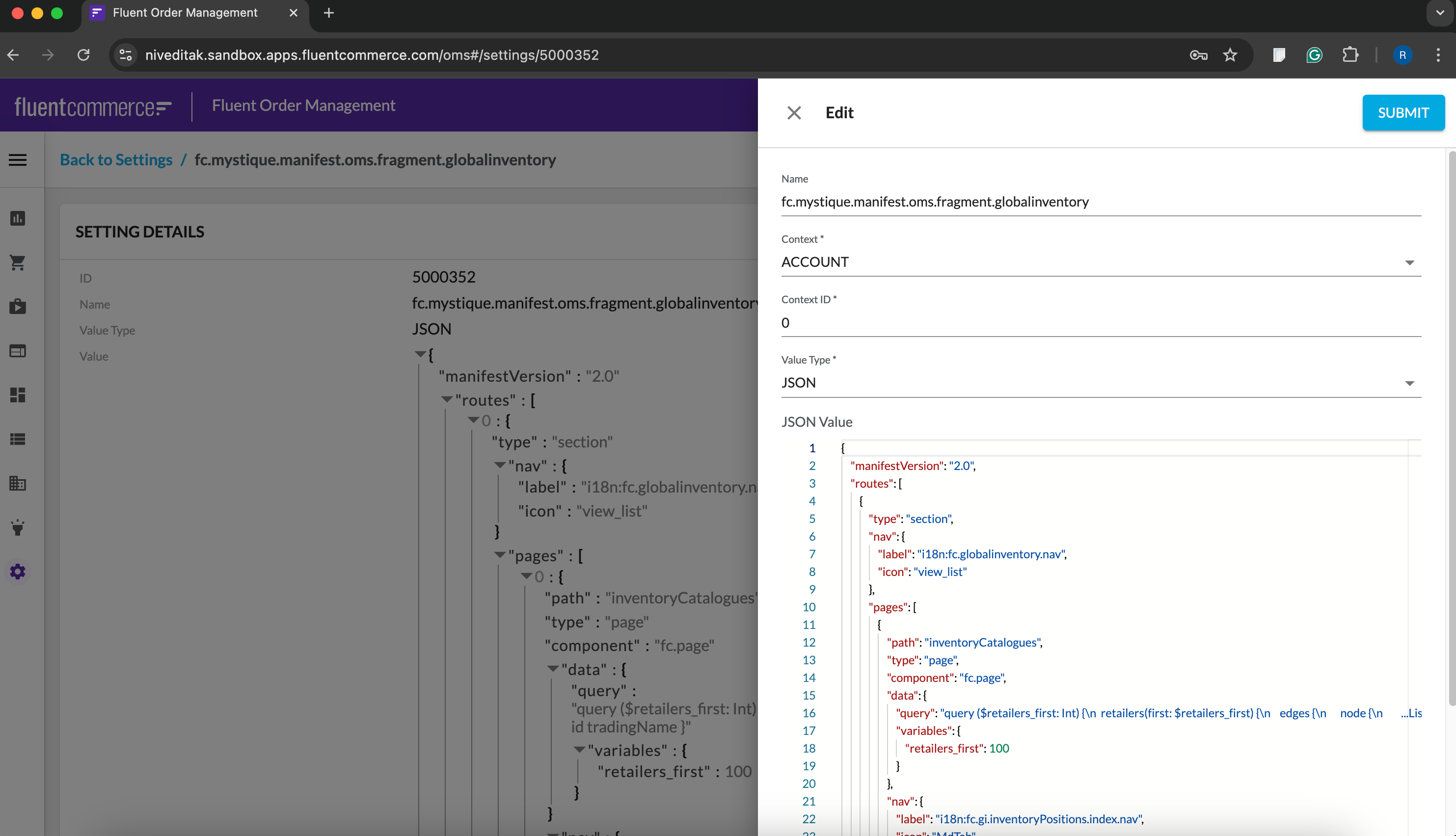 When loading the web app in the browser, the UX Framework identifies if there are any referenced manifest settings on the account, and overrides the baseline manifests to load your tailored configuration.
Copyright © 2024-2026 Fluent Retail Pty Ltd (trading as Fluent Commerce). Unless otherwise expressly stated in a current written agreement with Fluent Commerce or any of its affiliates or on any single page of the docs.fluentcommerce.com site, use of the materials on this site is strictly limited to viewing by individuals over 18 years old for legitimate commercially appropriate reasons; and any downloading, copying or other actions or uses of any kind or by any means of the materials on this site, including by artificial intelligence tools, is strictly prohibited. All other rights reserved.
