
Configuring Change Address
How-to Guide
Author:
Fluent Commerce
Changed on:
3 Oct 2025
Key Points
- User action capability is used to update the Delivery Info of an Order.
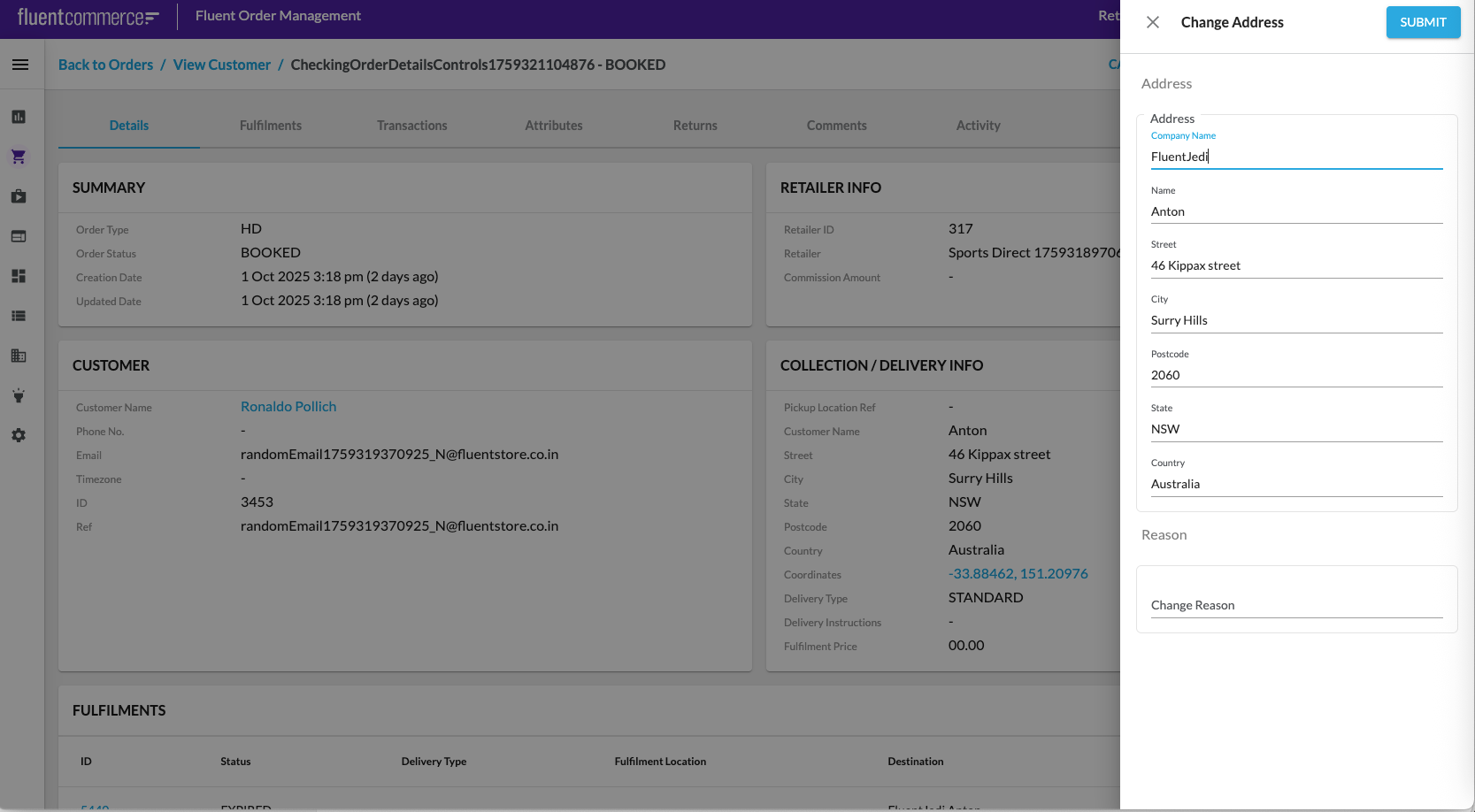
Prerequisites
Steps
 Step 1: Extend Home Delivery Order workflow to add a rule to change address
Home Delivery (HD) Order workflow should be extended to have a rule to change address. Add the following JSON fragment to the HD Order ruleset:
Step 2: Extend fc.mystique.manifest.oms.fragment.ordermanagement setting
`fc.mystique.manifest.oms.fragment.ordermanagement` setting should be extended with the following JSON fragment: Refer to Setting Edit Mutation to learn how to edit a setting.Add the following JSON fragment to the setting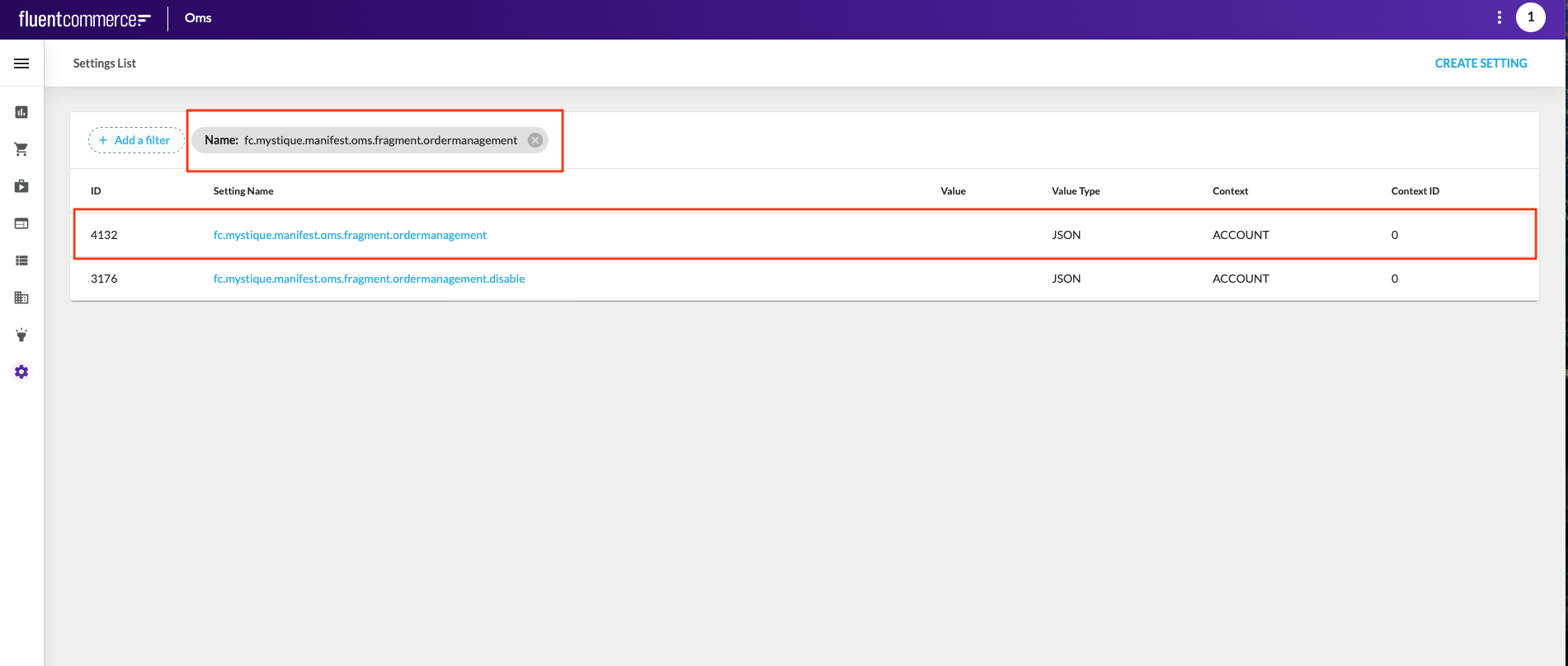

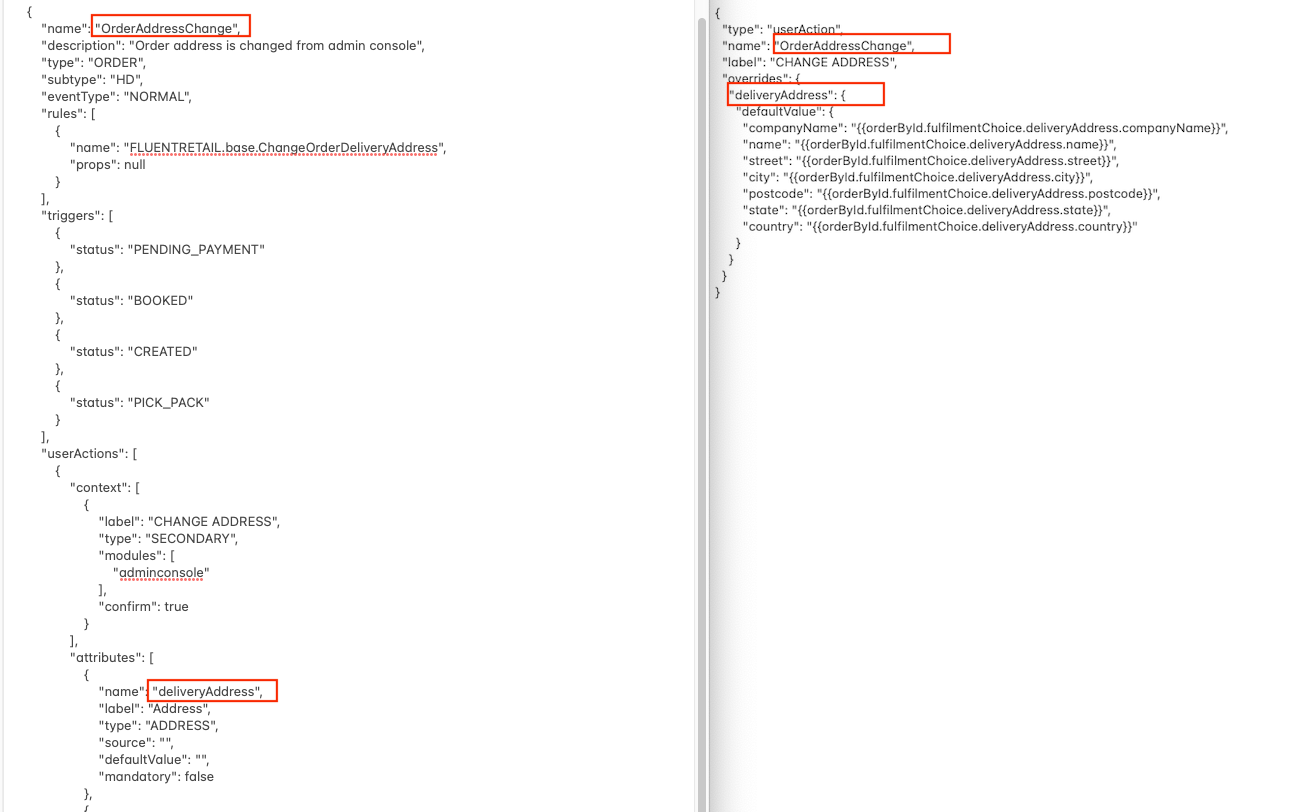 All marked fields in Home Delivery (HD) Order workflow should be equal corresponding fields in
 `fc.mystique.manifest.oms.fragment.ordermanagement` setting.
