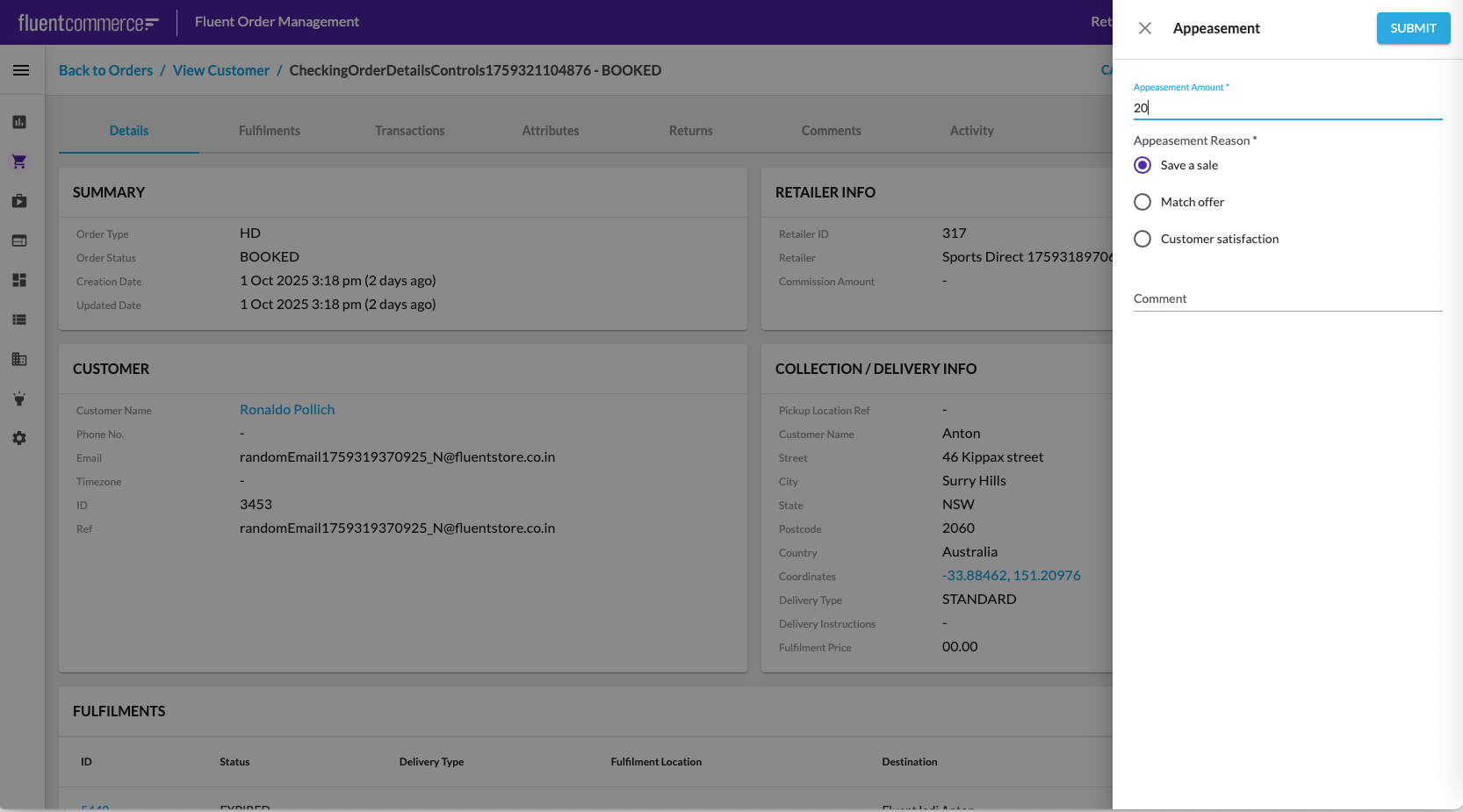
User action capability is used to create a Refund against an Order. Order workflow should be extended to have a rule to capture appeasement requests and then process them by looking up the billing account of that customer and creating a credit memo of that refund amount.
It is possible to configure Appeasement functionality via UI and via Postman.
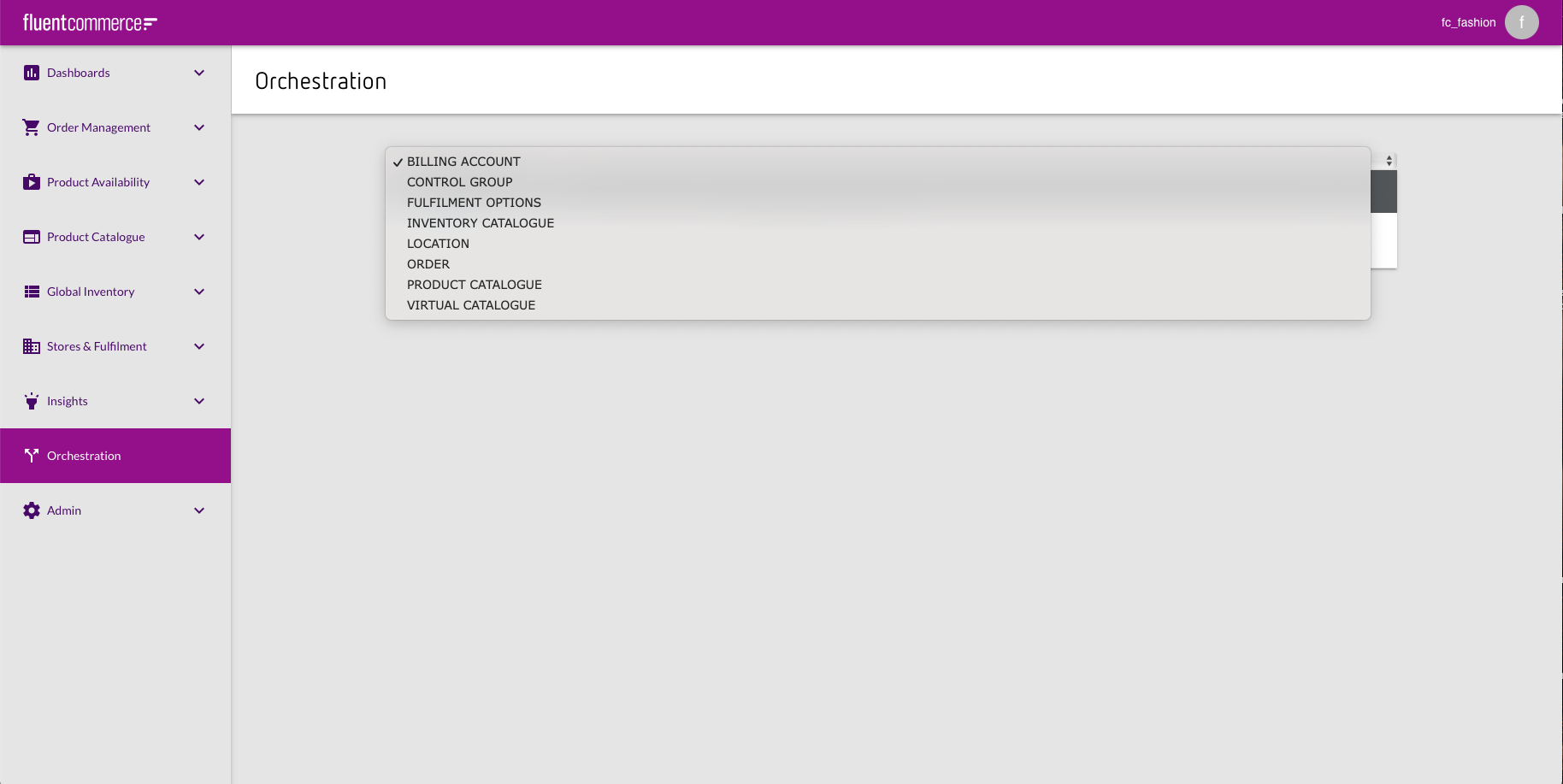
Billing Account Flow availability in Orchestration
In case there is no Billing Account Flow in the Orchestration, it is necessary to add the workflow via PUT request in Postman. JSON containing the workflow should be put to the body of the request.PUT request:`https://<ACCOUNT_ID>.<environment>.api.fluentretail.com/api/v4.1/workflow`
Variable
Description
ACCOUNT_ID
The name of the Fluent account
environment
The Fluent deployment Environment type for the particular Fluent Account (SANDBOX, PRODUCTION, TEST, STAGING).
The Fluent deployment Environment type for the particular Fluent Account (SANDBOX, PRODUCTION, TEST, STAGING).Body:In case Billing Account Flow exists in the Orchestration it is necessary to update it. To update the existing workflow it is necessary go to Workflow Editor and click on Import/Export button.Clicking on the button opens Import / Export JSON pop-up.Add ruleset`"ProcessCreditForAppeasement"` to the ruleset block."ProcessCreditForAppeasement" ruleset
Order workflows
Home Delivery (HD) Order workflow 
Add the following example json fragment to the ruleset:
Click and Collect (CC) Order workflow 
Add the following json fragment to the ruleset:
Required settings
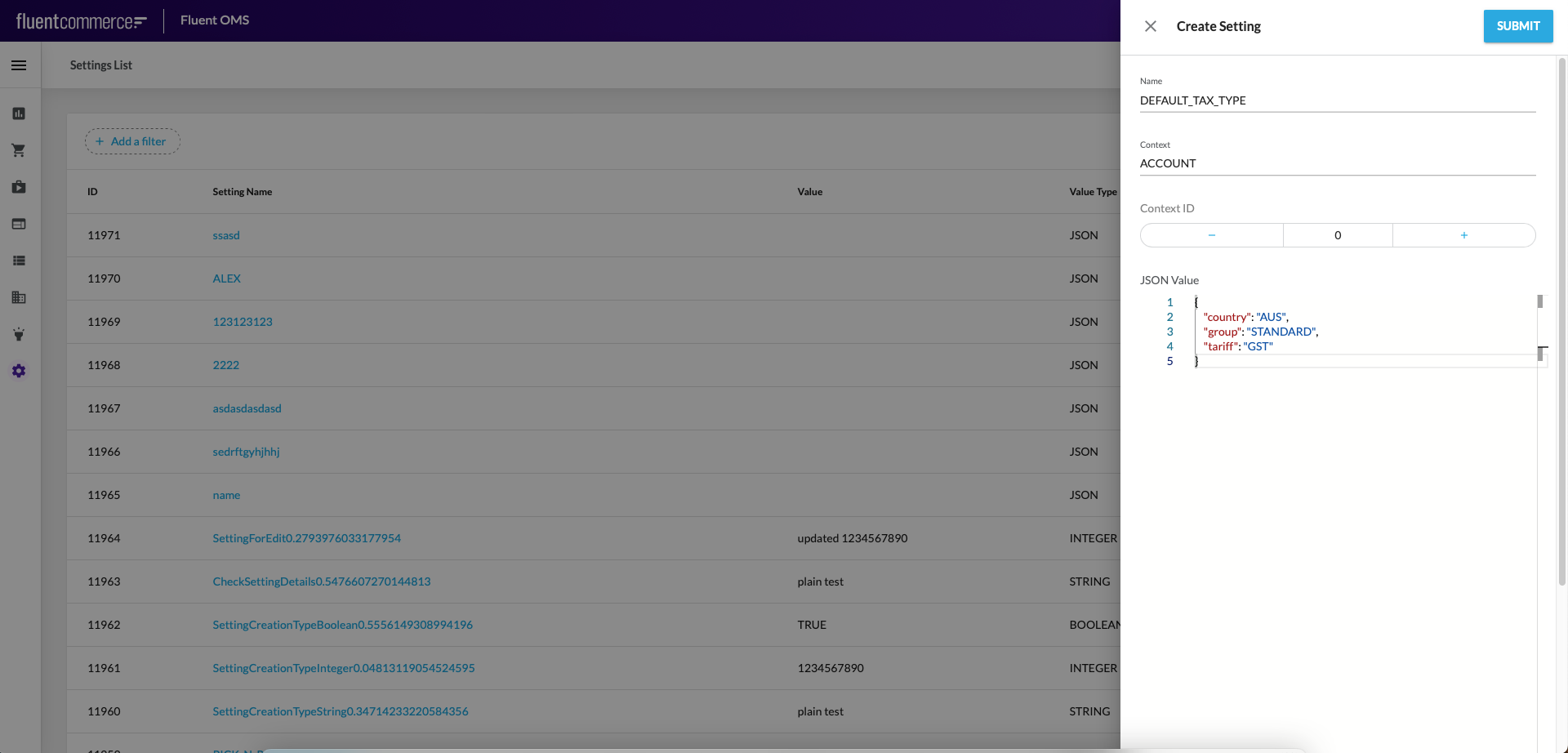
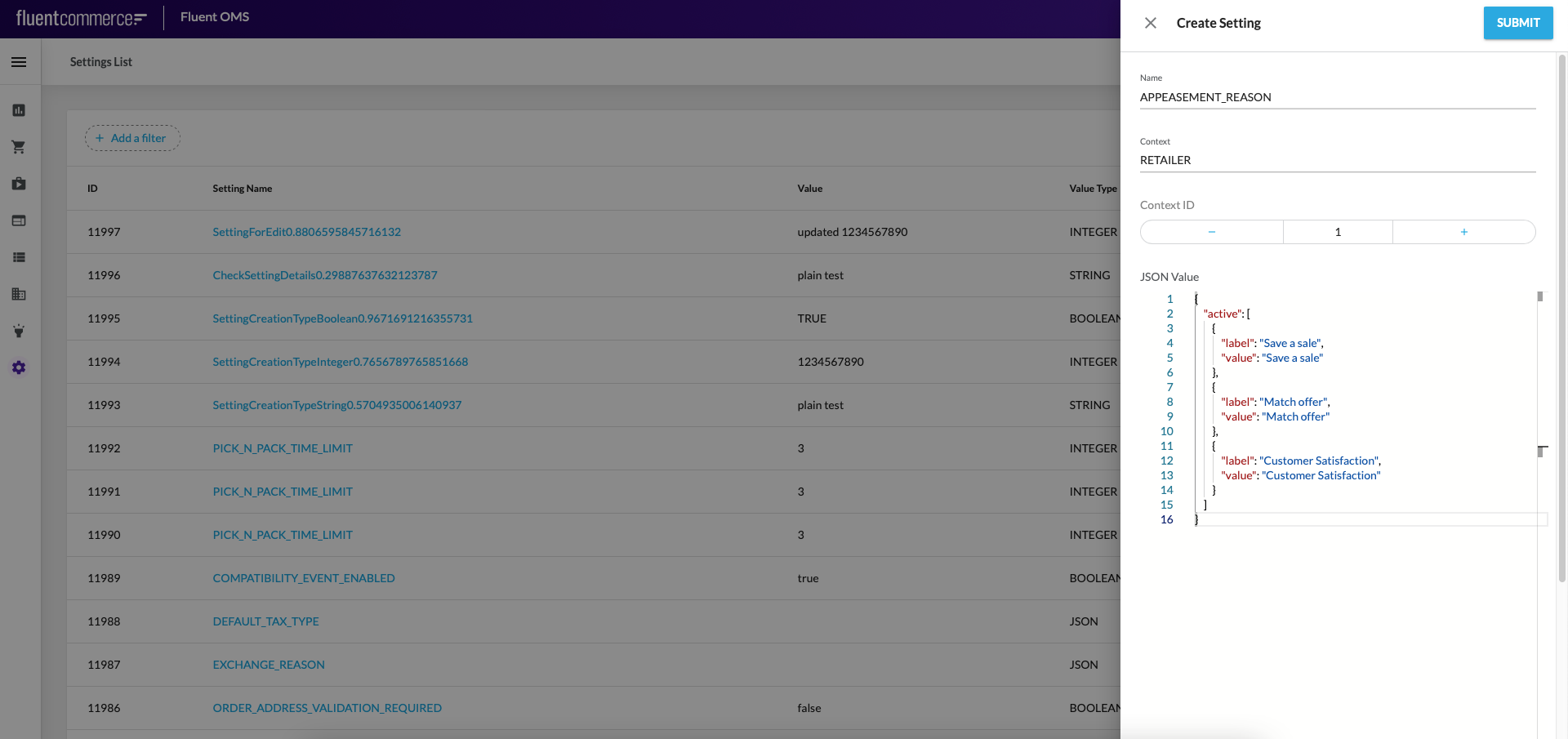
Check if the below setting exists, by navigating to Admin > Settings and filtering the list of settings by name. If it does not exist, you need to create the setting. Refer to the Setting Creation Mutation user guide on how to create a setting.
`DEFAULT_TAX_TYPE`
`APPEASEMENT_REASON`
`GST`
Fill in the field values as per the screenshot for each of the settings.
DEFAULT_TAX_TYPE Setting
APPEASEMENT_REASON Setting
GST Setting
Configuration via Postman
Setup Appeasement configuration via Postman
You can just use this guide on any account . The provided Postman collection below is pre-configured to be used on a pre-provisioned training sandbox account so it is best is you can:
Use your "Using Fluent" training account OR a training sandbox that has been setup with the Jetpack/Launchpad
Import the following Postman collection to your Using Fluent training space in Postman:
Go to Postman and Authenticate using POST request Fluent Auth
Authenticate using POST request Fluent Auth - e.g. Retailer FC_FASHION
Get the setting
Get Setting using GET request Get the Retailer settings
Get workflow by Retailer Id and Workflow Name using GET request of the same name.
Get workflow by Retailer Id and Workflow Name using GET request of the same name.
Create settings
Create settings (if necessary) using POST requests:
1``` json
2{3"name":"NewBillingAccountAppeasement",4"description":"Creates new BillingAccount for Order",5"type":"ORDER",6"subtype":"HD",7"eventType":"NORMAL",8"rules":[9{10"name":"FLUENTRETAIL.base.CreateBillingAccount",11"props":{12"eventName":"ProcessBillingAccountAppeasement",13"billingAccountType":"CUSTOMER"14}15}16],17"triggers":[1819],20"userActions":[2122]23},24{25"name":"ProcessBillingAccountAppeasement",26"description":"Triggers event to create Billing Account",27"type":"ORDER",28"eventType":"NORMAL",29"rules":[30{31"name":"FLUENTRETAIL.base.SendEventForAppeasementToBillingAccount",32"props":{33"eventName":"ProcessCreditForAppeasement"34}35}36],37"triggers":[38{39"status":"PENDING_PAYMENT"40},41{42"status":"BOOKED"43},44{45"status":"CREATED"46}47],48"userActions":[4950]51},52{53"name":"OrderAppeasement",54"description":"Create an appeasement from admin console",55"type":"ORDER",56"subtype":"HD",57"eventType":"NORMAL",58"rules":[59{60"name":"FLUENTRETAIL.base.ValidateAppeasementAmount",61"props":null62},63{64"name":"FLUENTRETAIL.base.VerifyBillingAccount",65"props":{66"BillingAccountExistsEventName":"ProcessBillingAccountAppeasement",67"NoBillingAccountExistsEventName":"NewBillingAccountAppeasement"68}69}70],71"triggers":[7273],74"userActions":[75{76"context":[77{78"label":"APPEASEMENT",79"type":"PRIMARY",80"modules":[81"adminconsole"82],83"confirm":false84}85],86"attributes":[87{88"name":"appeasementAmount",89"label":"Appeasement Amount",90"type":"STRING",91"source":"",92"defaultValue":"",93"mandatory":true94},95{96"name":"appeasementReason",97"label":"Appeasement Reason",98"type":"STRING",99"source":"settings.APPEASEMENT_REASON",100"defaultValue":"",101"mandatory":true102},103{104"name":"comment",105"label":"Comment",106"type":"STRING",107"source":"",108"defaultValue":"",109"mandatory":false110}111]112}113]114},115```

 Billing Account Flow availability in Orchestration
 In case there is no Billing Account Flow in the Orchestration, it is necessary to add the workflow via PUT request in Postman. JSON containing the workflow should be put to the body of the request.PUT request:
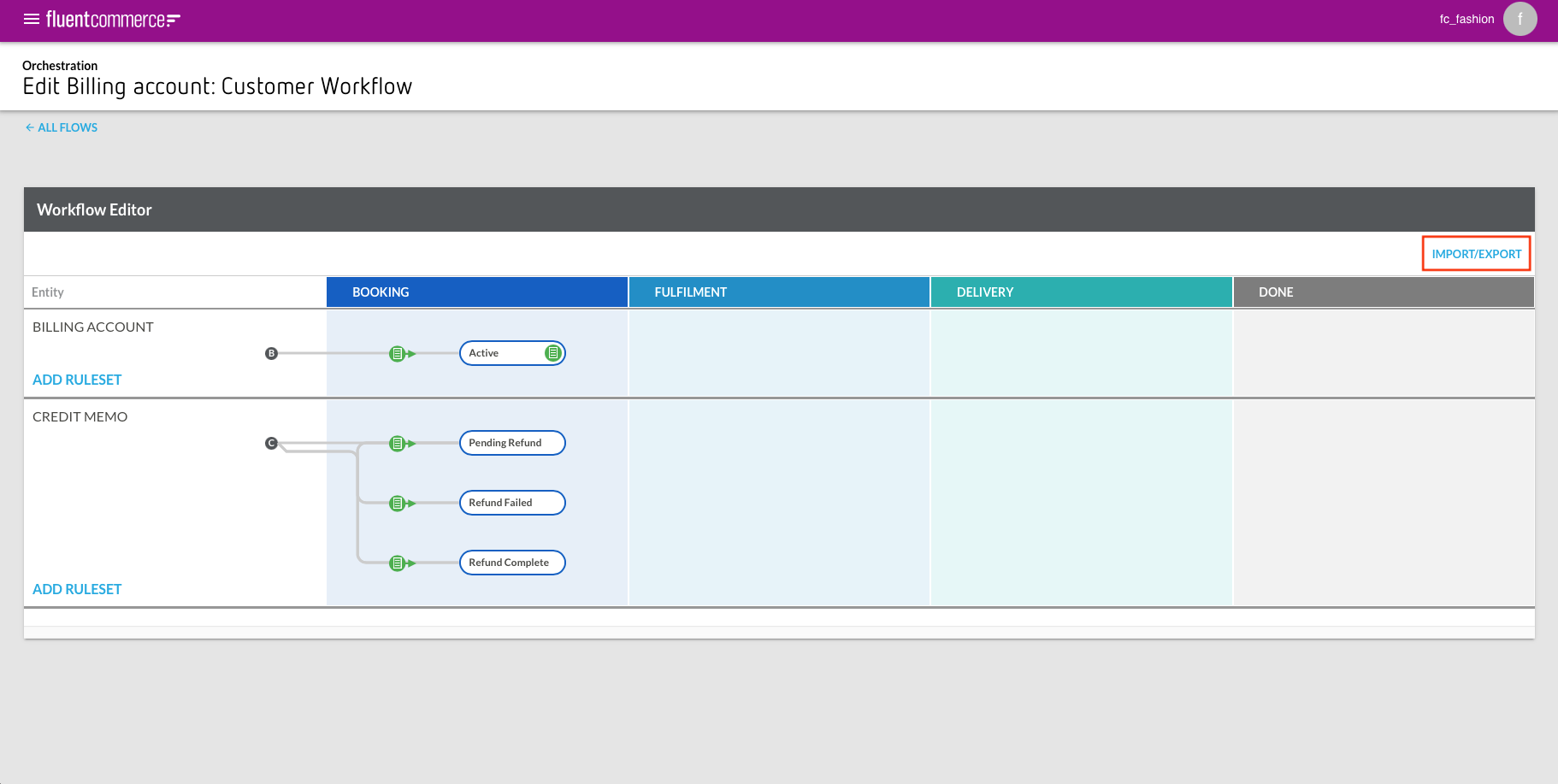 Clicking on the button opens Import / Export JSON pop-up.
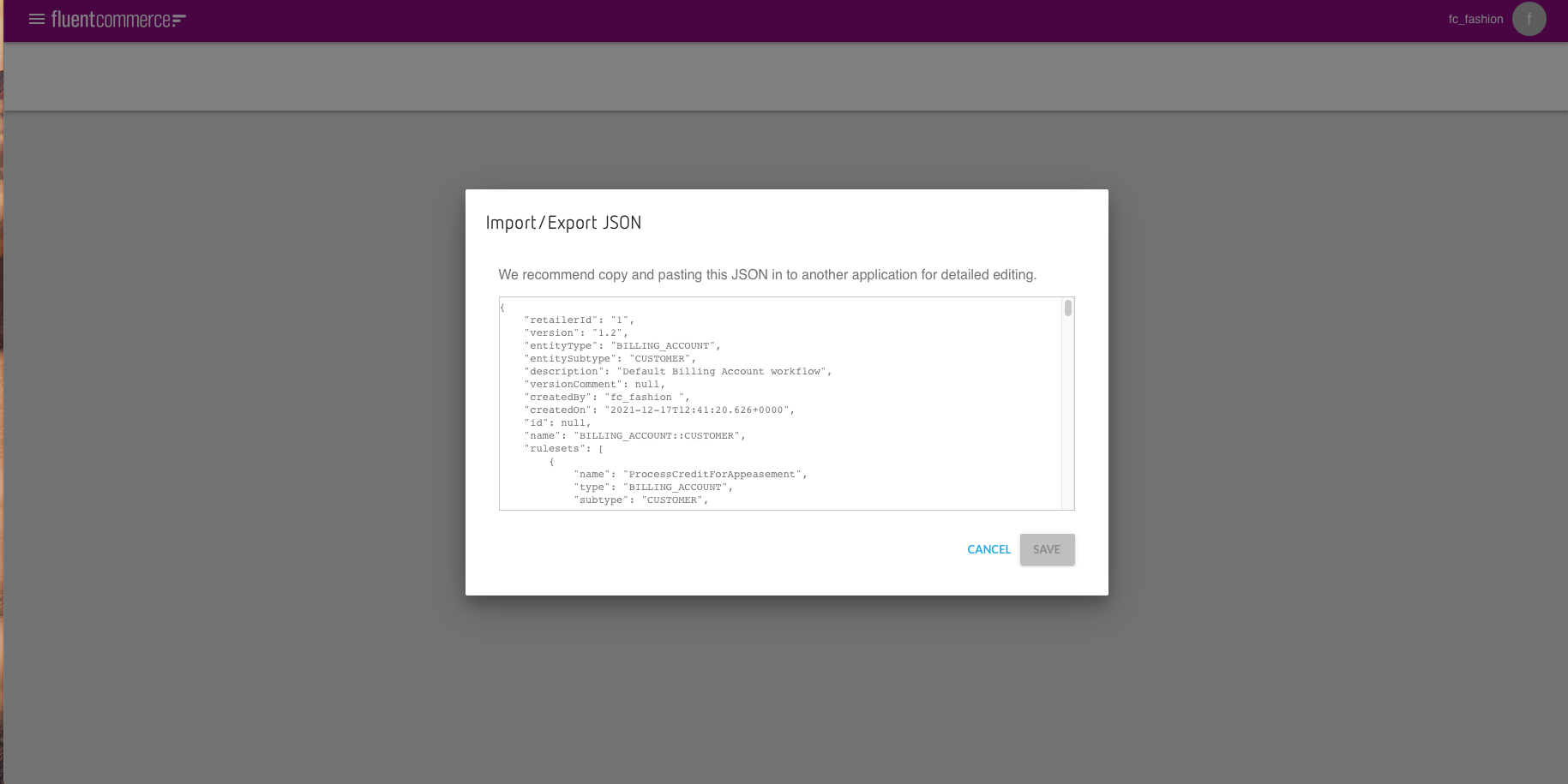 Add ruleset
  "ProcessCreditForAppeasement" ruleset