- Get Started
- Functionality
- Learning
- Extension
- Dev Tooling
- APIs
- Releases

Docs
Author:
Fluent Commerce
Changed on:
3 Oct 2025
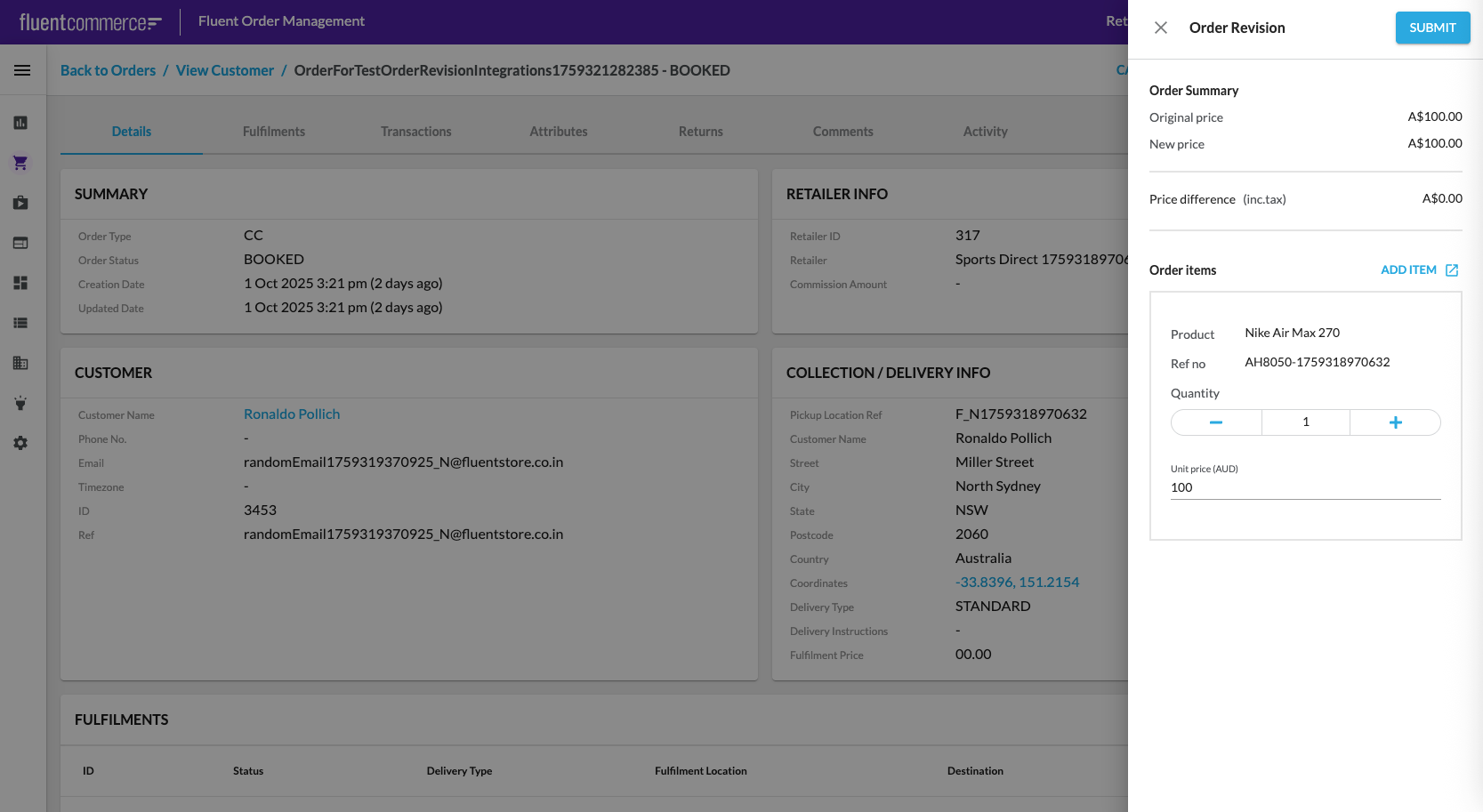
 OverviewStep 1: Check Billing Account Flow
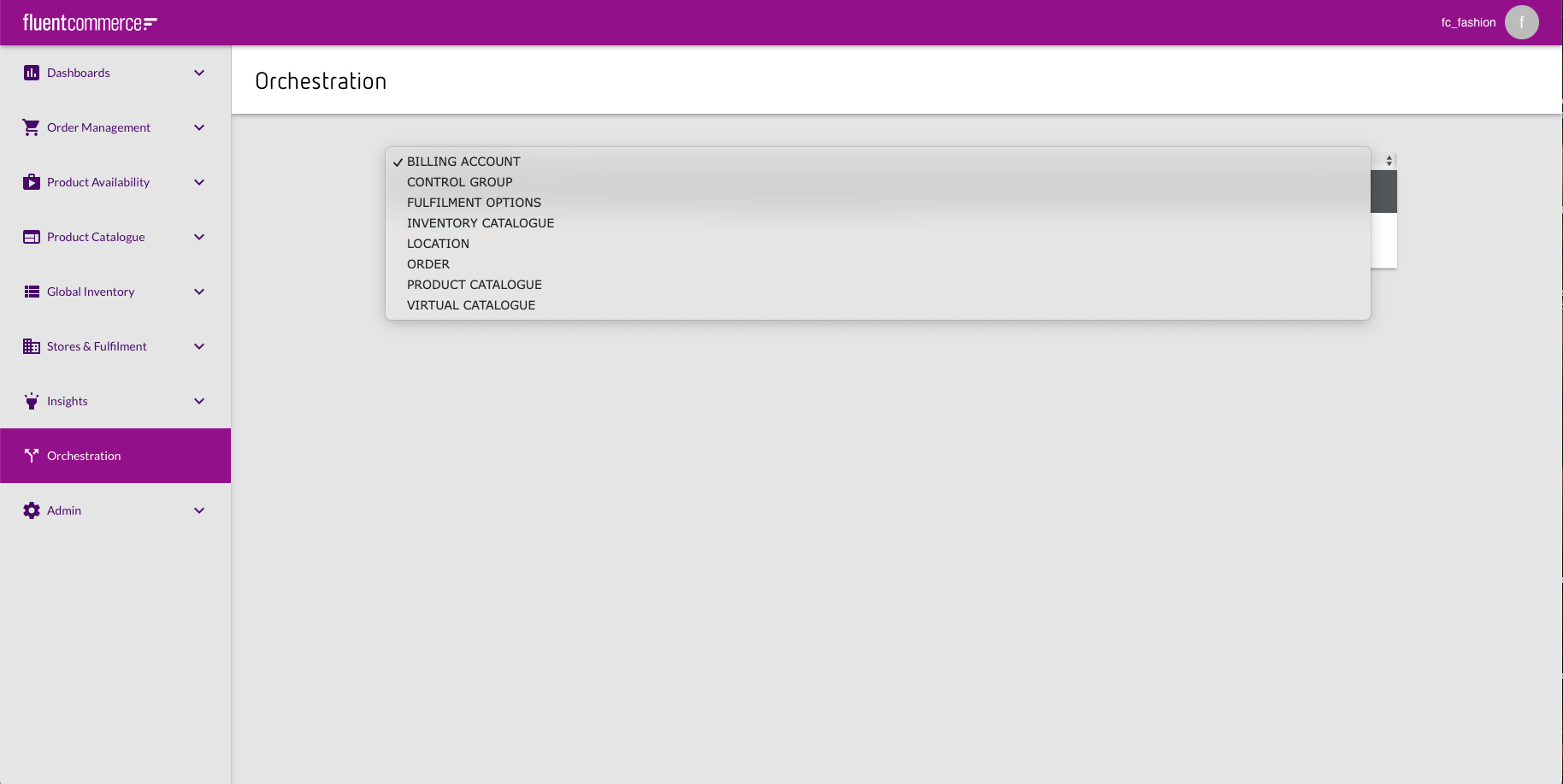 In case there is no Billing Account Flow in the Orchestration, it is necessary to add the workflow via PUT request using Postman.PUT request:
`https://<ACCOUNT_ID>.<environment>.api.fluentretail.com/api/v4.1/workflow`| Variable | Description |
| ACCOUNT_ID | The name of the Fluent account |
| environment | The Fluent deployment Environment type for the particular Fluent Account (SANDBOX, PRODUCTION, TEST, STAGING). |
Step 2. Update Order workflow`[[account.id]]` should be replaced with Account name.Add the following JSON fragment to the statuses:Step 3. Default Tax Type`DEFAULT_TAX_TYPE` exists. If not you need to add it.Go to Admin > Settings and filter the list of settings by name.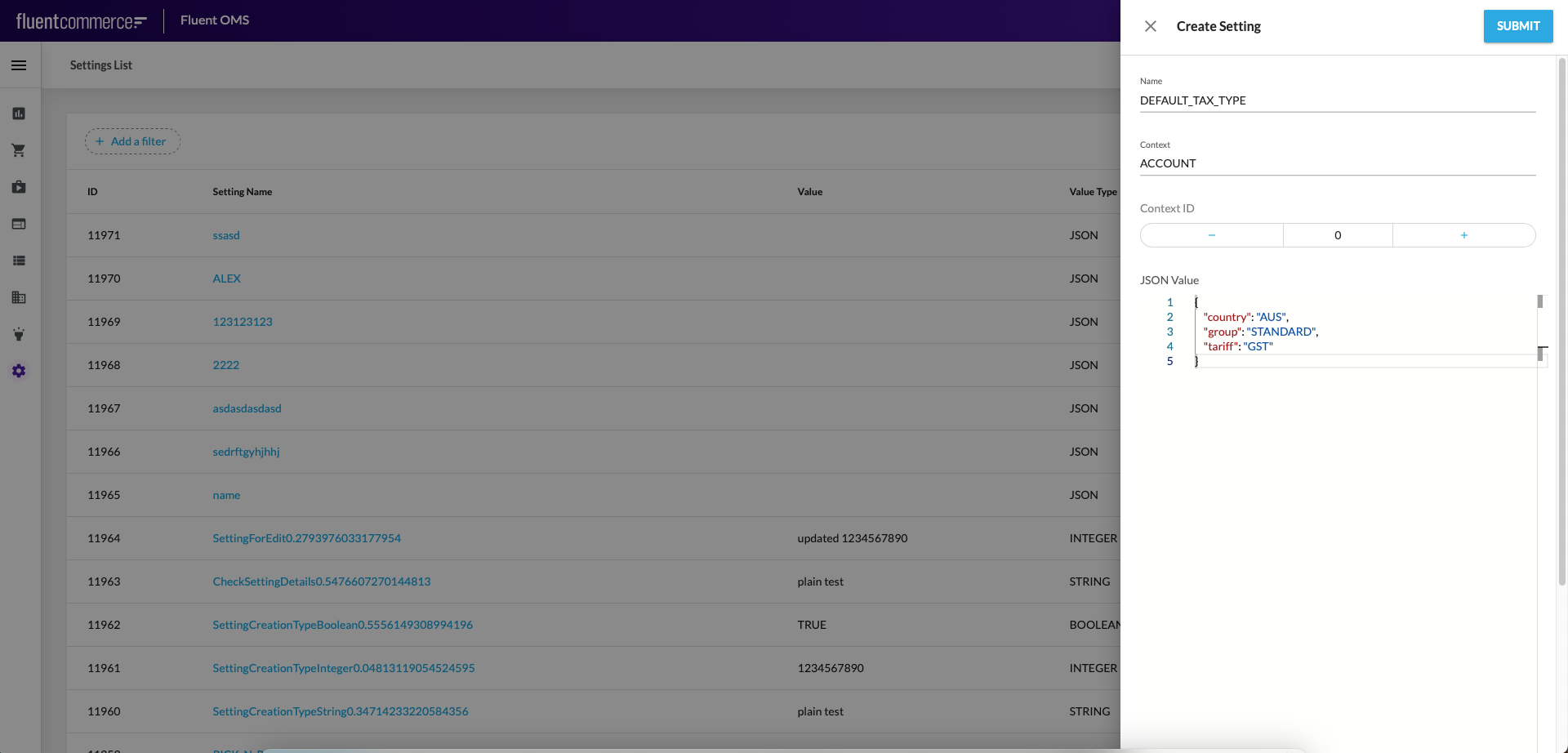 To add a new setting click on Create Setting button and fill the following:DEFAULT_TAX_TYPE settingStep 4. Exchange Reason
`EXCHANGE_REASON` exists. If not you need to add it.Go to Admin > Settings and filter the list of settings by name. To add a new setting click on Create Setting button and fill the following: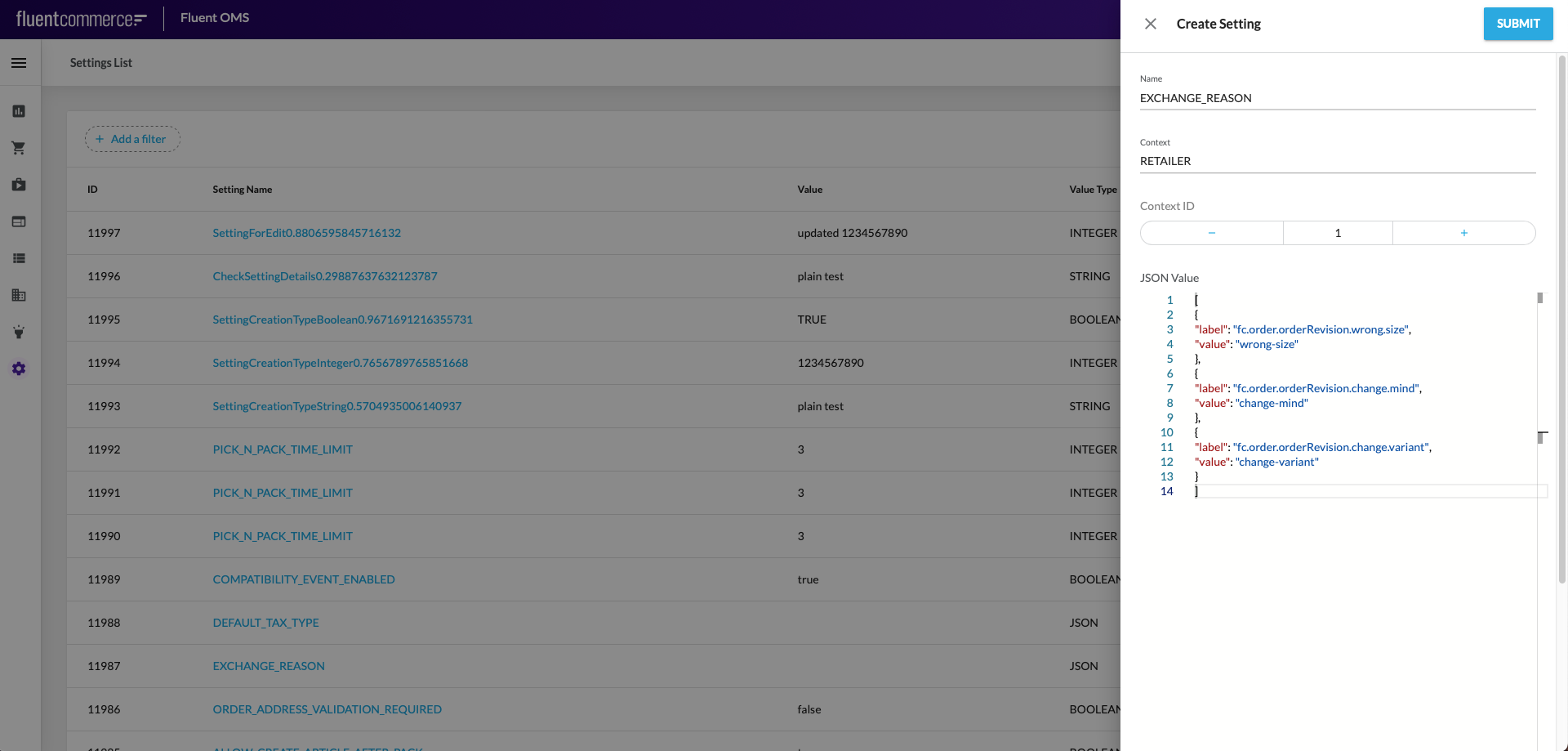 EXCHANGE_REASON settingNote: Context Id = Retailer IdStep 5. GST setting
`GST` exists. If not you need to add it.Go to Admin > Settings and filter the list of settings by name. To add a new setting click on Create Setting button and fill the following: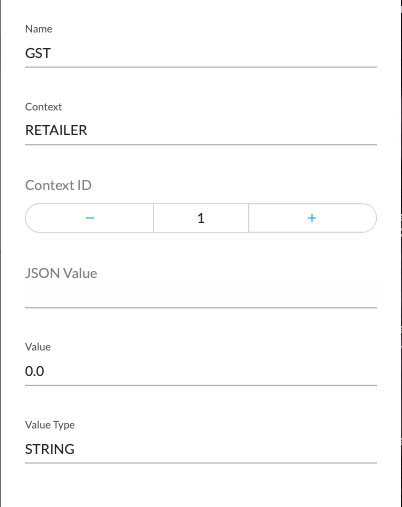 Step 6. Product list
`fc.mystique.search.product.list` exists. If not you need to add it.Go to Admin > Settings and filter the list of settings by name. To add a new setting click on Create Setting button and fill the following: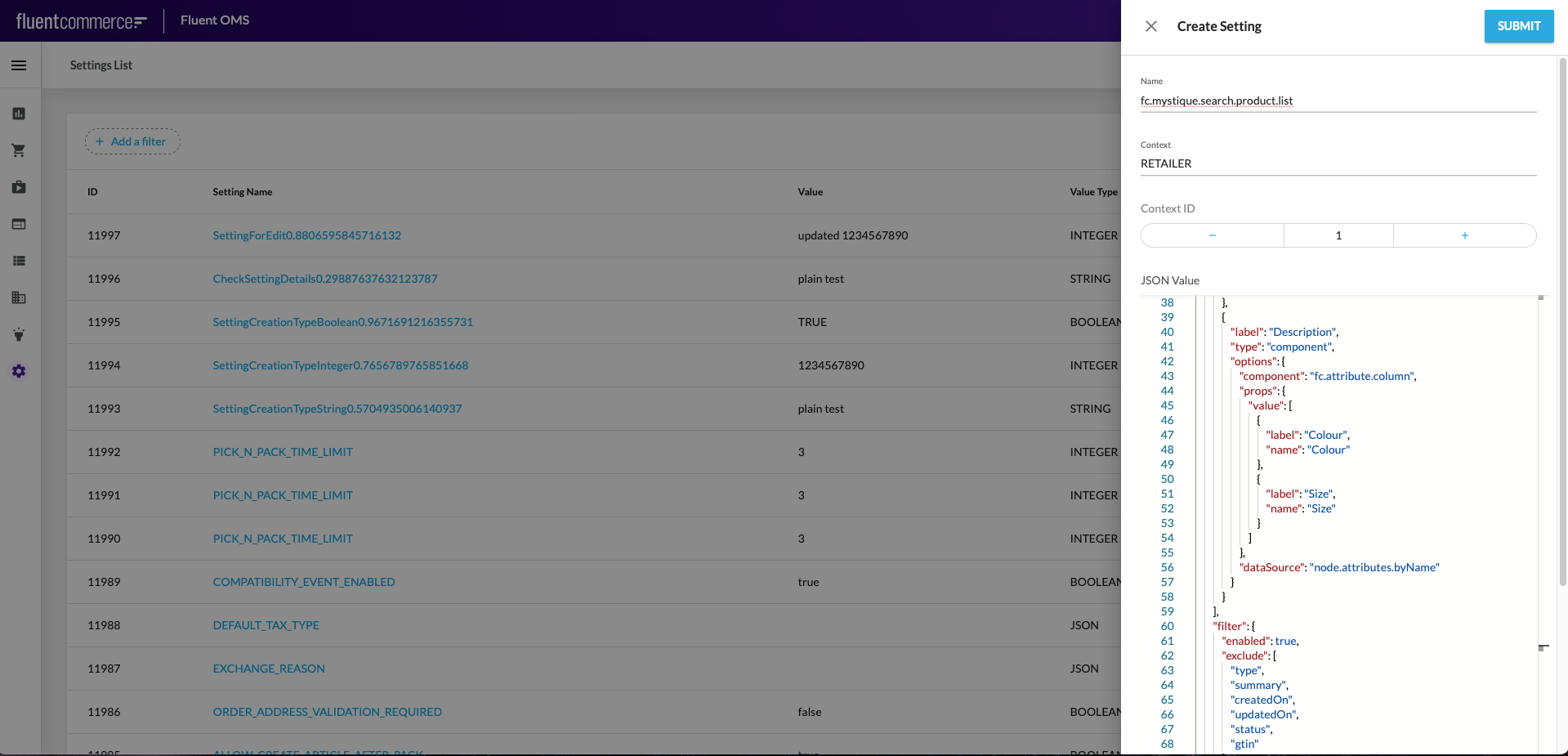 fc.mystique.search.product.list settingMystique Search Product List Setting JSONParameters from which displayed columns can be configured in
 `fc.mystique.search.product.list` setting:`fc.mystique.search.product.list` setting doesn’t exist ‘Add Item’ dialogue will contain only a list of product items and their pictures (default configuration).'Add Item' dialogue default configuration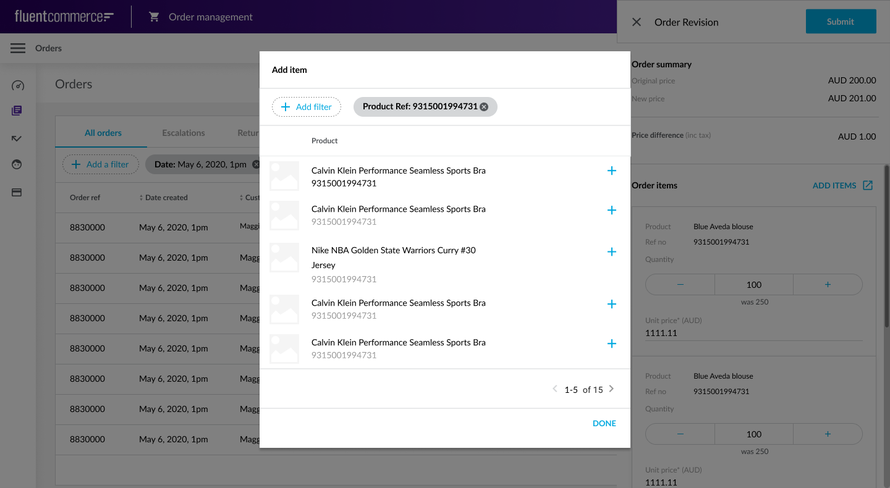 Step 7. Product Query
`fc.mystique.search.product.query` exists. If not you need to add it.Go to Admin > Settings and filter the list of settings by name. To add a new setting click on Create Setting button and fill the following: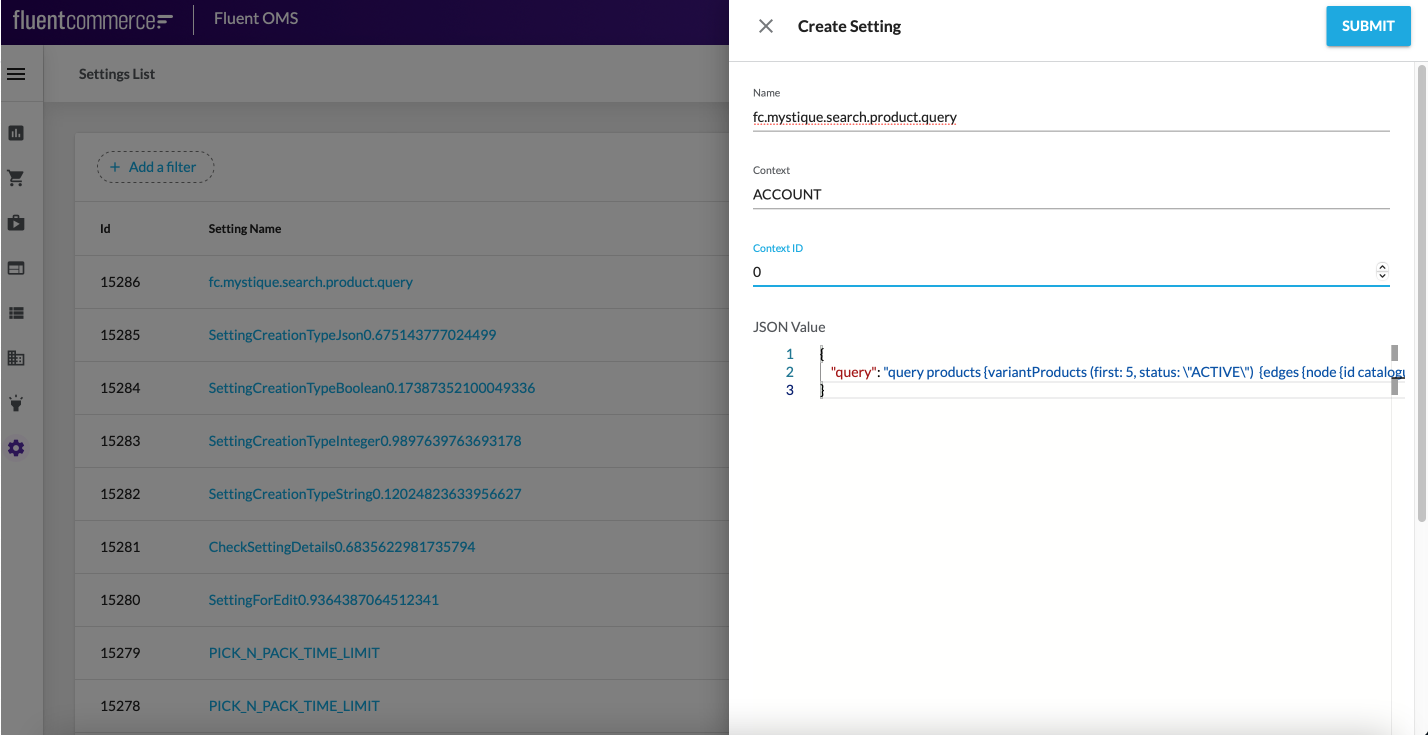 A base entity for Add item dialog query is VariantProduct. It has references with the following list of entities:
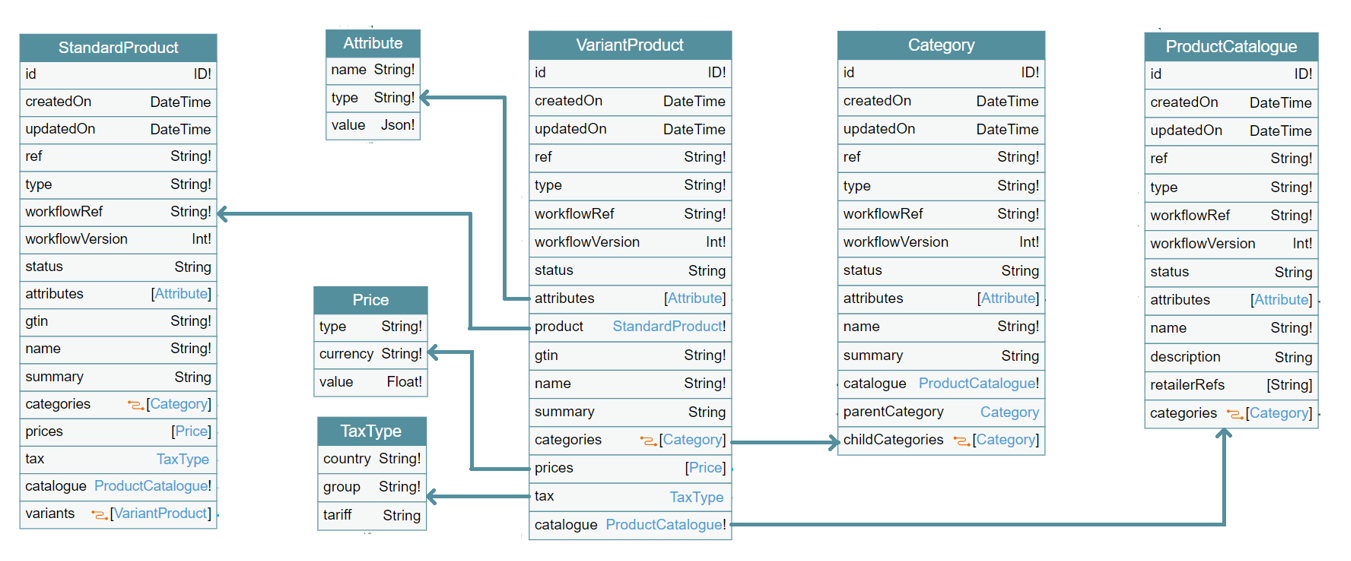 Database schema snippetVariantProduct.graphql file contains max amount of VariantProduct attributes. It is possible to make custom configuration excluding unnecessary attributes.Note: In case
 `fc.mystique.search.product.query` setting doesn’t exist ‘Add Item’ dialogue will contain data according to the default configuration.VariantProduct.graphql file containing a query which returns max amount of VariantProduct attributes.Configuration guide`DEFAULT_TAX_TYPE` setting`EXCHANGE_REASON` setting`GST` setting`fc.mystique.search.product.list` setting
Copyright © 2024-2026 Fluent Retail Pty Ltd (trading as Fluent Commerce). Unless otherwise expressly stated in a current written agreement with Fluent Commerce or any of its affiliates or on any single page of the docs.fluentcommerce.com site, use of the materials on this site is strictly limited to viewing by individuals over 18 years old for legitimate commercially appropriate reasons; and any downloading, copying or other actions or uses of any kind or by any means of the materials on this site, including by artificial intelligence tools, is strictly prohibited. All other rights reserved.

1"statuses": [
2    {
3        "name": "",
4        "entityType": "ORDER",
5        "category": "DONE"
6    },
7    {
8        "name": "CREATED",
9        "entityType": "BILLING_ACCOUNT",
10        "category": "BOOKING"
11    },
12    {
13        "name": "",
14        "entityType": "BILLING_ACCOUNT",
15        "category": "DONE"
16    },
17    {
18        "name": "",
19        "entityType": "RETURN_ORDER",
20        "category": "DONE"
21    }
22]1"statuses": [
2 {
3 "name": "",
4 "entityType": "ORDER",
5 "category": "DONE"
6 },
7 {
8 "name": "CREATED",
9 "entityType": "BILLING_ACCOUNT",
10 "category": "BOOKING"
11 },
12 {
13 "name": "",
14 "entityType": "BILLING_ACCOUNT",
15 "category": "DONE"
16 },
17 {
18 "name": "",
19 "entityType": "RETURN_ORDER",
20 "category": "DONE"
21 }
22]1{
2 "country": "AUS",
3 "group": "STANDARD",
4 "tariff": "GST"
5}1[
2 {
3 "label": "fc.order.orderRevision.wrong.size",
4 "value": "wrong-size"
5 },
6 {
7 "label": "fc.order.orderRevision.change.mind",
8 "value": "change-mind"
9 },
10 {
11 "label": "fc.order.orderRevision.change.variant",
12 "value": "change-variant"
13 }
14]1{
2 "query": "query products {variantProducts (first: 5, status: \"ACTIVE\") {edges {node {id catalogue {ref} ref name gtin summary tax {country group tariff} attributes {name value} categories {edges {node {name}}} prices {type currency value}}}}}"
3}