- Get Started
- Functionality
- Learning
- Extension
- Dev Tooling
- APIs
- Releases

Docs
Authors:
Christopher Tse, Oliver Caine, Robert Wave, Girish Padmanabha
Changed on:
28 Jan 2026

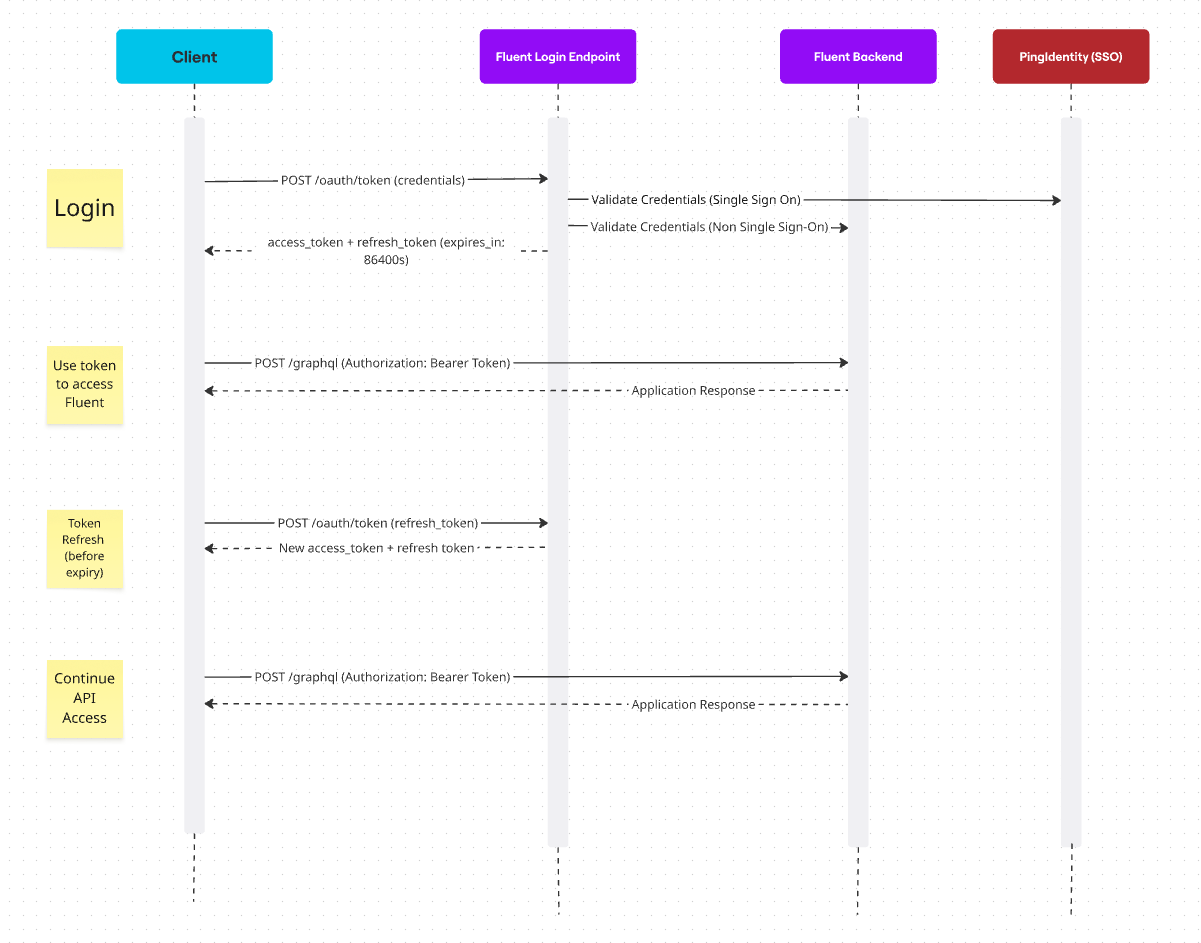
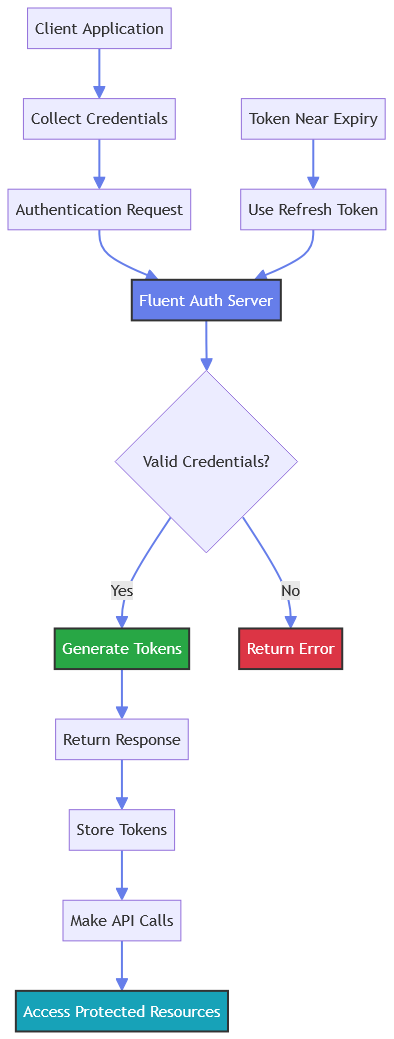
| Property | Value |
| URL | `<root_url>/oauth/token?<API Credentials>` |
| Methods | `POST` |
| Scheme | `https` |
| Content-Type | `See parameter submission methods below` |
| Headers | `fluent.account: <ACCOUNT_ID> ` |
| Name | Multiple? | Description |
| API Key | ❌ No | This API key is to be used in the Store Locator and other Javascript widgets |
| API Client ID and secret | ❌ No | The API Client grants the retailer access to the content via the Fluent REST API. Each retailer will have one API Client |
| Method | Content-Type | Security Level | Recommended | Notes |
| Form Data (POST Body) | `application/x-www-form-urlencoded` | 🟢High | ✅ Yes | Parameters hidden in request body |
| Query String | `application/json` or omit | 🔴Medium | ⚠️ Supported but not recommended | Parameters visible in URL |
1POST /oauth/token HTTP/1.1 Host: ACCOUNT.sandbox.api.fluentretail.com Content-Type: application/x-www-form-urlencoded username=fluent-api&password=fluent-staging&scope=api&client_id=fluent-api&client_secret=ca5ce9a8-2f2e-4b4a-b8da-767f79fc81a9&grant_type=password| Code | Description |
| 200 - Success | Successful Operation |
| 400 - Bad Request | Client Error - Bad Request |
| 401 - Unauthorized | Authorization Error - Invalid Bearer Token / No permission |
| 403 - Forbidden | Authorization Error - Forbidden |
| 404 - Not Found | Client Error - Not Found |
| 500 - Server Error | Server Error |
1POST /oauth/token HTTP/1.1 Host: ACCOUNT.sandbox.api.fluentretail.com Content-Type: application/x-www-form-urlencoded username=fluent-api&password=fluent-staging&scope=api&client_id=fluent-api&client_secret=ca5ce9a8-2f2e-4b4a-b8da-767f79fc81a9&grant_type=password fluent.account: ACCOUNT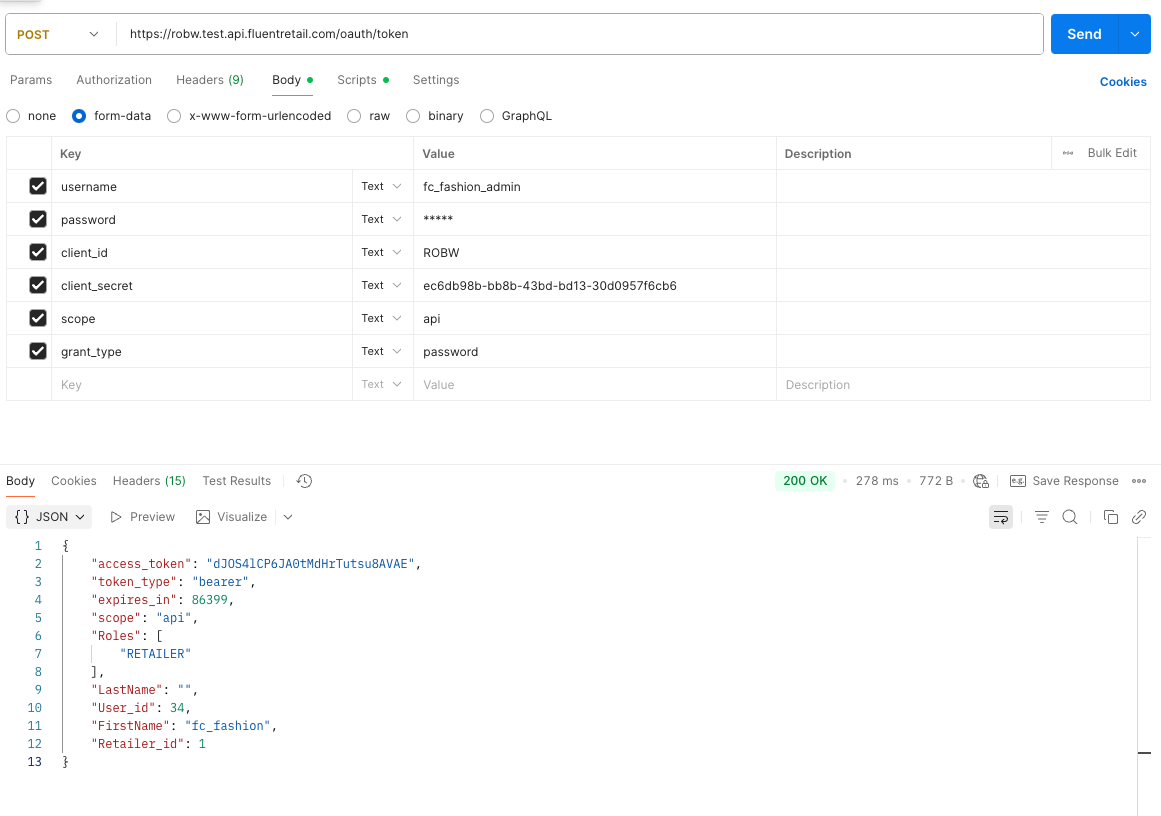
1POST /oauth/token?username=fluent-api&password=fluent-staging&scope=api&client_id=fluent-api&client_secret=ca5ce9a8-2f2e-4b4a-b8da-767f79fc81a9&grant_type=password HTTP/1.1 Host: ACCOUNT.sandbox.api.fluentretail.com Content-Type: application/json fluent.account: ACCOUNT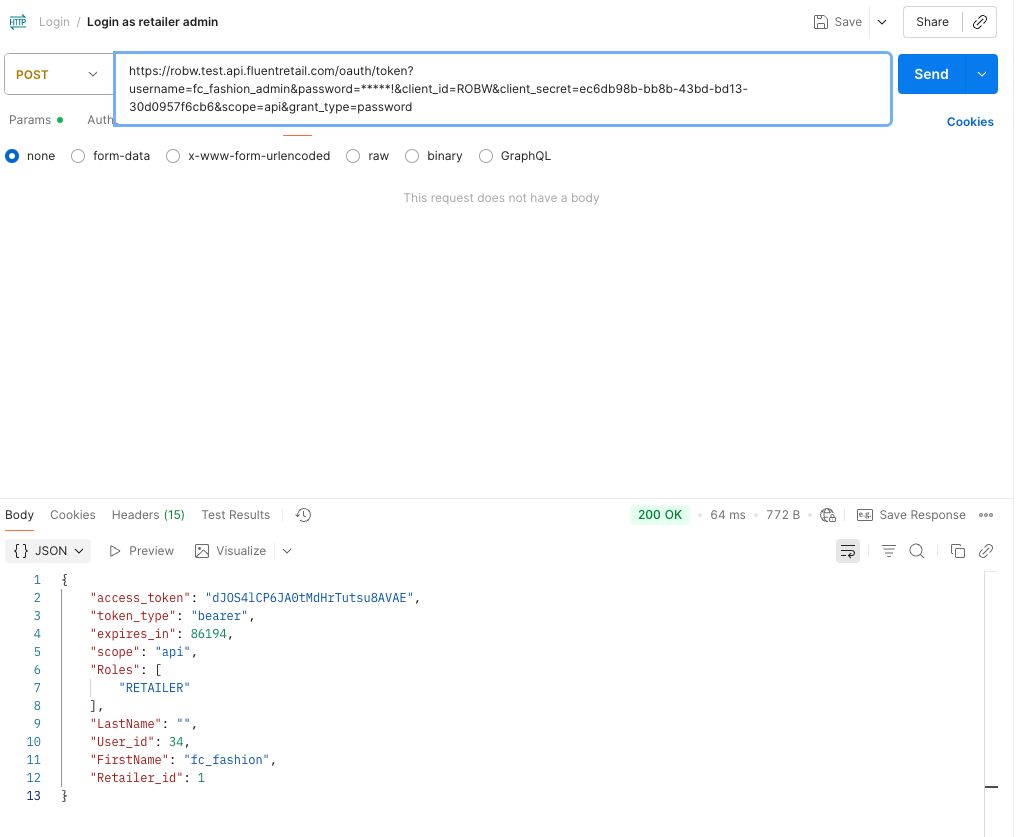
1{
2    "access_token": "cf02e220-86ea-408d-9b80-fb55f517725b",
3    "token_type": "bearer",
4    "refresh_token": "xlUuQ5e-h9Y2pRw5G4Du4fAdRfk",
5    "expires_in": 86386,
6    "scope": "api",
7    "Retailer_id": 1,
8    "FirstName": "Fluent",
9    "LastName": "Commerce",
10    "Roles": []
11}1{
2 "errors": [
3 {
4 "code": "400",
5 "message": {
6 "error": "invalid_grant",
7 "error_description": "Bad credentials"
8 }
9 }
10 ]
11}1POST /oauth/token HTTP/1.1 Host: ACCOUNT.sandbox.api.fluentretail.com Content-Type: application/x-www-form-urlencoded client_id=FLUENT_INTEGRATION&scope=retailer&username=fluent-api&password=fluent-staging&client_secret=ca5ce9a8-2f2e-4b4a-b8da-767f79fc81a9&grant_type=password fluent.account: ACCOUNT1POST /oauth/token?client_id=FLUENT_INTEGRATION&scope=retailer&username=fluent-api&password=fluent-staging&client_secret=ca5ce9a8-2f2e-4b4a-b8da-767f79fc81a9&grant_type=password HTTP/1.1 Host: ACCOUNT.sandbox.api.fluentretail.com Content-Type: application/json1{
2 "access_token": "O1ogEE-LnvZIp_c3DCgKXfhiJII",
3 "token_type": "bearer",
4 "refresh_token": "fx25qnHPXER80FUx-Qo9ce02ITs",
5 "expires_in": 1799,
6 "scope": "retailer",
7 "Retailer_id": 5,
8 "Roles": [
9 "RETAILER"
10 ],
11 "FirstName": "Fluent",
12 "LastName": "Commerce"
13}`username` and `password` parameters substituted with a `refresh_token`:1POST /oauth/token HTTP/1.1 Host: ACCOUNT.sandbox.api.fluentretail.com Content-Type: application/x-www-form-urlencoded refresh_token=zVusnPsE3dPjXEi4b1p6DYHoL8E&scope=api&client_id=fluent-api&client_secret=ca5ce9a8-2f2e-4b4a-b8da-767f79fc81a9&grant_type=refresh_token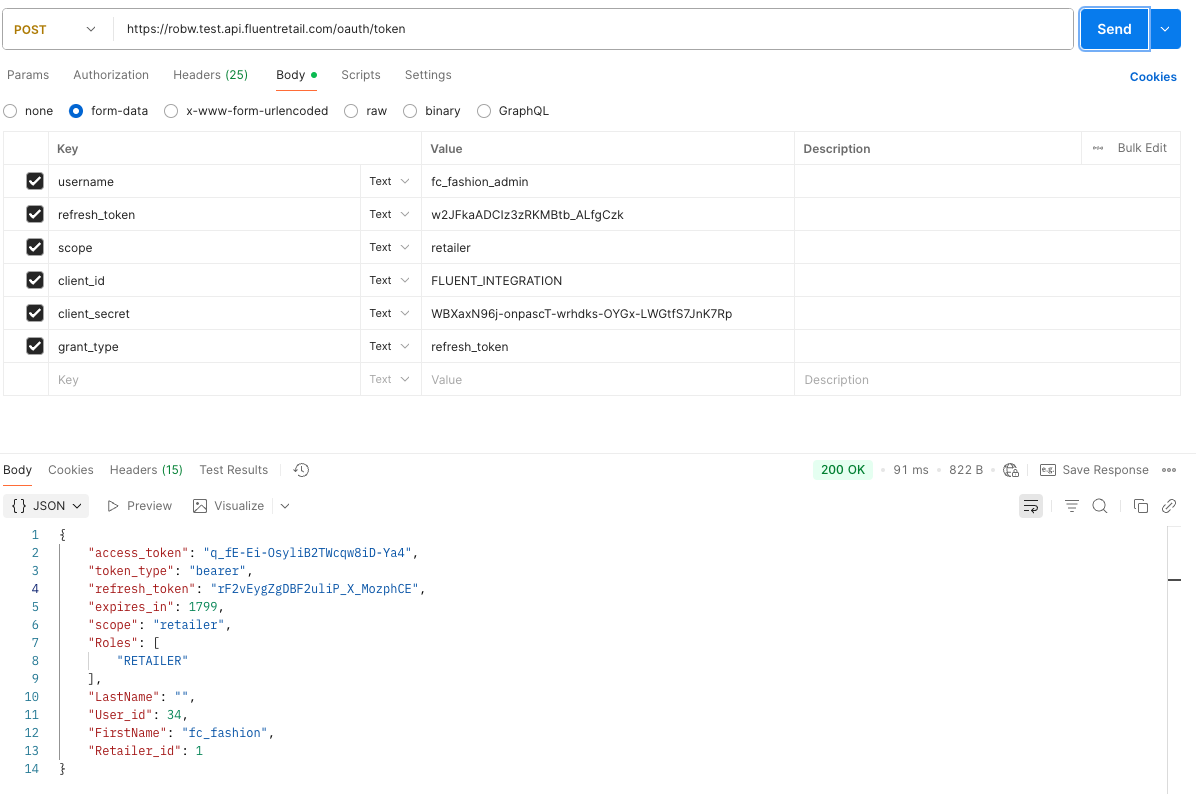
1POST /oauth/token?refresh_token=zVusnPsE3dPjXEi4b1p6DYHoL8E&scope=api&client_id=fluent-api&client_secret=ca5ce9a8-2f2e-4b4a-b8da-767f79fc81a9&grant_type=refresh_token HTTP/1.1 Host: ACCOUNT.sandbox.api.fluentretail.com Content-Type: application/json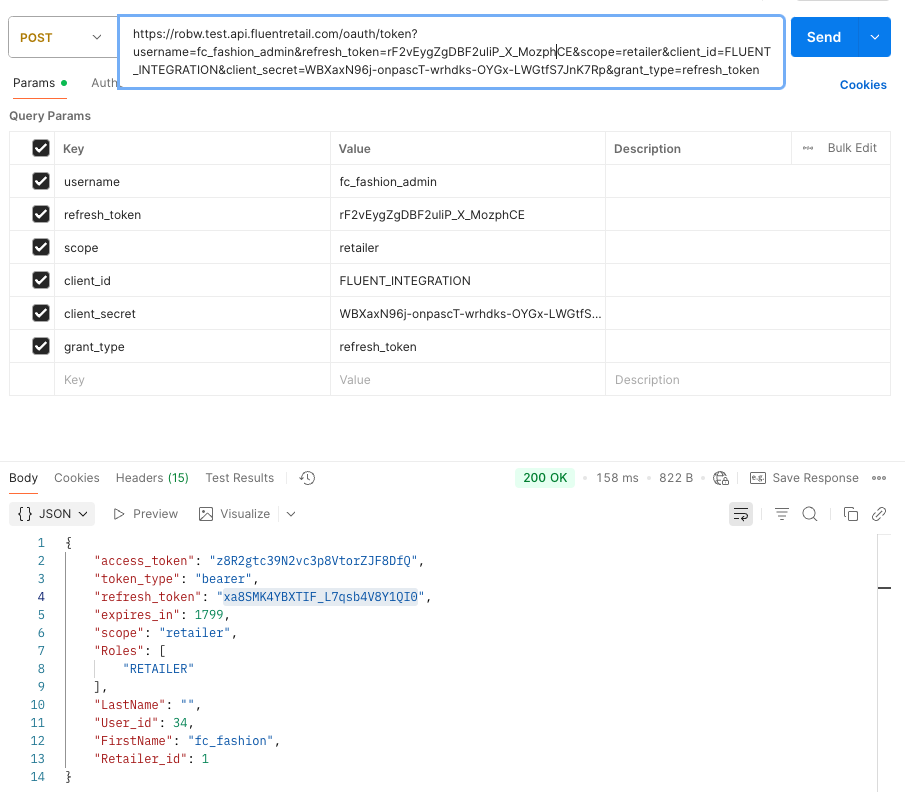
`access_token``Authorization: Bearer cf02e220-86ea-408d-9b80-fb55f517725b`Security: Store securely, never expose in client-side code or URLs.`token_type``expires_in``refresh_token``scope``Retailer_id, FirstName, LastName, Roles`| Key | Type | Required | Description |
| access_token | String | ✅ | The access token string as issued by the authorization server |
| token_type | String | ✅ | The type of token. This will typically be the string “bearer” |
| expires_in | Integer | ❌ | If the access token expires, this field will return a value in seconds until the token expires |
| scope | String | ❌ | The scope of the access token |
| refresh_token | String | ❌ | Refresh tokens can be used to fetch a new access token without needing username and password |
| Retailer_id | Integer | ❌ | This is a unique ID associated with the retailer |
| Roles | [String] | ❌ | An array of the Roles associated with the returned token |
| FirstName | String | ❌ | The first name of the user account that requested the token |
| LastName | String | ❌ | The last name of the user account that requested the token |
| Key | Type | Possible Values | Description |
| errors | Array | - | List of errors |
| code | String | 400, 401, 403, 404, 500 | error code |
| message | String | - | description of the error |


Copyright © 2024-2026 Fluent Retail Pty Ltd (trading as Fluent Commerce). Unless otherwise expressly stated in a current written agreement with Fluent Commerce or any of its affiliates or on any single page of the docs.fluentcommerce.com site, use of the materials on this site is strictly limited to viewing by individuals over 18 years old for legitimate commercially appropriate reasons; and any downloading, copying or other actions or uses of any kind or by any means of the materials on this site, including by artificial intelligence tools, is strictly prohibited. All other rights reserved.
