Order Status Update - Adobe Commerce Connector
Essential knowledge
Intended Audience:
Technical User
Author:
Fluent Commerce
Changed on:
30 June 2026
Overview
Explains how the Adobe Commerce Connector exports storefront checkout transactions to Fluent Order Management and processes inbound status updates via webhooks. Partners will learn to leverage the plugin architecture to configure automated messaging queues and event-driven handlers. For the business, this real-time link establishes a seamless fulfillment path and eliminates manual order tracking updates.Note: This article forms part of the inbound pipeline category, where data flows into the Adobe Commerce environment from an external source.Key points
- Core Function & Outcome: You will learn how using the native Adobe Commerce plugin and observer frameworks automates bidirectional data flows, exporting Adobe Commerce orders to Fluent via native message queues and processing inbound status updates through a validated, two-stage webhook handler.
- Critical Sync Limitations: If you skip the text, you must know retroactive synchronization is not currently supported; it will permanently miss orders created prior to installation or those placed during any period where the sync was temporarily deactivated.
- Disabled-by-Default Feature: There is a setting that blindly creates shipments for all order items upon a status update regardless of actual fulfillment states; this is disabled by default to prevent data errors, safely deferring specific shipping logic to the Consignment framework.
- Tracking & Extensibility: Export progress is strictly tracked via custom
`publish_status`extension attributes, and the framework provides seven distinct event hooks alongside DI entry points to customize readiness checks and item payloads.
Data Pipeline Execution
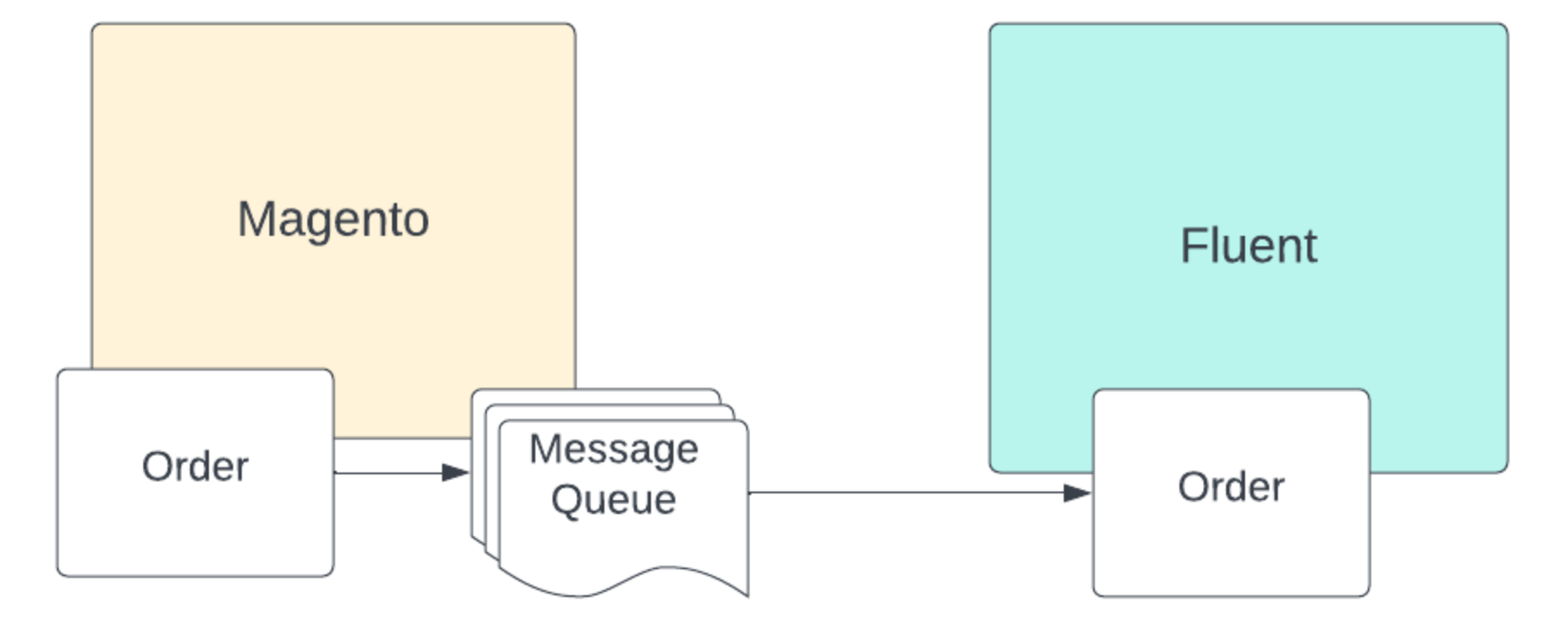
1. Application Triggers (Observers/Cron)
Once an order is saved in Adobe Commerce, the system automatically fires the standard`sales_order_save_after` event. This event is monitored by the framework's dedicated observer class: `FluentConnector\Order\Observer\PublishOrderToExportQueue`.2. Validation Check
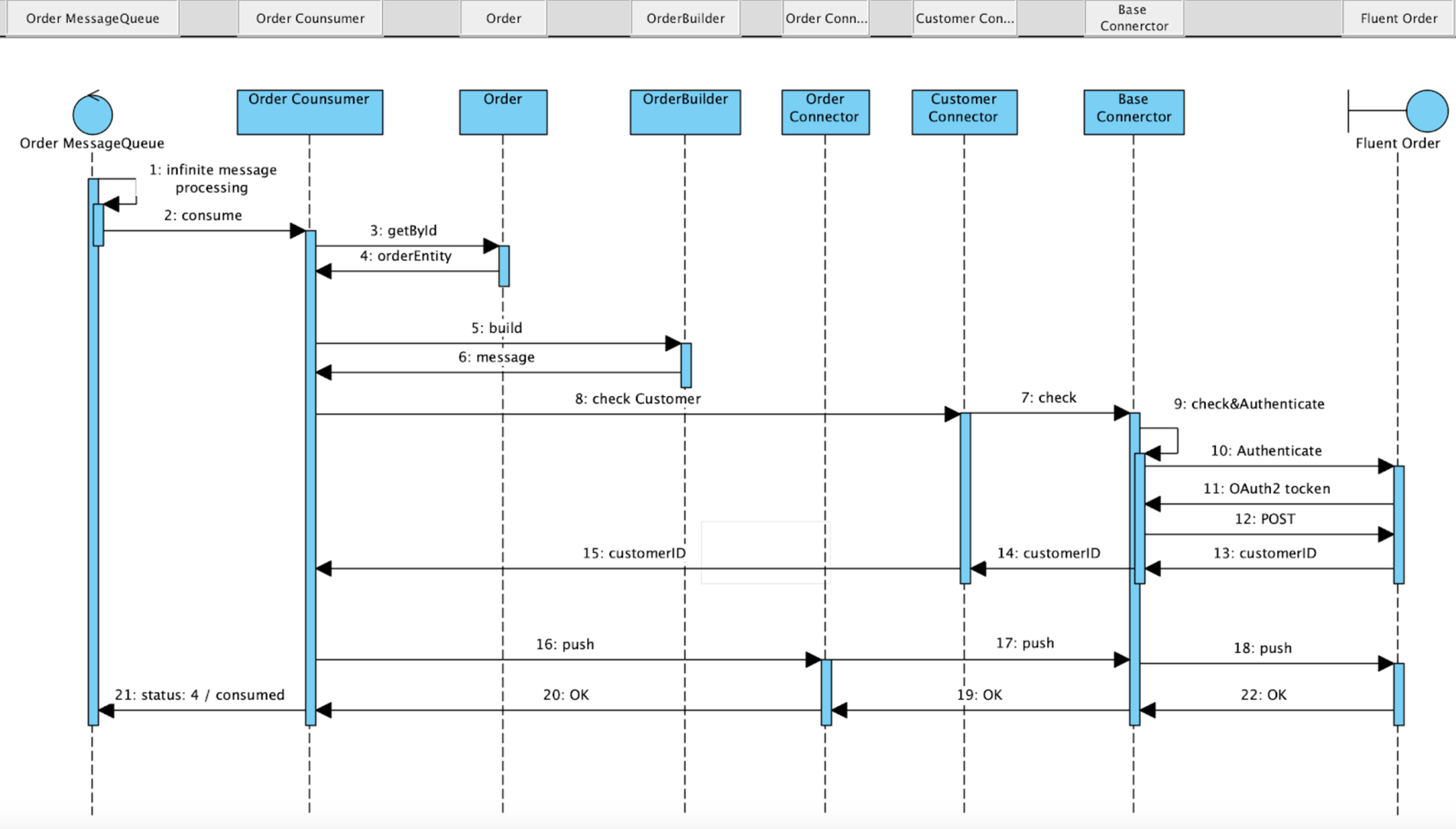
The observer evaluates the order record to confirm its export readiness through the following steps:- It queries the configuration class
`FluentConnector\Order\Model\ConfigProvider`to check if order exporting is active and if the order holds an approved status for export. - To prevent duplicate transmissions, it checks the custom extension attribute:
`order.extension_attributes.fluent.publish_status`. This value must be completely empty or equal to`0`. - If validation passes, the order is appended to the message queue under the topic
`fluentcommerce.order.publisher`, and the tracking attribute updates to`1`(PUBLISHED). - When the queue consumer reads the message, it extracts the
`order_id`, changes the attribute to`2`(PROCESSING), and performs a customer validation check to confirm if the profile exists or must be generated inside the target Fluent retailer tier.
3. Payload Building
Once the background consumer validates the entity, the framework executes internal mapping classes to transform the Adobe Commerce data and build the final`create order` API request mutation payload.4. API Delivery
The consumer manages authentication and dispatches the outbound POST API request over to the Fluent platform. Upon receiving a successful confirmation, the system:- Updates the order extension attribute to
`4`(COMPLETE). - Permanently saves the returned
`fluent_order_id`identifier inside the native Adobe order record via extension attributes.
Bidirectional Status Webhook Handler
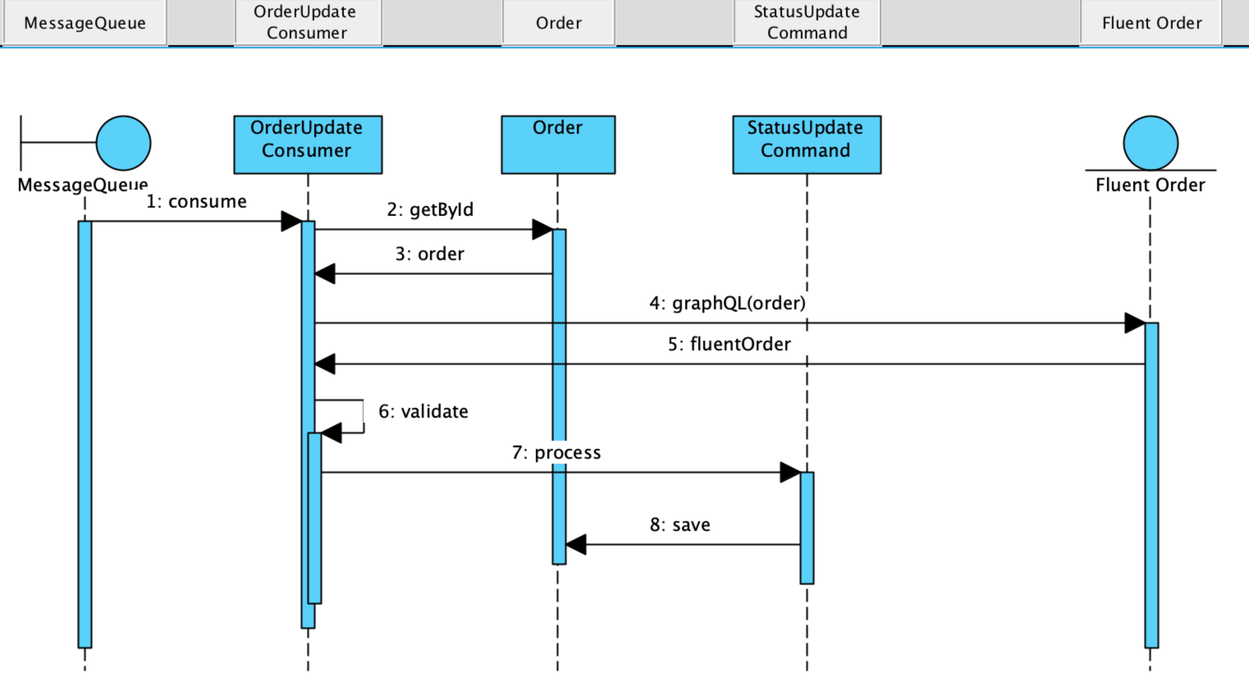
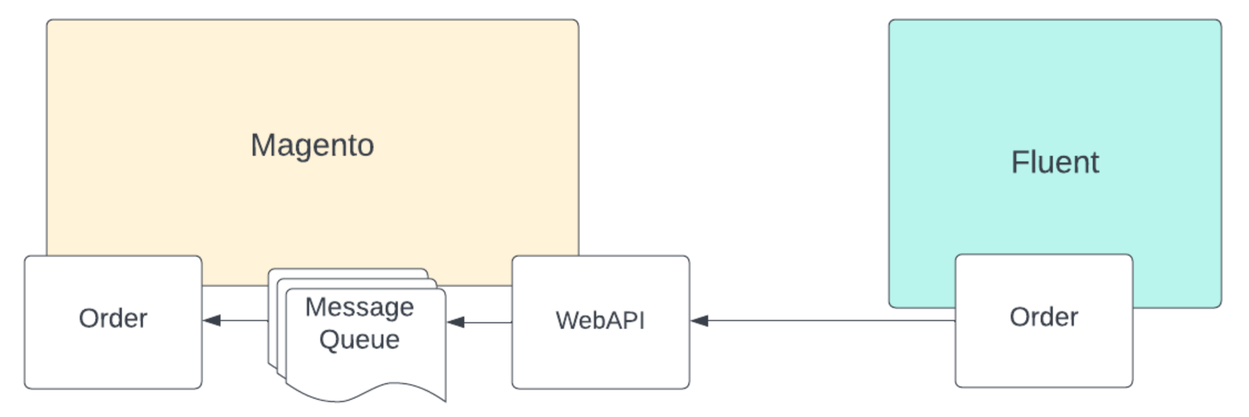
Inbound order status synchronization back into Adobe Commerce runs through a specialized, decoupled two-stage webhook process:- Stage 1 (Ingestion & Validation): The endpoint validates incoming cryptographic signatures and ensures the payload contains all mandatory parameters. If successful, it immediately queues the message for asynchronous processing; otherwise, it returns an error to Fluent.
- Stage 2 (Processing & Extraction): The background consumer reads the message name and maps it directly to its registered handler class via Dependency Injection configurations:
1<type name="FluentConnector\General\Api\WebHook\HandlerFactoryInterface">
2    <arguments>
3        <argument name="handlers" xsi:type="array">
4            <item name="OrderStatusChanged" xsi:type="string">FluentConnector\Order\Handler\OrderStatusUpdateHandler</item>
5        </argument>
6    </arguments>
7</type>Developer Extension Points
Developers can tap into seven built-in event hooks to alter payloads, collections, or query strings without overwriting core classes:Horizontal scrolling is enabled on this table, scroll to the right to see more!| Name | Description | Parameters |
`fluent_order_push_before` | Event before the order is pushed to Fluent | `order` of type `OrderInterface` |
`fluent_order_push_after` | Event after the order is successfully pushed to Fluent | `order` of type `OrderInterface` |
`fluent_order_push_prepare_simple_payload_after` | Allows customization of an order line containing a simple product | `payload` of type `array` |
`fluent_order_push_prepare_configurable_payload_after` | Allows customization of an order line containing a configurable product | `payload` of type `array`, `order_item` of type `OrderItemInterface` |
`fluent_order_push_prepare_fulfilment_choice_payload_after` | Allows customization of the fulfillment choice properties | `fulfilment` of type `array`, `request_data` of type `PushOrderDataRequestInterface` |
`fluent_order_push_prepare_order_payload_after` | Allows customization of order level properties | `order` of type `OrderInterface`, `payload` of type `PushOrderDataRequestInterface` |
`fluent_order_push_query_build_after` | Allows customization of order mutation query | `query` of type `string` |