- Get Started
- Functionality
- Learning
- Extension
- Dev Tooling
- APIs
- Releases

Docs
Authors:
Ankit Mehta, Movyn John, Cille Schliebitz, Anita Gu
Changed on:
3 Feb 2025
 Webhook structureAll webhooks posted by the Fluent platform use the standard Event Model. This is the same as the Event API payload.Here you can see a Sample Payload for Webhooks.
1{
2"id": "b34281d0-ada4-11e9-a1a7-5da7a83b9sd97cd" ,
3"name": "OrderStatusChange"
4"accountId": "ACME",
5"retailerId": "1",
6"rootEntityId": "123",
7"rootEntityRef": "0_123",
8"rootEntityType" : "ORDER",
9"entityId": "123"
10"entityRef": "0_123",
11"entityType": "ORDER",
12"entityStatus": "SHIPPED",
13"type": "NORMAL"
14"attributes": {
15 "ShippingPartner": "Awesome Shipping Co."
16 "TrackingNumber": "TRACKING123" ,
17 "TrackingURL": "http://awesomeshippingco.test/track/q=TRACKING123"
18 }
19}1"rules" : [
2 {
3"name": "FLUENTRETAIL.base.SendWebhook",
4"props": { "url": "https://testwebhook.fluentretail.com/clicksend" }
5 }
6]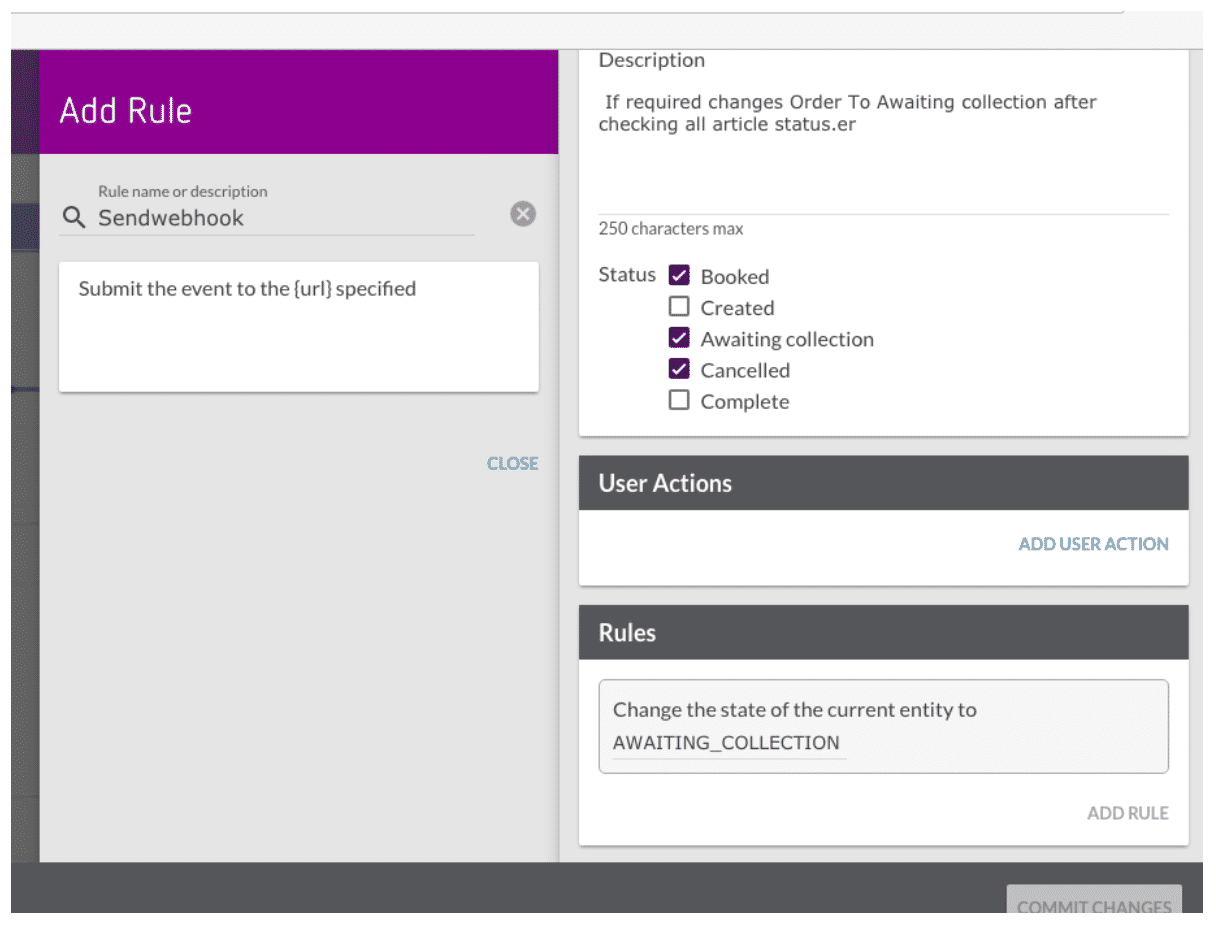 Webhook RetriesAt times, the external parties may be unreachable due to connectivity issues; in these cases, if the Webhook request fails due to a connection timeout, the orchestration engine will automatically reattempt the Webhook request three times. More information about Webhook Retries (opens in a new tab).Next, we look at Webhook Signature Validation.Webhook Signature Validation-Why is a Webhook Signature needed? For security purposes, Fluent Commerce cryptographically signs each Webhook request with a private key before sending to the target endpoint.-How is the request validated? To validate if the request came from Fluent Commerce and has not been tampered with or replaced by another third party, a public key is provided so that clients can verify that the signatures match the request.-What does each request contain? Every Webhook request from the Fluent OMS contains two custom headers.

Copyright © 2024-2026 Fluent Retail Pty Ltd (trading as Fluent Commerce). Unless otherwise expressly stated in a current written agreement with Fluent Commerce or any of its affiliates or on any single page of the docs.fluentcommerce.com site, use of the materials on this site is strictly limited to viewing by individuals over 18 years old for legitimate commercially appropriate reasons; and any downloading, copying or other actions or uses of any kind or by any means of the materials on this site, including by artificial intelligence tools, is strictly prohibited. All other rights reserved.
