Configure Multi-Region Sourcing Logic
How-to Guide
Author:
Kirill Gaiduk
Changed on:
2 Oct 2025
Key Points
- Use the Responsive Sourcing Framework building blocks to manage your sourcing logic
- Use the
`createSourcingProfile`mutation to create new versions of Sourcing Profiles, which are immutable - Activate relevant Sourcing Profiles versions with the
`activateSourcingProfile`mutation - Reference Sourcing Profiles within the corresponding Workflows
Prerequisites
Steps
 Create Networks
1. Use the 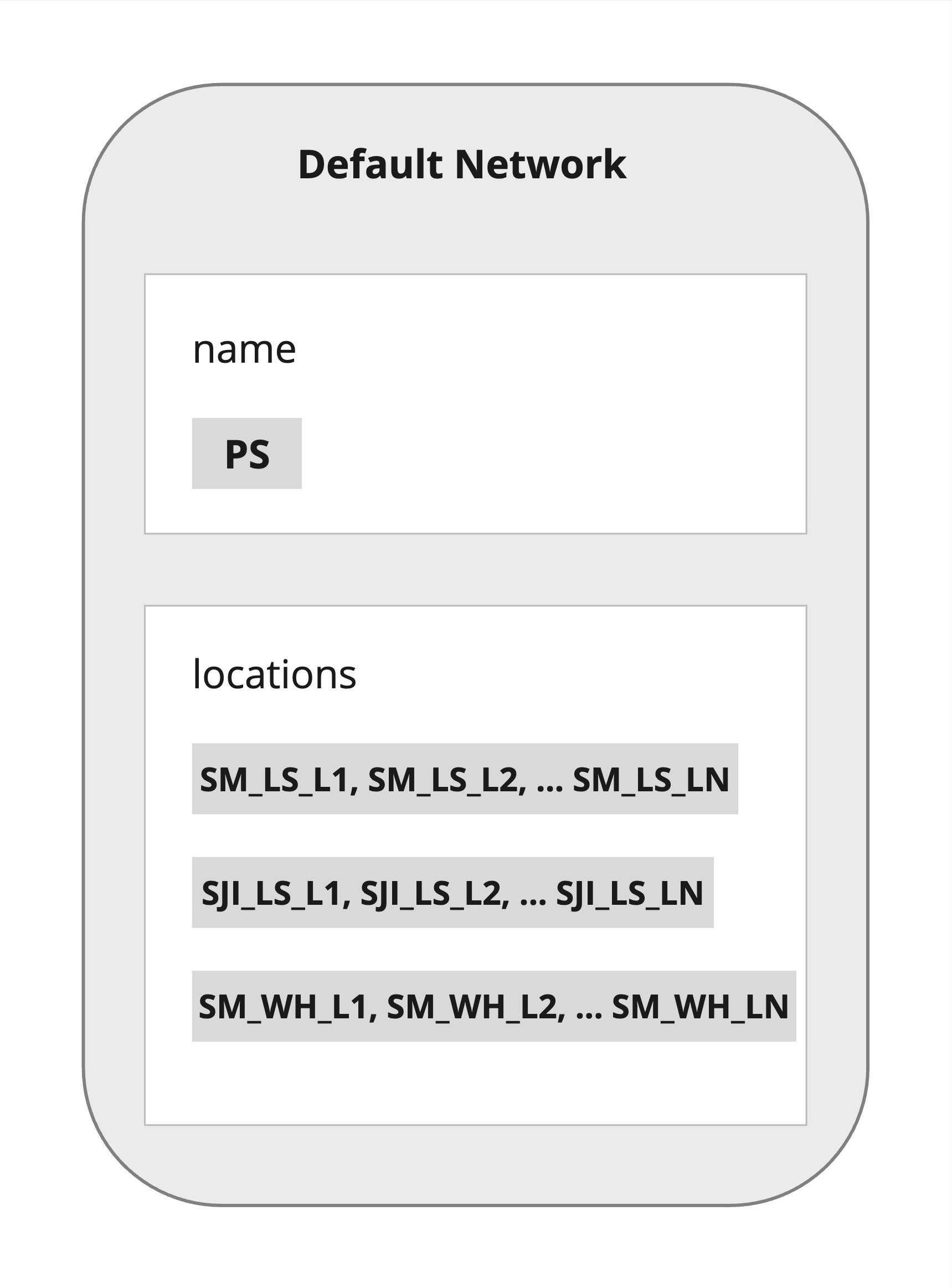
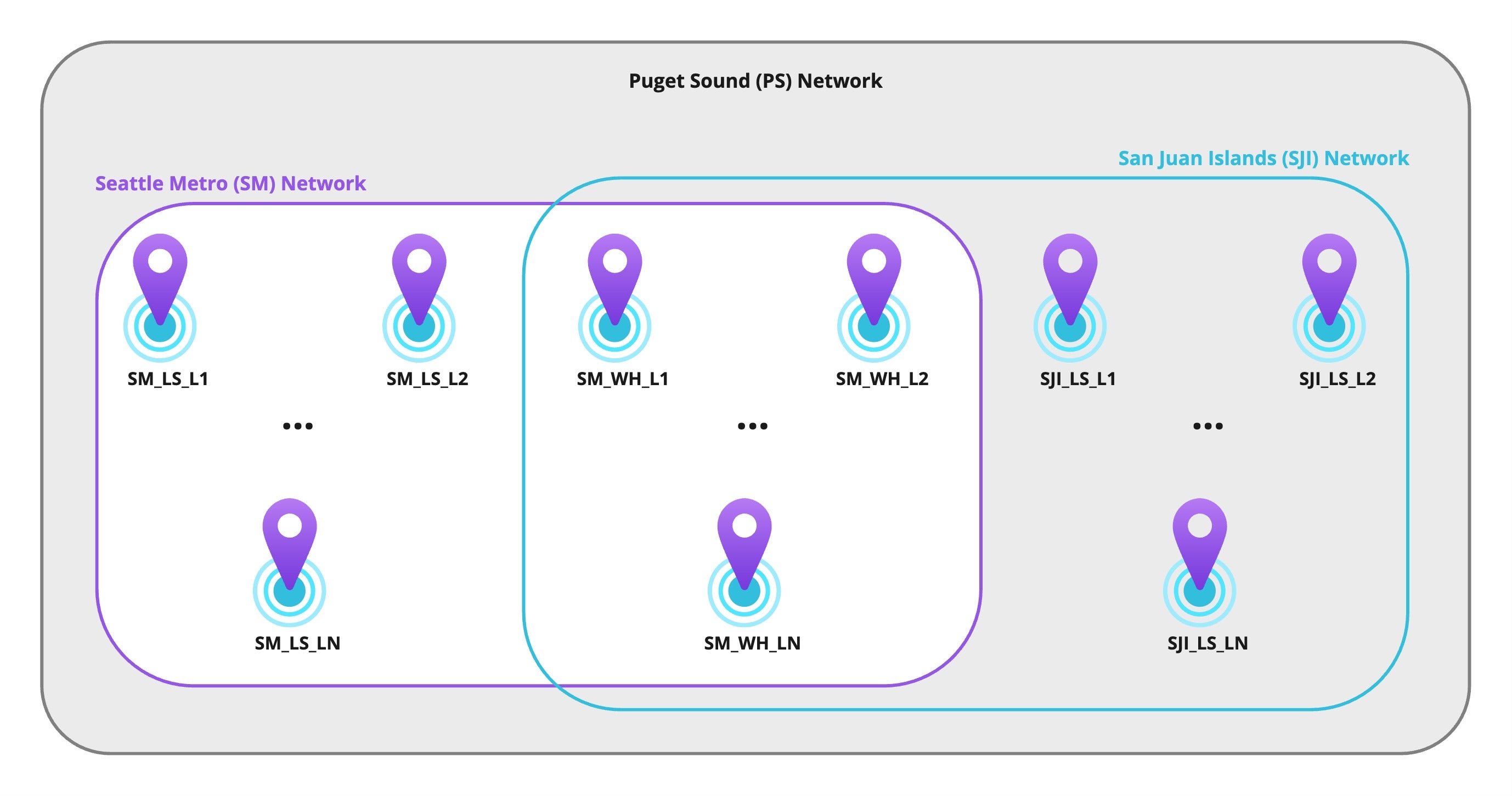
`createNetwork` mutation to create the Puget Sound (`PS`) Default Network for your Sourcing Profile, including all the Locations from `SM_LS`, `SJI_LS`, `SM_WH` Networks.2. Configure your Network using the `CreateNetworkInput` fields:- Use a unique
`CreateNetworkInput.name`value (it is saved in the`Network.ref`field). - Use the
`network`query to get the list of Location Ids by Network Reference.
`SM`for Seattle Metro`SJI`for for San Juan Islands
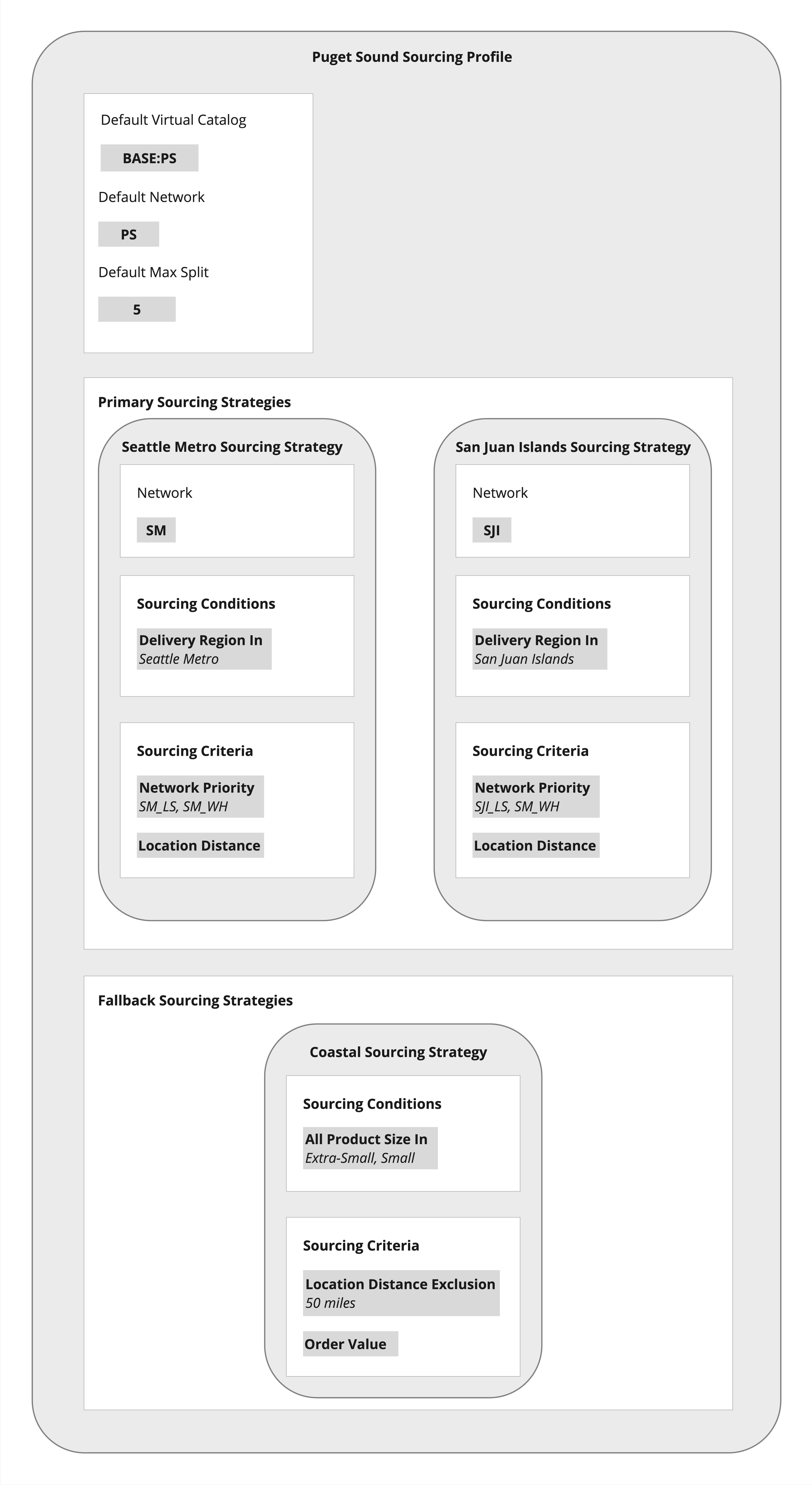
Create Sourcing Profile
1. Use the 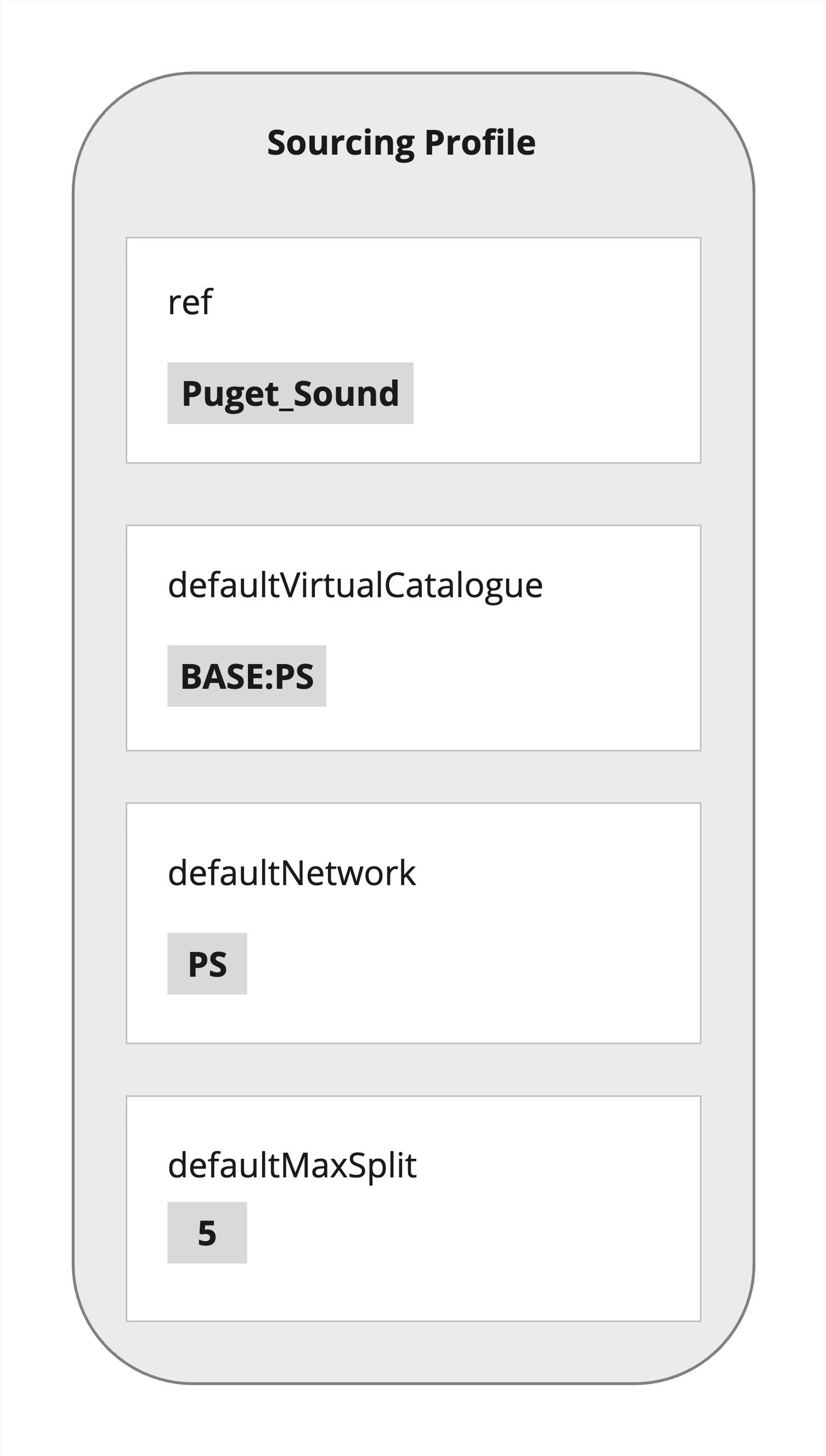

`createSourcingProfile` mutation to create a new Sourcing Profile, including its:- Primary and Fallback Sourcing Strategies with their
- Sourcing Conditions and Criteria
`CreateSourcingProfileInput` fields:- Use a unique Sourcing Profile
`ref`for new Profile creation - Virtual Catalog, Network, and Max Split can be overridden at the Sourcing Strategy level (If not specified, the Profile’s default values will be inherited).
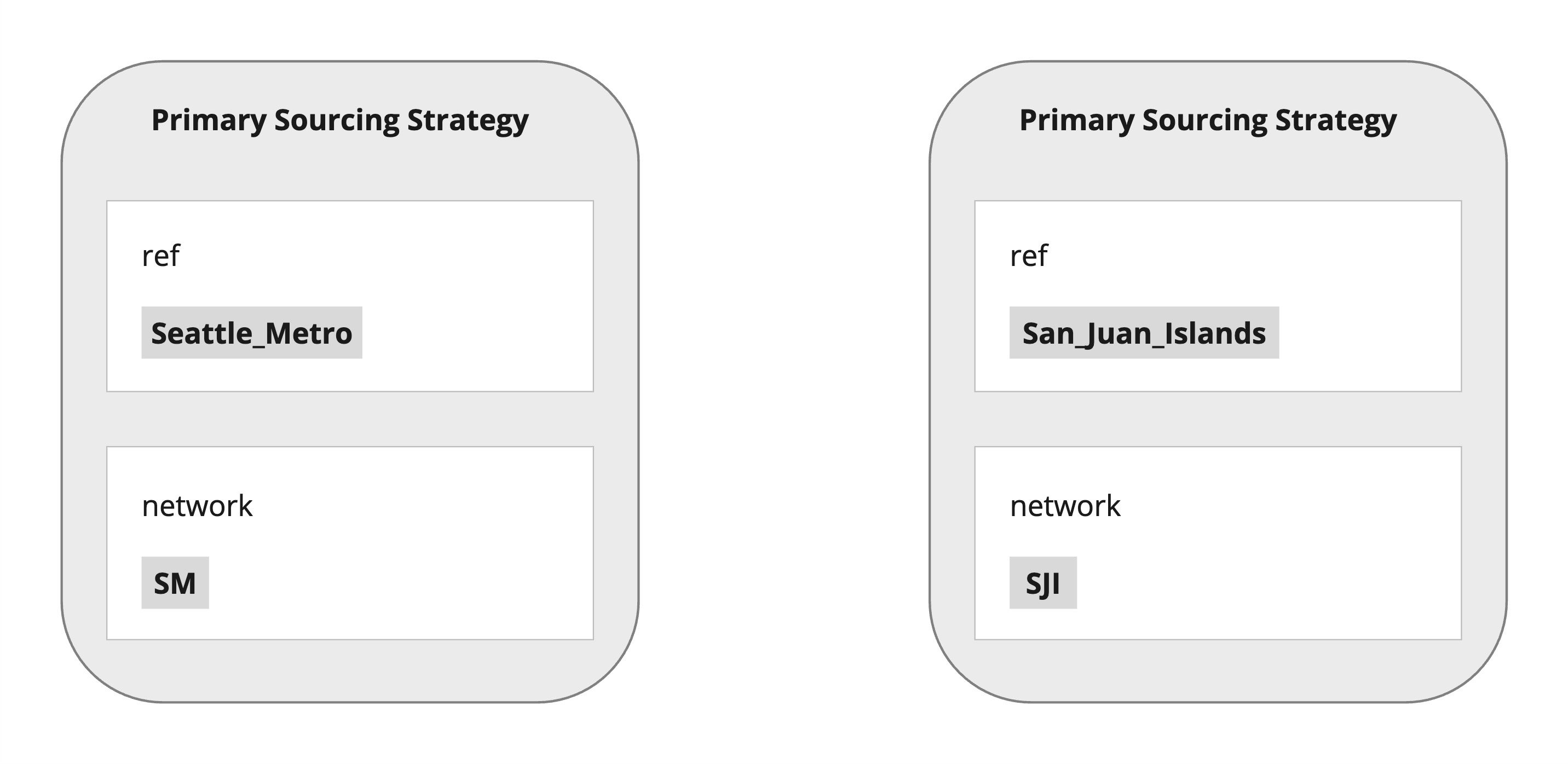
`CreateSourcingStrategyInput` fields:- Seattle Metro Sourcing Strategy restricts available Locations to those within the Seattle Metro region (
`SM`Network) - San Juan Islands Sourcing Strategy allows fulfillment from stores within the San Juan Islands region, as well as cross-region delivery from warehouses located in the Seattle Metro (
`SJI`Network) - Both Strategies inherit the Virtual Catalog and Max Split defaults from the Sourcing Profile
- The order of Sourcing Strategies in the
`"sourcingStrategies": []`defines their`priority`
`CreateSourcingFallbackStrategyInput` fields:- Coastal Sourcing Strategy inherits the Sourcing Profile's Virtual Catalog, Network, and Max Split defaults
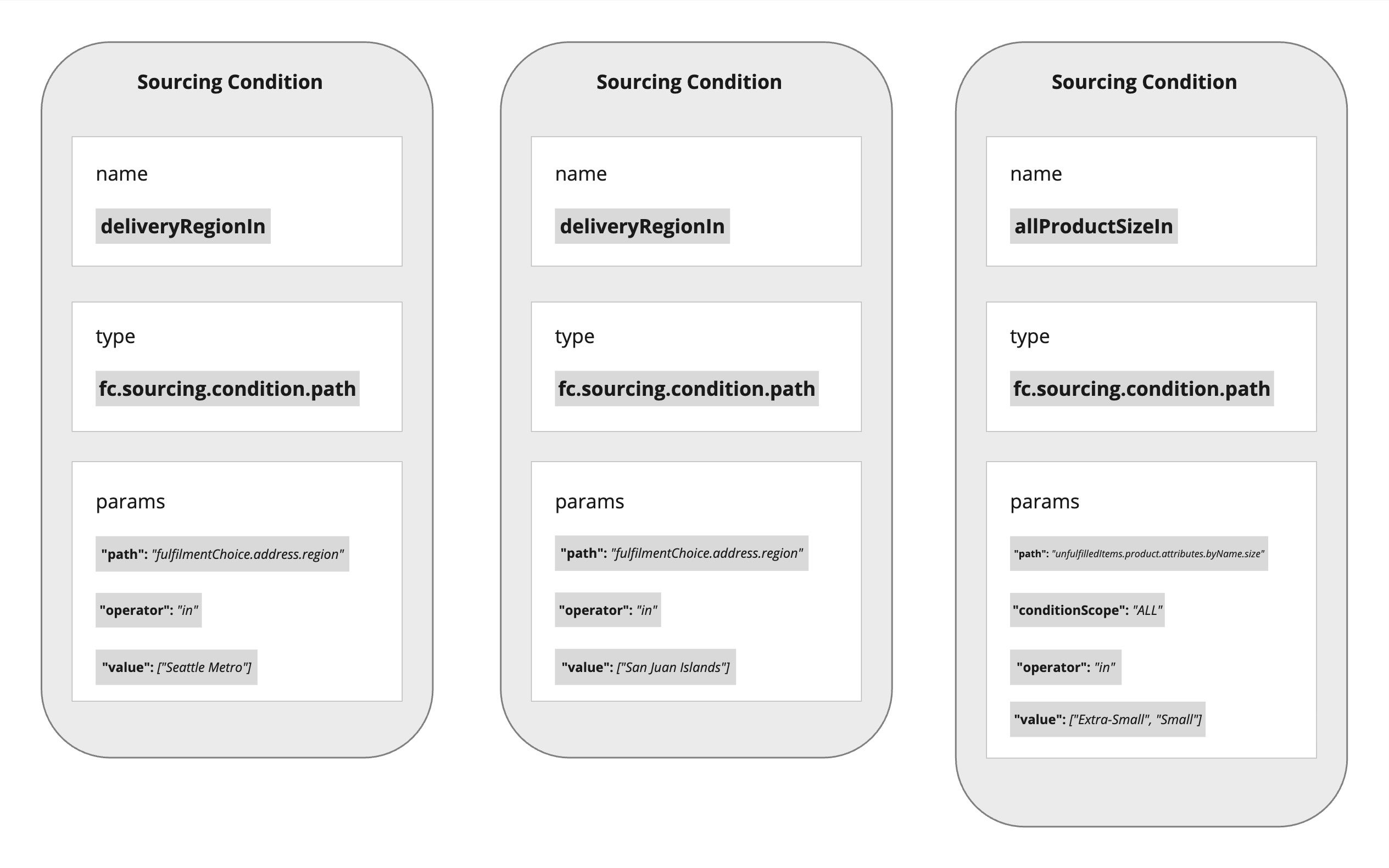
`CreateSourcingConditionInput` fields:- Destination sourcing restrictions are enforced based on Delivery Region Sourcing Conditions for Seattle Metro and San Juan Islands Sourcing Strategies
- A Product-specific restriction applies to the Coastal Fallback Sourcing Strategy
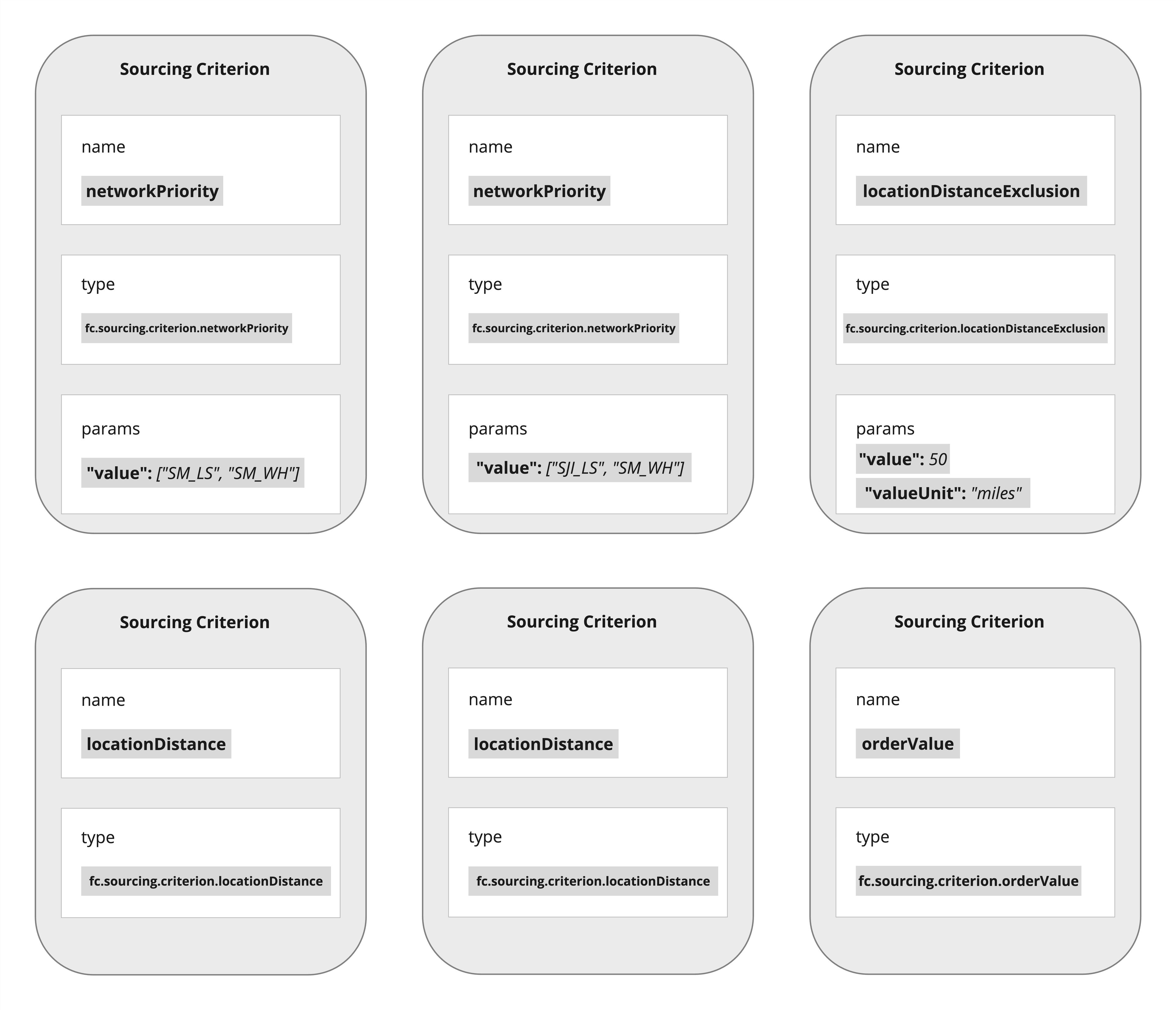
`CreateSourcingCriterionInput` fields:- For Seattle Metro Strategy, Locations are ranked based on:
- Local stores preferred over warehouses
- Distance to the destination as a tie-breaker
- For San Juan Islands Strategy, ranking is based on region-compliant Network prioritization
- For Coastal Strategy:
- Limits Locations within a specified radius
- Allows partial Order fulfillment, prioritizing monetary value a Location can fulfill
Sample createSourcingProfile Payload
Verify your Sourcing Profile
1. Use the
`sourcingProfile` query to retrieve a Sourcing Profile by its `ref`.Sample sourcingProfile Payload
2. Ensure the Sourcing Profile configuration is correct. Verify values for:- The Sourcing Profile itself
- Primary Sourcing Strategy(ies)
- Fallback Sourcing Strategy(ies)
- Sourcing Condition(s)
- Sourcing Criterion(a)
`createSourcingProfile` mutation to make corrections if needed.4. (Optional) Use the `activateSourcingProfile` mutation to activate the updated version after making corrections.Sample activateSourcingProfile Payload
Update your Workflow
Ensure the Sourcing Profile
`ref` is specified in the `sourcingProfileRef` parameter for the following Rules: