Segment Orders by Tags in Fluent Analytics
Release
Author:
Kirill Gaiduk
Changed on:
11 Sept 2026
| Target release date: | 2026-09-14 |
|---|---|
| Release status: | Released |
Description
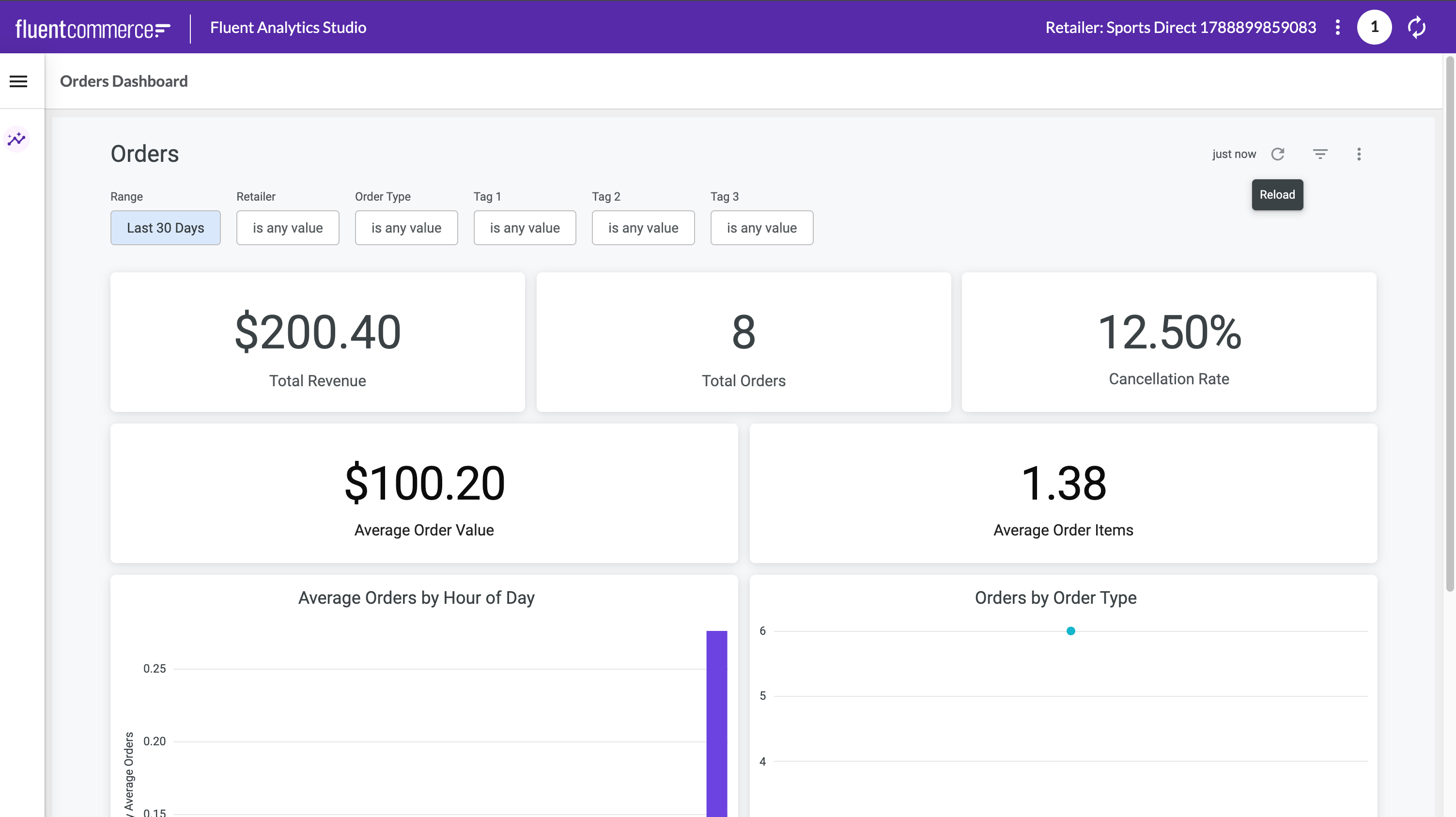
Fluent Analytics now lets you segment and compare orders by their business tags - such as brand, region, or sales channel. Order tags are available as dimensions, drill-down columns, and dashboard filters across every metric on the Orders dashboard, in both Fluent Analytics Studio and Fluent Embedded Analytics.This release also includes an internal authentication update to the Fluent Analytics service, applied ahead of an upstream provider change so that analytics and embedded dashboards keep working without interruption. No action is required on your side.📖 See Configuring Fluent Analytics Studio Dashboard Filters to add the Tag 1, Tag 2, and Tag 3 filters to your dashboards.Changelog
- Order Tags:
- Added
`tag1`,`tag2`, and`tag3`order dimensions, with matching drill-down columns, to the Analytics Order view - Added Tag 1, Tag 2, and Tag 3 filters to the Orders dashboard. The filters apply to every Order metric, including Orders by Hour of Day
- Added
- Analytics Authentication:
- Updated the Fluent Analytics service's authentication method ahead of an upstream provider change
- No action is required; analytics and embedded dashboards are unaffected
Screenshot
| Released capability depth: | Enhancement, Fix |
|---|---|
| Release bundle / Capability type: | Platform, Tool |