
Top 10 Reserved Products Metric
Essential knowledge
Intended Audience:
Business User
Author:
Movyn John
Changed on:
16 Jan 2026
Overview
Learn about the Top 10 Reserved Products Metric in Fluent AnalyticsKey points
- High reservations may indicate strong demand or allocation inefficiencies
- Reserved inventory is not available for new orders
- Reservation patterns can guide capacity planning
What it measures
Top 10 products with the highest volume of reserved inventory within the time period.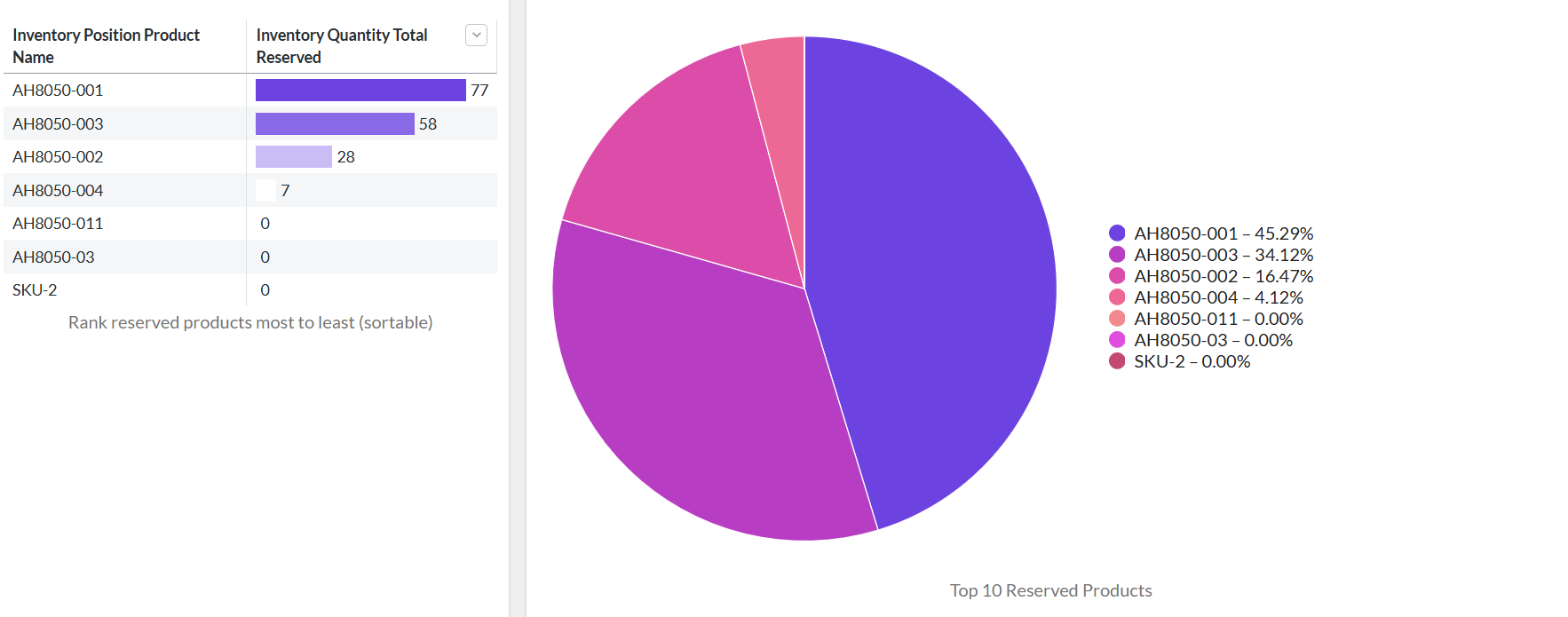
When to use this metric
- Monitor inventory allocation and reservation patterns
- Identify products with high demand or allocation issues
- Assess the impact of reservations on available inventory
- Guide inventory planning for high-demand items
How to interpret
- Good performance: Reservations align with expected order patterns
- Potential issues: Excessive reservations may indicate allocation problems
- Benchmark guidance: Reserved inventory should turn quickly into sales
Technical details
Domain:`inventory_quantity`Formula: SUM(inventoryQuantity.qty) where type = {TYPE_RESERVED} grouped by product, ordered by sum desc, limited to top 10
within the selected time periodReference Filter Parameters:
`inventory_quantity.created_date`: - Filters the metric to inventory quantities created in the selected date range`inventory_catalogue.ref`: Filters the metric to inventory quantities for the selected inventory catalogue`inventory_quantity.type`: {TYPE_RESERVED} - Type definitions for inventory quantity reservations (default: RESERVED)`location.ref`: Filters the metric to inventory quantities for the selected location`retailer.ref`: Filters the metric to inventory quantities from the selected retailer

