
Fluent Store Dashboard: new dashboard tile based on fulfilment expiry time
How-to Guide
Extend
Author:
Randy Chan
Changed on:
29 Aug 2025
Key Points
- A guide to extend Fluent STORE UI capabilities to allow the store users to have a better visibility on the fulfilments by expiry time.
- The use case where the store staff would like to see number of fulfilments for the next 2 hours so that they can plan their pick and pack process accordingly.
- One of the solutions is by using OOTB component and manifest to display the fulfilments number based on the expiry time. Hence, there are no custom rules nor custom component is required for this solution.
- Here are the steps to archive the outcome:
- Create a new screen in fluent Store
- Create dashboard tiles
Prerequisites
Steps
 Create a new screen in Fluent Store
Create a new setting for the new empty screen:Name: fc.mystique.manifest.store.fragment.store_dashboardContext: ACCOUNTContext ID: 0Value Type: JSONJSON Value:Then add the new setting to the fc.mystique.manifest.store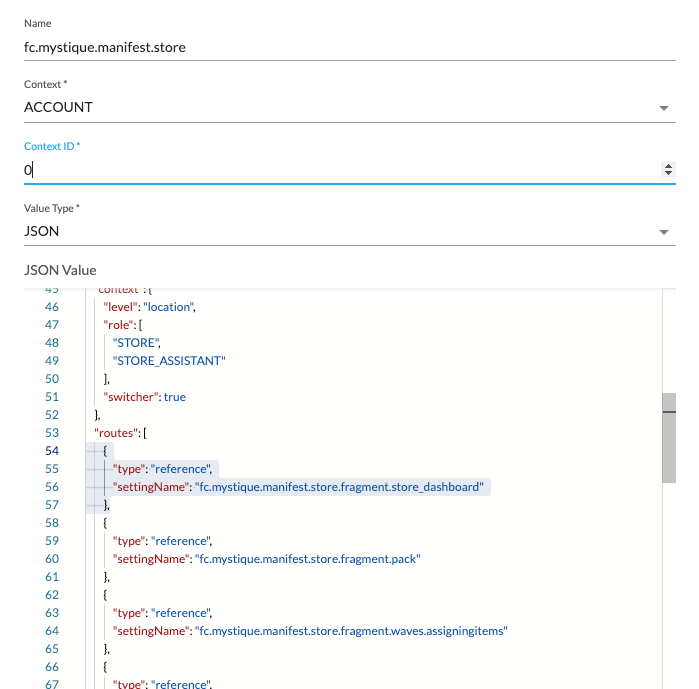 Refresh the store screen and you should able to see the new Store Dashboard page:

Refresh the store screen and you should able to see the new Store Dashboard page:Create dashboard tiles
This step is to create 4 dashboard tiles where:
Update the language setting: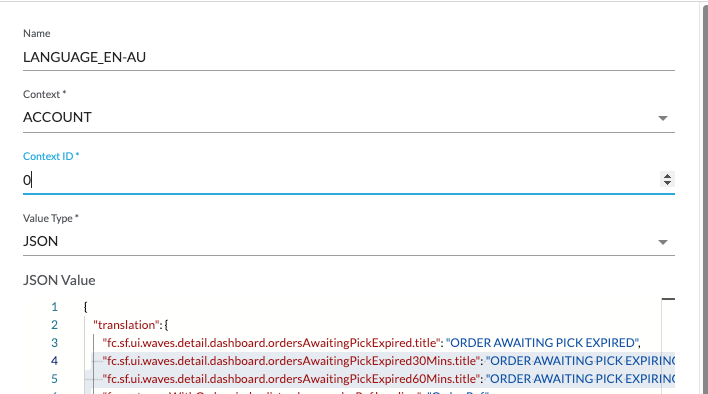 Refresh the Fluent Store screen: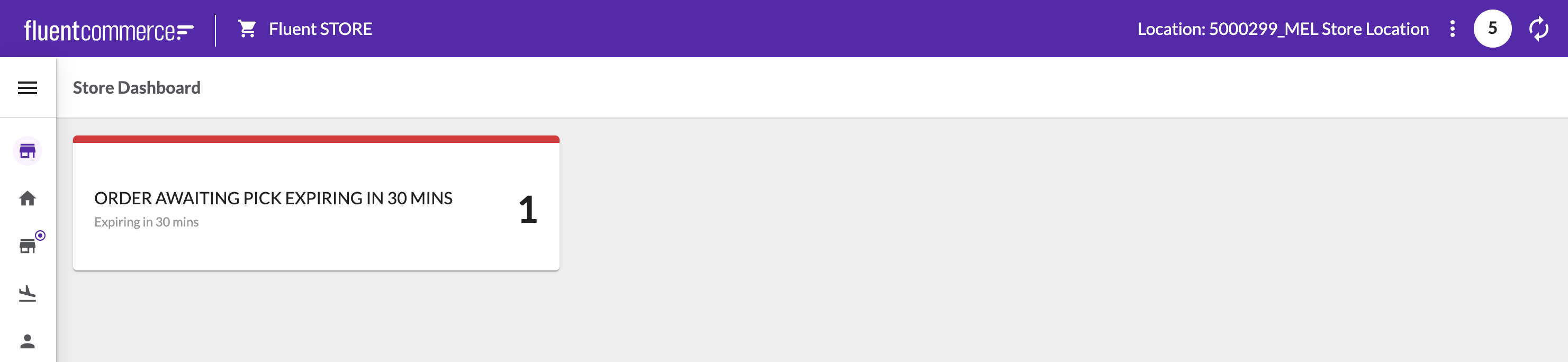
Refresh the Fluent Store: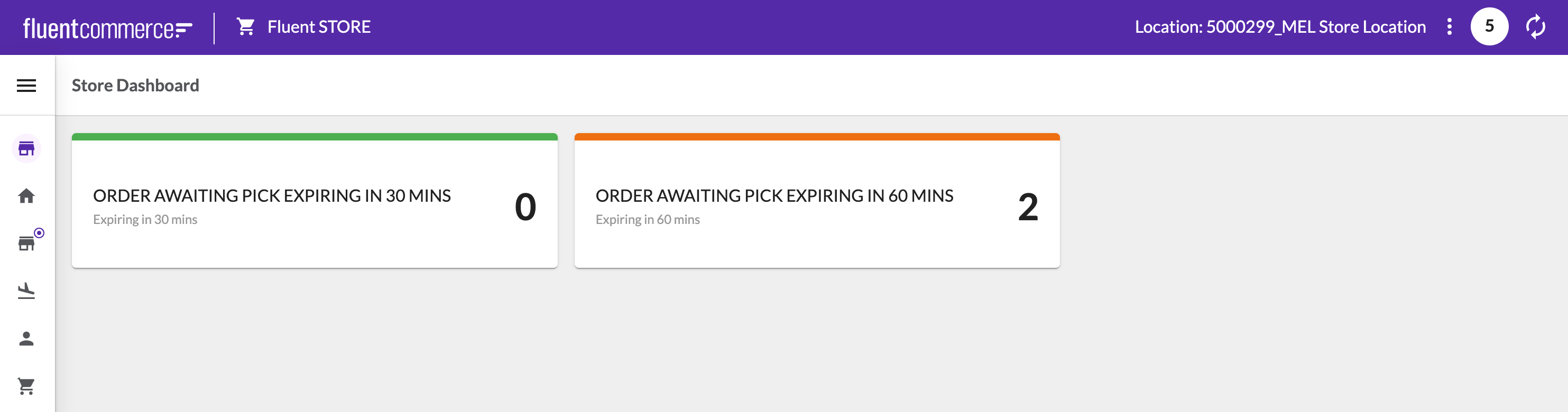 Follow the same pattern as above for tile 3 (with expiryTime from:60mins and to:120mins) and for tile 4 expiryTime parameter does not require: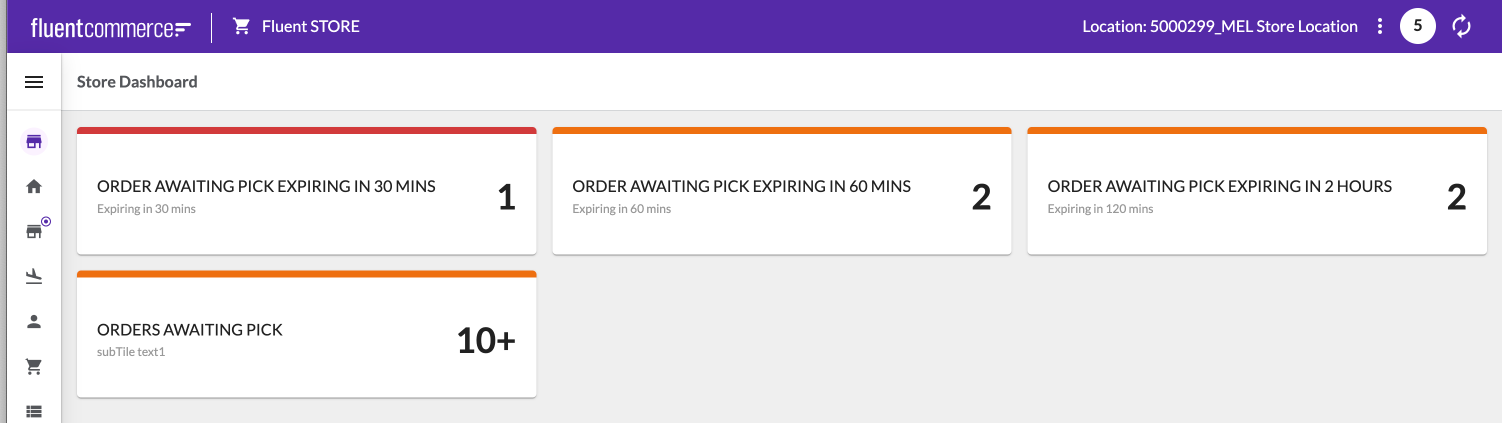
- Tile 1: display the number of (AWAITING_WAVE) fulfilments with the expiry Time is less than 30 mins.
- Tile 2: display the number of (AWAITING_WAVE) fulfilments with the expiry Time is between 30 and 60 mins.
- Tile 3: display the number of (AWAITING_WAVE) fulfilments with the expiry Time is between 60 and 120 mins.
- Tile 4: display the number of (AWAITING_WAVE) fulfilments assigned to this location.
Tile 1: Fulfilment expiring less than 30 mins
| Parameter | Configuration |
| Data Source | `fulfilment_expired30Mins:fulfilment` query |
| Filters |
|
| Min Threshold | 0 |
| Max Threshold | 0 |
| link | awaiting-pick page has a default filter of location and status. Hence we only need to provide the fulfilments_expiryTime:`#/waves/list/awaiting-pick?fulfilments_expiryTime={\"from\":\"{{dateStringFormatter (dateAdd day=0) 'YYYY-MM-DD[T]HH:mm:ss.SSS' true}}Z\",\"to\":\"{{dateStringFormatter (dateAdd minute=30) 'YYYY-MM-DD[T]HH:mm:ss.SSS' true}}Z\"}` |
Refresh the Fluent Store screen:Tile 2: Fulfilment expiring between 30 and 60 mins
| Parameter | Configuration |
| Data Source | `fulfilment_expired60Mins:fulfilment` query |
| Filters |
|
| Min Threshold | 1 |
| Max Threshold | 10 |
| link | awaiting-pick page has a default filter of location and status. Hence we only need to provide the fulfilments_expiryTime:`#/waves/list/awaiting-pick?fulfilments_expiryTime={\"from\":\"{{dateStringFormatter (dateAdd minute=30) 'YYYY-MM-DD[T]HH:mm:ss.SSS' true}}Z\",\"to\":\"{{dateStringFormatter (dateAdd minute=60) 'YYYY-MM-DD[T]HH:mm:ss.SSS' true}}Z\"}` |
Follow the same pattern as above for tile 3 (with expiryTime from:60mins and to:120mins) and for tile 4 expiryTime parameter does not require:Except as otherwise stated in the Extend Knowledge Content site policy, the content on this page is licensed under the Creative Commons Attribution 4.0 Licence, and any code samples that appear on this page are licensed under the Apache 2.0 Licence, unless any code sample forms part of the Fluent Order Management Platform code. Neither of these licences apply to any content on any other page that can be reached via a link on this page unless otherwise specified on that other page. If you wish to use any of the Extend Knowledge Content, you must do so in compliance with the licenses referred to above and the Extend Knowledge Content site policy, including attribution in the manner set out on this page.

