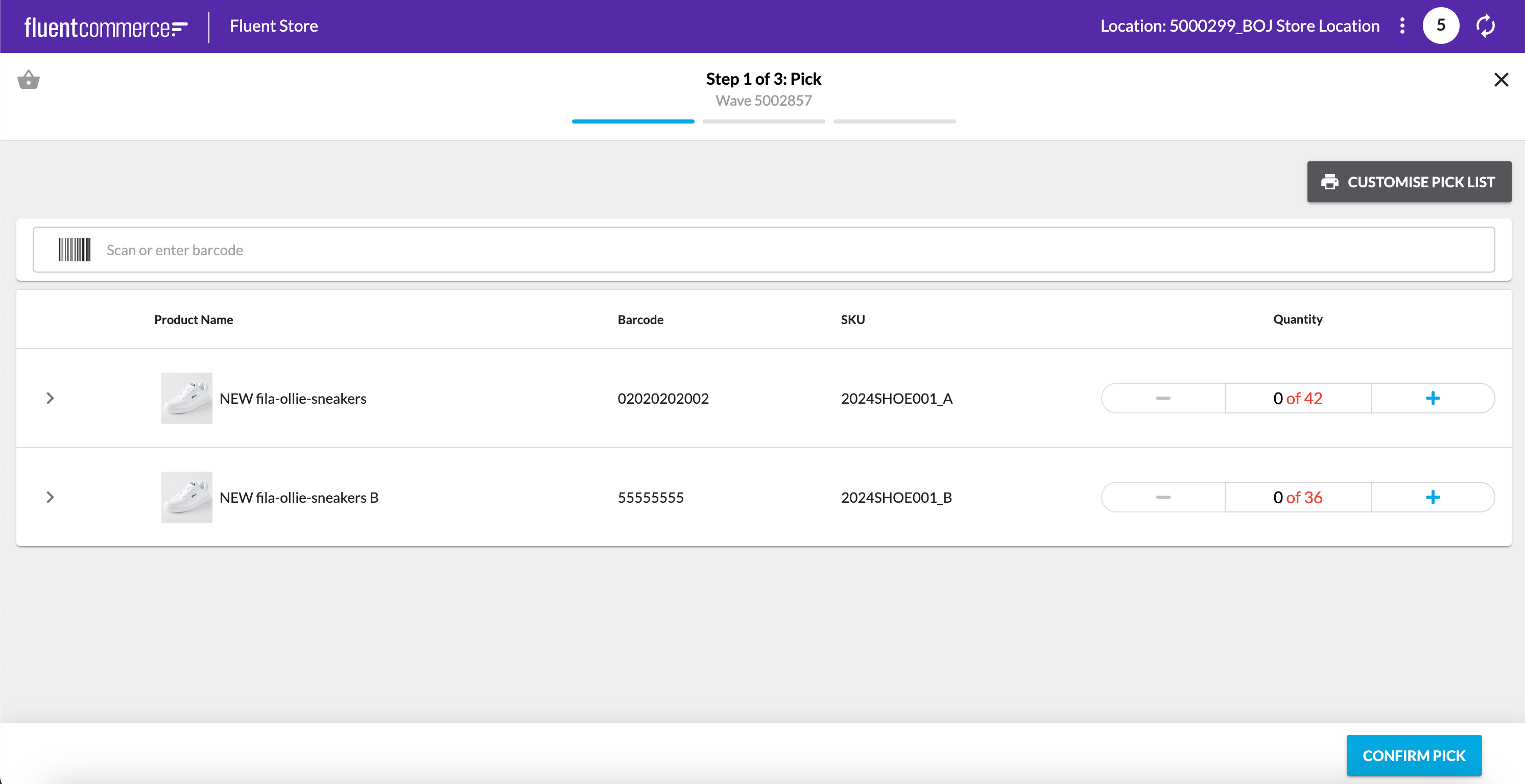
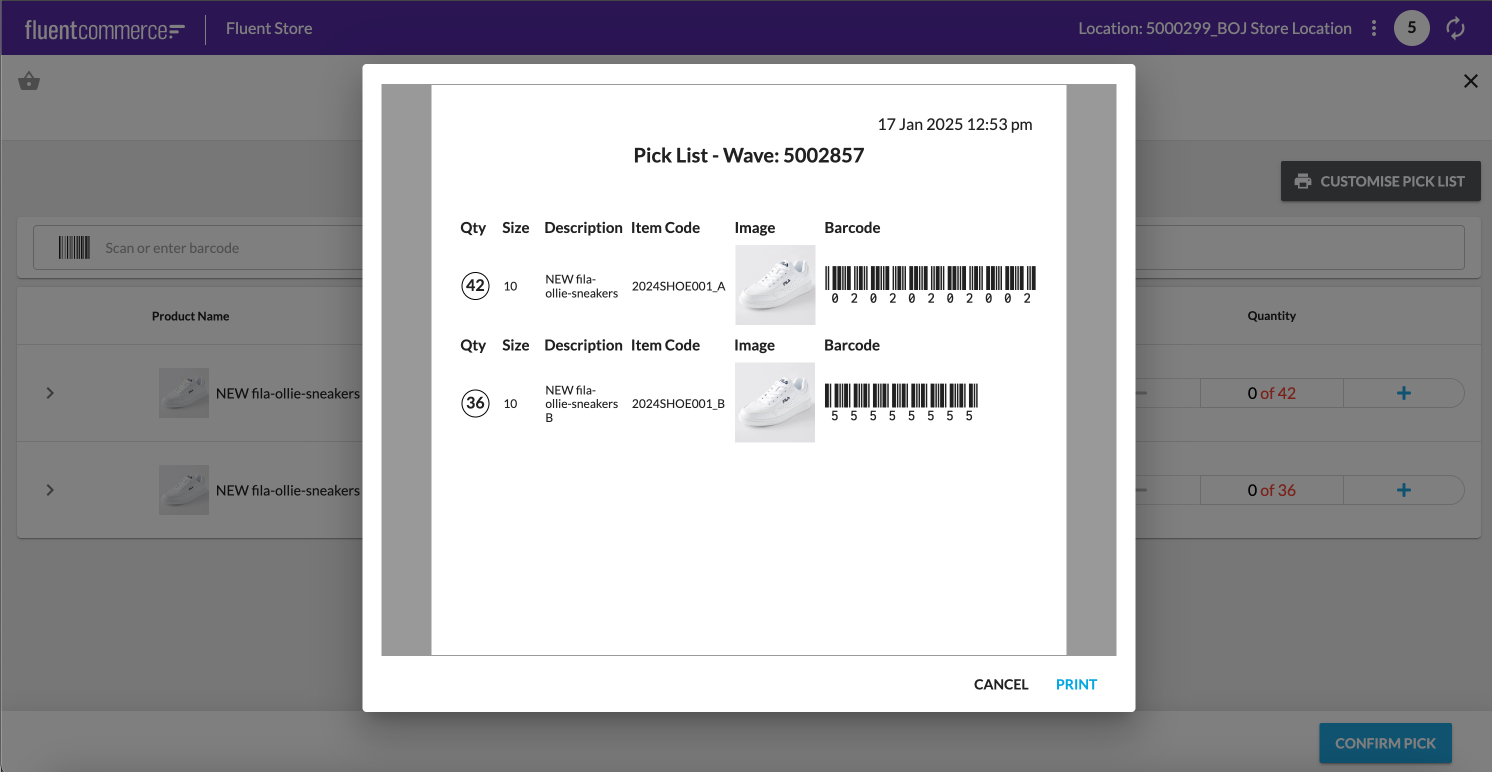
Customise the Printable Pick List with GraphQL
How-to Guide
Author:
Randy Chan
Changed on:
22 Jan 2025
Key Points
- This feature gives the client greater flexibility in customising the pick list by extracting values via GraphQL.
- The feature is not limited to a pick list but can be used on any entity as long as the data can be extracted by GraphQL.
- This feature utilises the new print component
Steps
 Content
This example is updating a fluent STORE pick list by using graphQL.Here are the steps:
- Form the GraphQL query and add it to the manifest page query
- Configure the print download in the manifest
- Add internationalisation values to the LANGUAGE_EN-AU setting
- Create a new setting to store the new HTML template
- Test the change
Form the GraphQL query and add it to the manifest page query
Test out the query in Postman and ensure the query is valid:Add the query to Page Manifest. In this example, we are adding it to 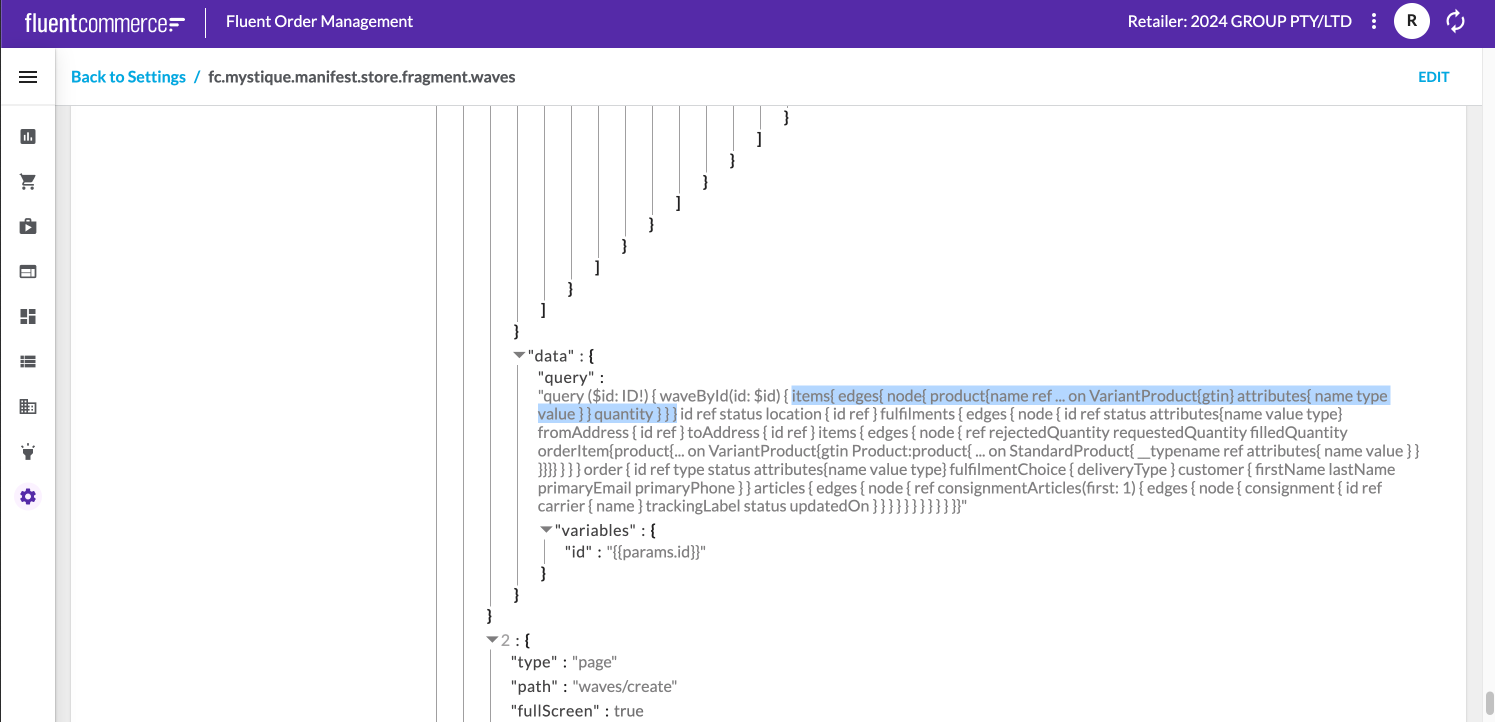
`fc.mystique.manifest.store.fragment.waves `Configure the print download in the manifest
In this example, we will add it to Pick Screen.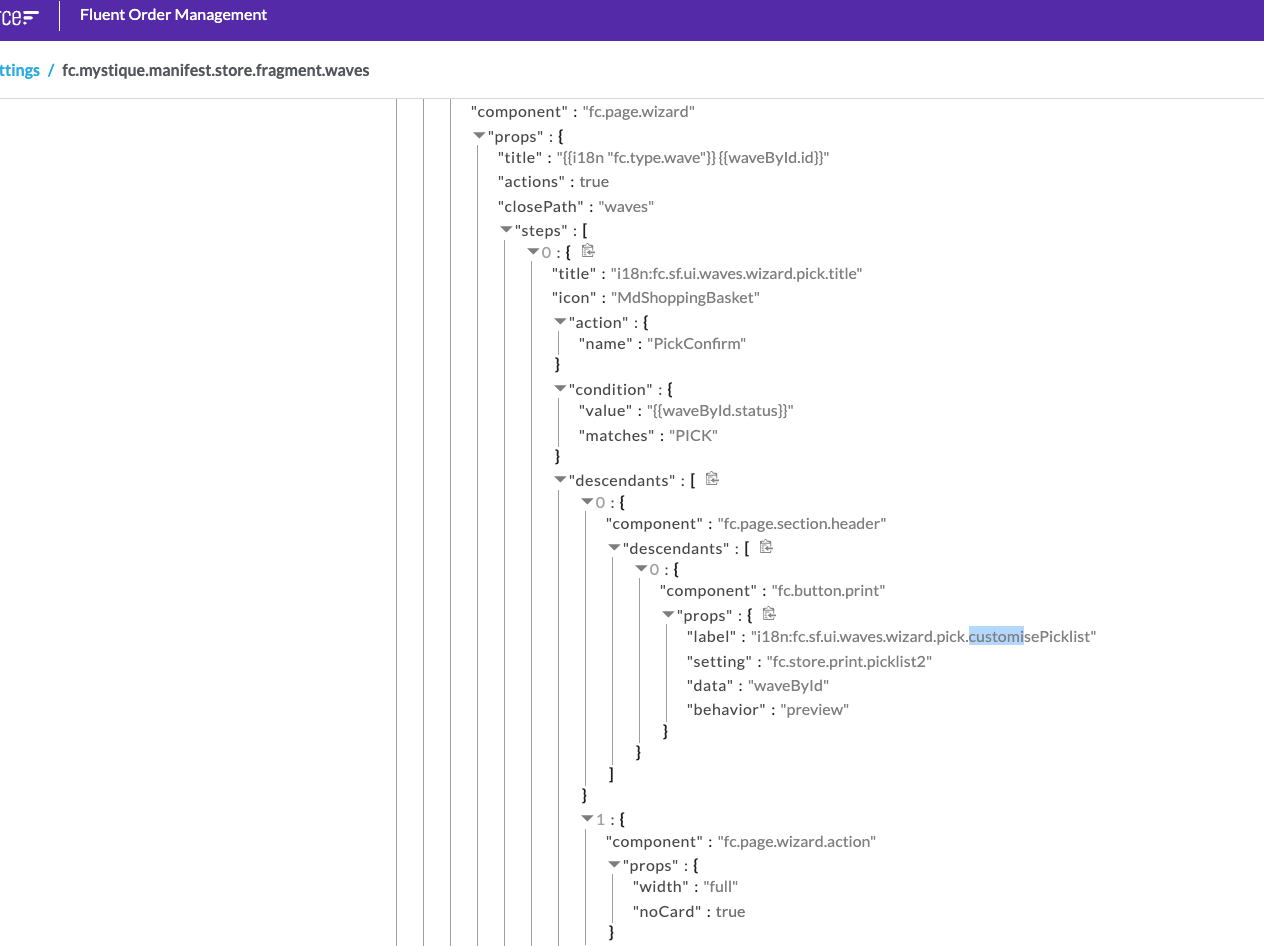
Add internationalisation values to the LANGUAGE_EN-AU setting
In this example, we will be adding to the LANGUAGE_EN-AU setting:
` "fc.sf.ui.waves.wizard.pick.customisePicklist":"Customise Pick List",`Create a new setting to store the new HTML template
Create a new setting:Name: fc.store.print.picklist2Context: ACCOUNT (can be RETAILER)Context ID: 0 (can be RetailerID)Value Type: LOBValue:
Test the change