Configure the Application Switcher
How-to Guide
Author:
Yulia Andreyanova
Changed on:
15 June 2026
Key Points
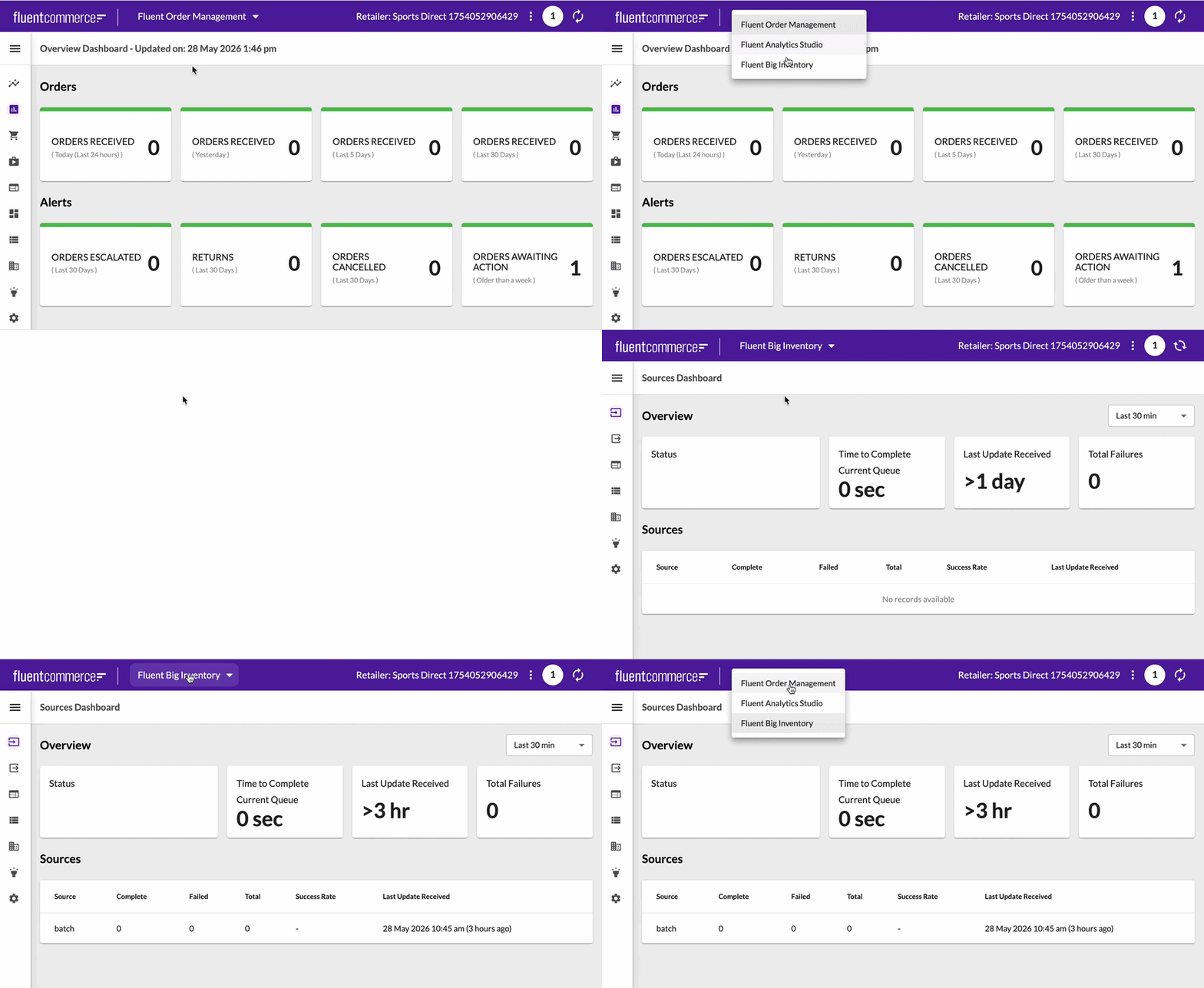
- The Application Switcher is displayed in the Fluent application header and allows users to switch between available Fluent applications
- The Switcher is displayed only when users can access more than one application. If only a single application is available, it is hidden
- Application visibility is configured through the
`fc.mystique.apps`setting, which defines the applications available in the Application Switcher and the conditions under which they are shown - Application visibility is evaluated independently for each configured application
- Role and context-level filters may be combined. To grant users access to an application, assign the required permissions through roles.
- The
`fc.mystique.apps`setting controls visibility only and does not grant permissions - Application labels reference translation keys. A corresponding translation entry should exist for each configured label, so application names are displayed correctly in the UI. If no translation entry exists, the key string is displayed in place of the application name
Prerequisites
Steps
 Configure applications for the Application Switcher
Create the
`fc.mystique.apps` setting at the Account level and define the applications that should be available in the Application Switcher.Result:- both applications become available in the switcher
- all users can see both applications
Configure role-based visibility (optional)
Add
`context.role` to restrict application visibility by role.Result:- only users with matching roles can access the application
Configure context-level visibility (optional)
Add
`context.level` to restrict visibility by context level.Result:- the application is visible only to users who have at least one role at the specified context level
Configure combined role and context filtering (optional)
If applications should be visible only when both role and context level match, configure both
`role` and `level`. The `role` property accepts either a single role string or an array of roles.Result:- the application is visible only when both conditions match
Troubleshooting
The switcher is not visiblePossible causes:
`fc.mystique.apps`setting is missing- only one application is accessible to the user
- user roles do not satisfy the configured filtering conditions
- incorrect role name - to retrieve valid role names, query the roles endpoint or see Users, Roles, and Permissions
- incorrect context level - valid values are
`ACCOUNT`,`RETAILER`, and`LOCATION`