Fluent OMS UI / Admin Console Date Time Format - (include UTC conversion)
Essential knowledge
Authors:
Randy Chan, Holger Lierse
Changed on:
26 June 2024
Overview
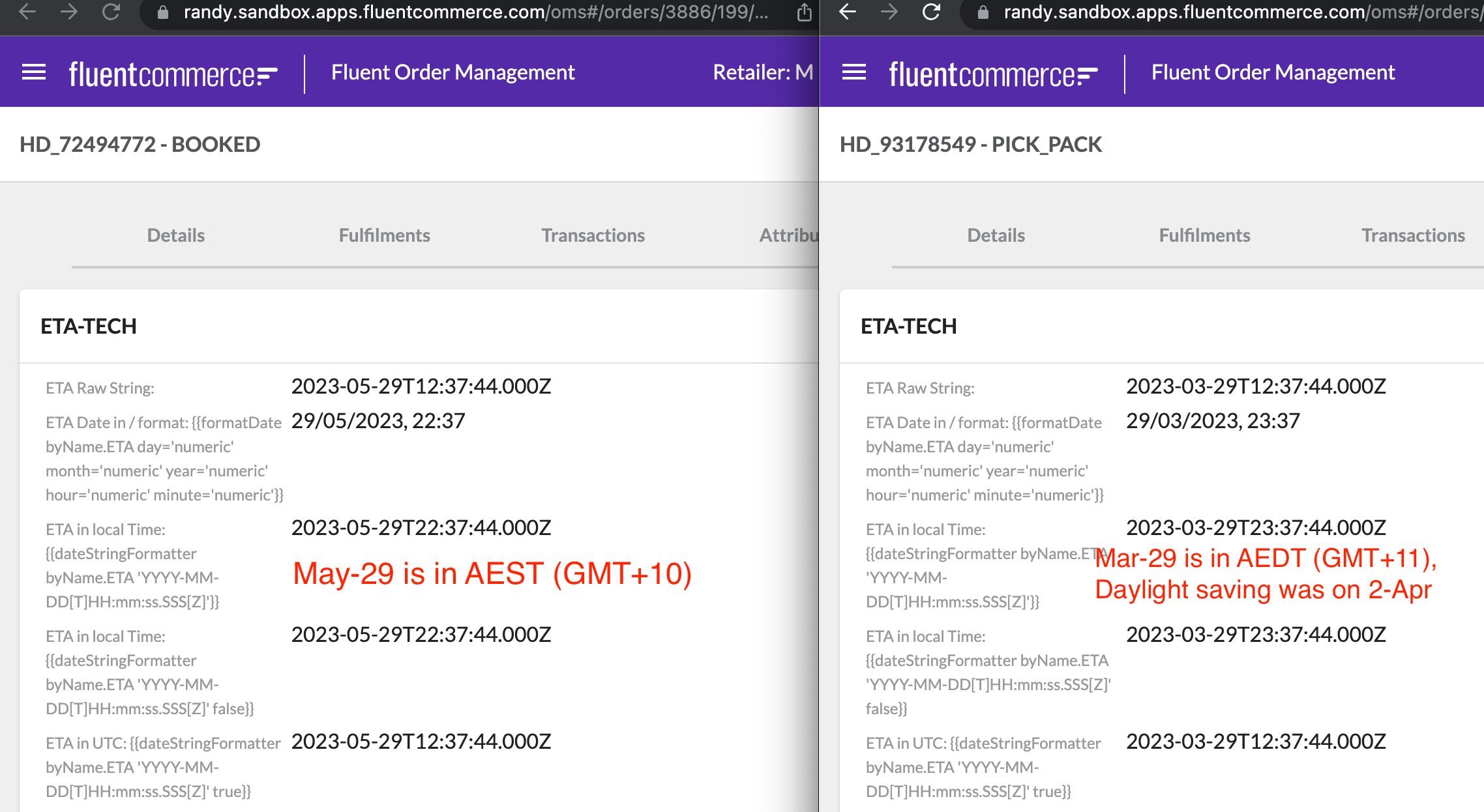
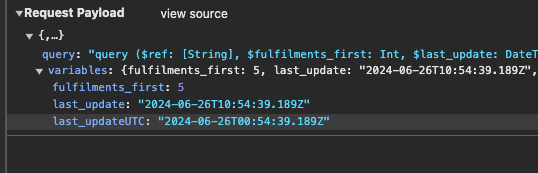
Handy reference guide on how to display date time value on the UIFor Date format and conversion in UI, two functions can be used:`formateDate``dateStringFormatter`(if true, then it will leave it as UTC timezone, else, it will convert to the user's browser timezone)
Key points
- Examples of how to display date time format in both OMS webapp and Admin Console
For Date format and conversion in UI, two functions can be used:
- formateDate
- dateStringFormatter (if true, then it will leave it as UTC timezone, else, it will convert to the user's browser timezone)
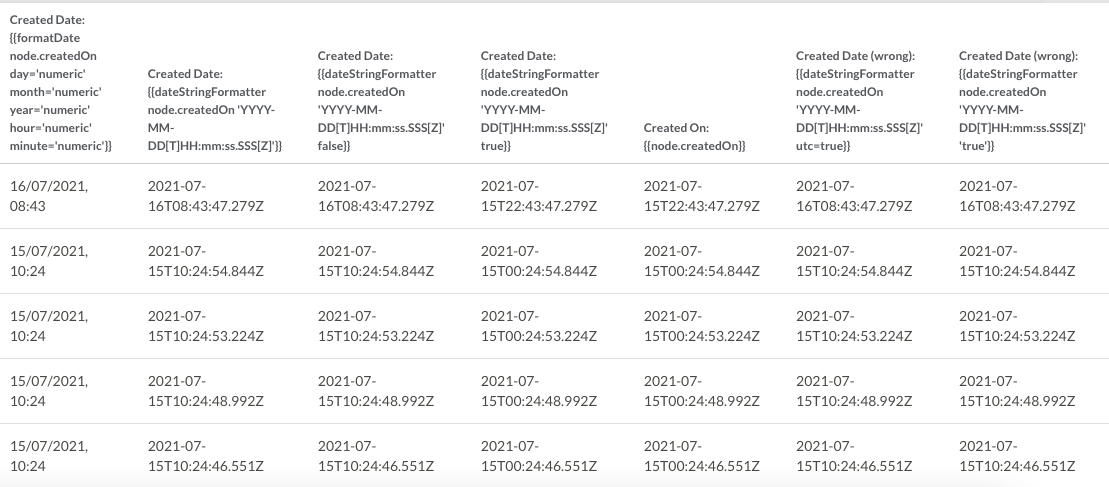
| Created Date: {{formatDate node.createdOn day='numeric' month='numeric' year='numeric' hour='numeric' minute='numeric'}} | Created Date: {{dateStringFormatter node.createdOn 'YYYY-MM-DD[T]HH:mm:ss.SSS[Z]'}} | Created Date: {{dateStringFormatter node.createdOn 'YYYY-MM-DD[T]HH:mm:ss.SSS[Z]' false}} | Created Date: {{dateStringFormatter node.createdOn 'YYYY-MM-DD[T]HH:mm:ss.SSS[Z]' true}} | Created On: {{node.createdOn}} | Bad Example: Created Date (wrong): {{dateStringFormatter node.createdOn 'YYYY-MM-DD[T]HH:mm:ss.SSS[Z]' utc=true}} | Bad Example: Created Date (wrong): {{dateStringFormatter node.createdOn 'YYYY-MM-DD[T]HH:mm:ss.SSS[Z]' 'true'}} |
| 16/07/2021, 08:43 | 2021-07-16T08:43:47.279Z | 2021-07-16T08:43:47.279Z | 2021-07-15T22:43:47.279Z | 2021-07-15T22:43:47.279Z | 2021-07-16T08:43:47.279Z | 2021-07-16T08:43:47.279Z |
| 15/07/2021, 10:24 | 2021-07-15T10:24:54.844Z | 2021-07-15T10:24:54.844Z | 2021-07-15T00:24:54.844Z | 2021-07-15T00:24:54.844Z | 2021-07-15T10:24:54.844Z | 2021-07-15T10:24:54.844Z |
| 15/07/2021, 10:24 | 2021-07-15T10:24:53.224Z | 2021-07-15T10:24:53.224Z | 2021-07-15T00:24:53.224Z | 2021-07-15T00:24:53.224Z | 2021-07-15T10:24:53.224Z | 2021-07-15T10:24:53.224Z |