
Consignment Updates - commercetools Connector
Essential knowledge
Intended Audience:
Technical User
Author:
Fluent Commerce
Changed on:
30 June 2026
Overview
Explains how the commercetools Connector tracks shipping events from Fluent Order Management to update commercetools. Partners will learn to manage the inbound webhook pipeline that automatically generates native delivery records, parcel data, and carrier tracking links. For the business, this sync eliminates manual shipment logging and gives customers instant visibility into order transit via the storefront interface.Note: This article forms part of the inbound pipeline category, where data flows into the commercetools environment from an external source.Key points
- Core Function & Outcome: You will learn how the commercetools Connector captures consignment updates from Fluent Order Management to automatically generate delivery records, package manifests, and carrier tracking data inside commercetools.
- Asynchronous Queue Infrastructure: Inbound webhook payloads undergo cryptographic signature and parameter verification in the first stage before entering an internal queue, where a named handler processes the data updates asynchronously in the second stage.
- Structural Entity Mapping: The system maps Fluent consignment entities directly onto fulfillment models, which translate into native, line-item level delivery records to cleanly support orders split across multiple packages or locations.
- Data Enrichment Mechanism: Because incoming webhooks carry minimal payloads to reduce network overhead, the connector automatically dispatches a
`GetConsignmentById`GraphQL query back to Fluent to pull complete carrier details and package dimensions before updating commercetools.
Data Pipeline Execution
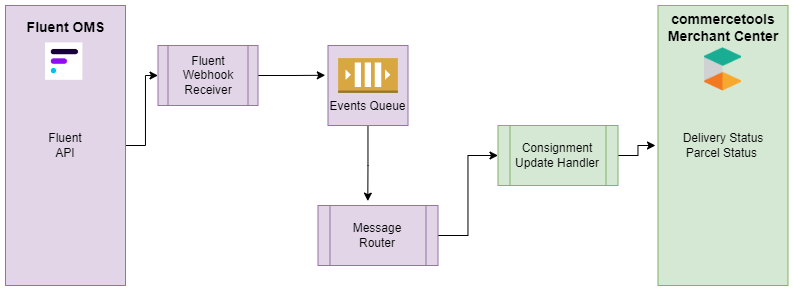
1. Ingestion (Webhook/Batch Job)
Consignment tracking operates via an event-driven inbound webhook pipeline structured into a technical two-stage validation flow:- Stage 1 (Ingestion & Queueing): The first stage validates the incoming payload security signature and checks the content to ensure it has the required parameters. If all goes well, the request is added to the internal message queue to be processed asynchronously; otherwise, the connector will return an error to Fluent to signal that it was unable to accept the request.
2. Processing & Payload Extraction
- Stage 2 (Handler Processing): The second stage is the actual processing of the webhook message. The message name is key to drive how the message is going to be processed, as these are mapped to specific internal handlers in the commercetools-connector. Partners can utilize this same approach by adding their own custom handlers and enabling the processing of different messages that are specific to their end goals.
- All webhooks carry minimal information and require the commercetools-connector to fetch extra details from Fluent in order to complete processing the message received. The system achieves this by running a comprehensive GraphQL statement (
`GetConsignmentById`) to extract package dimensions, carrier matrices, and product identifiers.
3. Target State Mapping (commercetools Mutation/Fields)
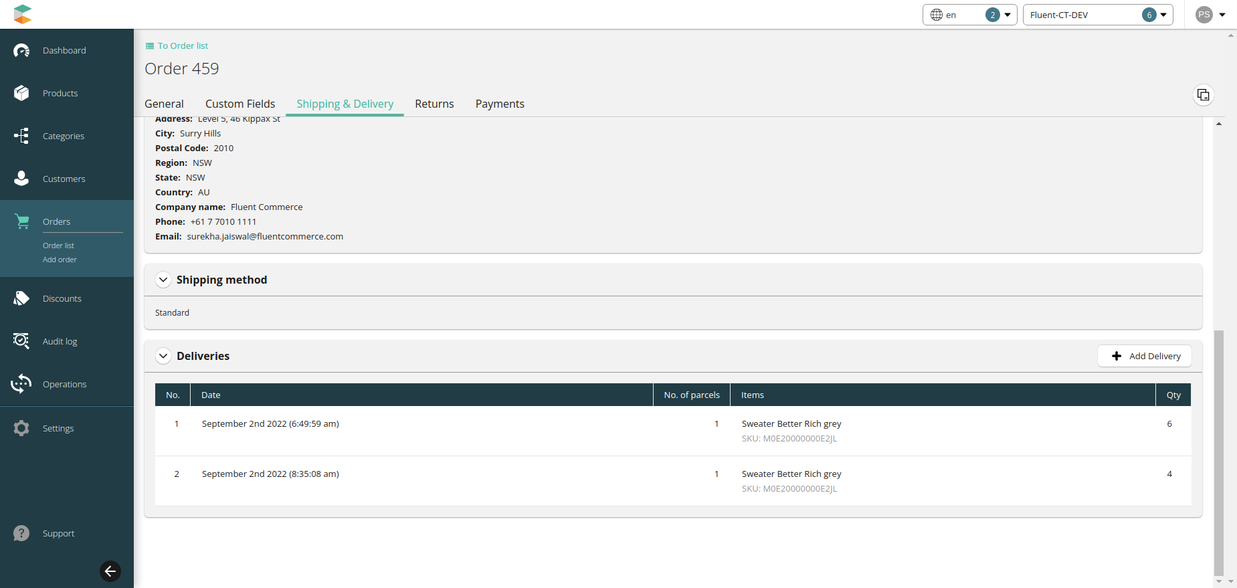
Once the complete consignment data model is extracted, the fields are mapped down to commercetools entities:- Delivery Create Mechanism: In commercetools, delivery is based on fulfillment items. Each delivery can be created for an item, and a Parcel will be created against item quantity. The system uses the fulfillment item list with fulfillment quantity to create Delivery and parcels in commercetools.
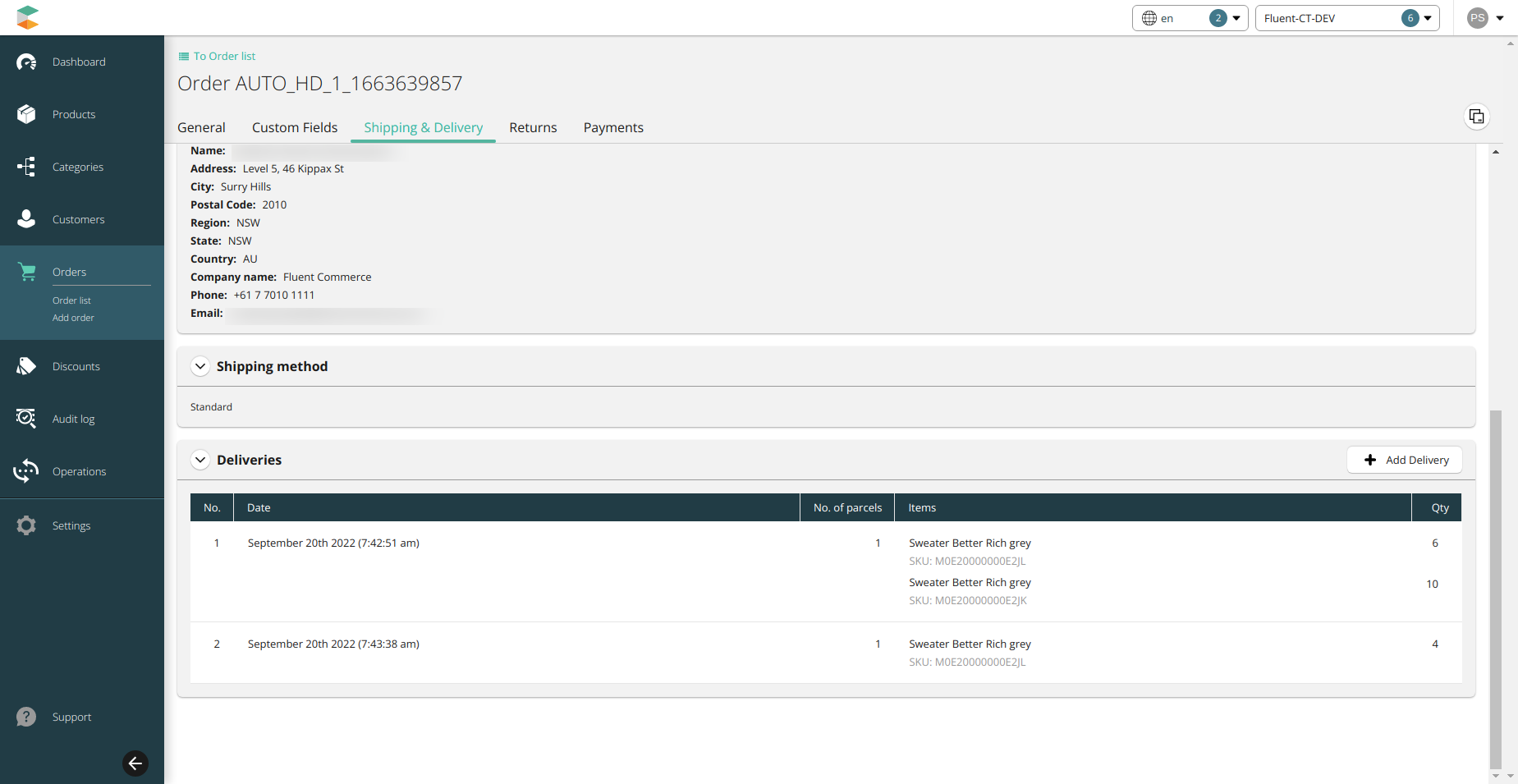
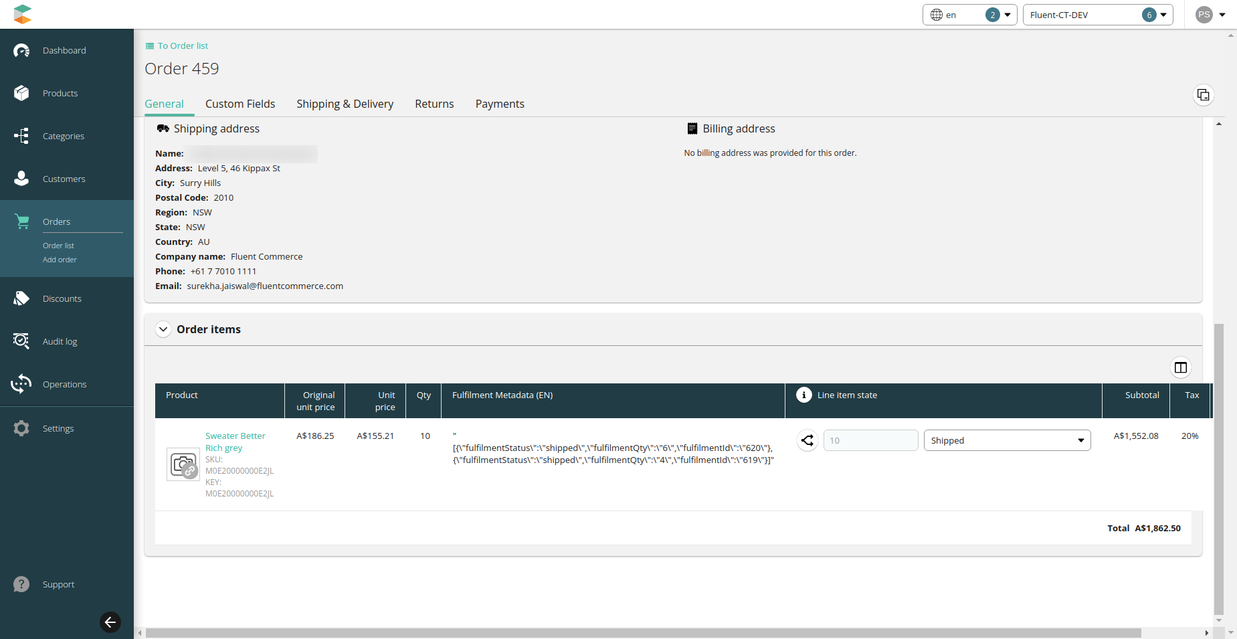
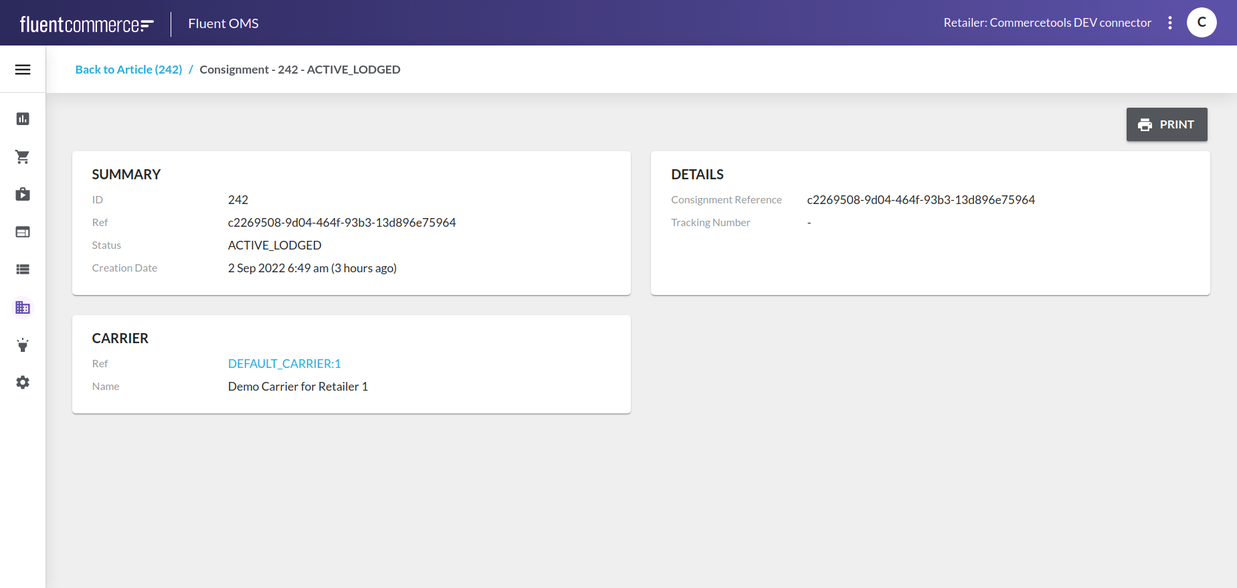
- Consignment to Fulfillment Alignment: The consignment entity is mapped to the fulfillment entity on the Fluent side. Each Consignment will be created against the fulfillment (i.e., if there is more than one fulfillment, then there will be more than one consignment). In commercetools, the ordered item can show multiple fulfillments and multiple deliveries against each fulfillment. Inside the delivery tab, order items hold clear parcel details like provider name, measurements, and tracking URLs.
Data Storage & Schema Mapping
Delivery and Consignment Field Mapping Layout
Header parameters map between systems according to the following framework:| commercetools Fields | Fluent Fields | Description |
| Item SKU | Product Ref | Stock keeping unit reference matching across environments |
| Item Name | Product Name | Human-readable product description |
| Item Quantity | Filled Quantity | The physical quantity verified and packed |
`flConsignmentRef` | Consignment Ref | Fluent Consignment Group key reference |
`flConsignmentStatus` | Status | Fluent Consignment Status |
Parcel and Article Field Mapping Layout
Package-level parameters map down onto custom tracking elements using the following data fields:| commercetools Fields | Fluent Fields | Description |
| Tracking ID | Label | Direct tracking code identifier |
| Parcel Ref | Article Ref | Unique item package line reference |
| Carrier | Carrier Name | Carrier company name |
| Provider | Fluent Account ID | Source system account identification string |
| Measurements | maxWeight | Physical weight and structural metrics |
`flConsignmentTrackingUrl` | Label Url | Direct link to carrier tracking details |
Developer Extension Points
Consignment Retrieval Query
The following statement is utilized by background handlers to extract delivery information from Fluent:1query GetConsignmentById($consignmentId: ID!) {
2 consignmentById(id: $consignmentId) {
3 id
4 status
5 trackingLabel
6 consignmentReference
7 retailer {
8 id
9 ref
10 }
11 carrier {
12 name
13 id
14 type
15 }
16 consignmentArticles {
17 consignmentArticleEdges: edges {
18 consignmentArticleNode: node {
19 article {
20 id
21 type
22 status
23 quantity
24 attributes {
25 name
26 type
27 value
28 }
29 description
30 height
31 weight
32 length
33 width
34 fulfilments {
35 fulfilmentEdges: edges {
36 fulfilmentNode: node {
37 id
38 status
39 deliveryType
40 type
41 items {
42 fulfilmentItemEdges: edges {
43 fulfilmentItemNode: node {
44 ref
45 filledQuantity
46 requestedQuantity
47 rejectedQuantity
48 orderItem {
49 ref
50 id
51 }
52
53 }
54 }
55 }
56 }
57 }
58 }
59 }
60 }
61 }
62 }
63 }
64}Inbound Webhook Consignment Payload
The JSON notification body transferred into internal queues follows this structural model:1{
2 "id": "c321a113-9307-4269-9a91-a2f99cefe07b",
3 "name": "fc.connect.order.webhook.consignment-status-update",
4 "accountId": "CNCTDEV",
5 "retailerId": "1",
6 "rootEntityId": "127",
7 "rootEntityType": "ORDER",
8 "rootEntityRef": "CC_G_FROM_POSTMAN_929",
9 "entityId": "137",
10 "entityRef": "cf45b633-d91a-4eb2-84c9-36495dd3fec3",
11 "entityType": "CONSIGNMENT",
12 "entityStatus": "COMPLETE",
13 "type": "NORMAL",
14 "attributes": {}
15}
