Renew SSO (SAML External IDP) Certificate in Ping
How-to Guide
Author:
Shariff Dinah
Changed on:
6 Jan 2026
Key Points
- This guide explains how to renew Fluent SSO in Ping using a new certificate from your external SAML IDP
- The activity is performed by the Ping admin user set up by Fluent
- A new certificate from your external IDP provider is required
- The update takes only a few minutes to complete
- No downtime is required

Steps
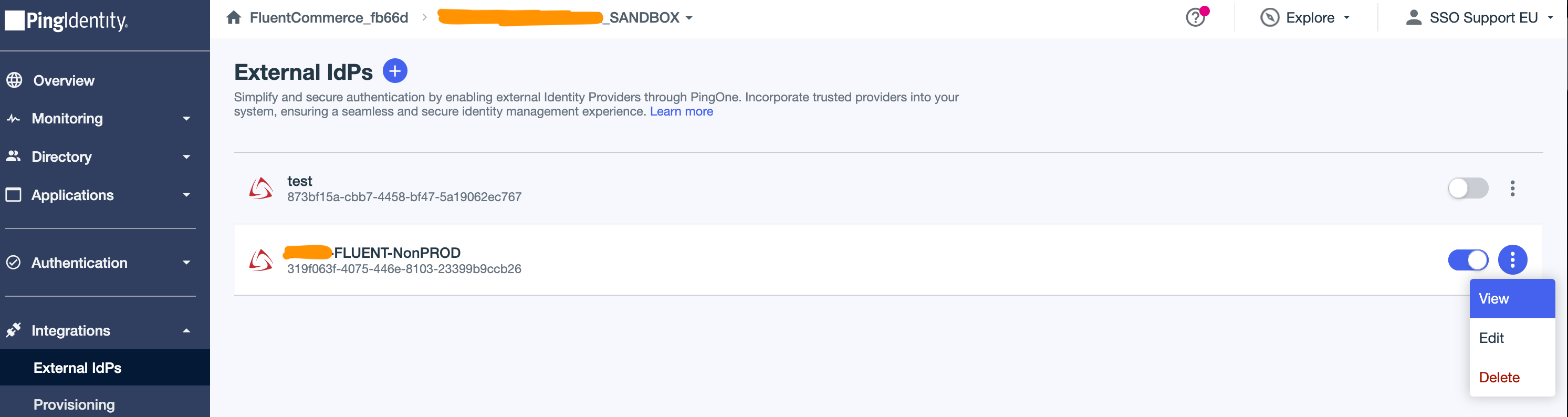
 Open the External IDP
Go to PingIdentity → Integrations → External IDP.Select your IDP and click View.
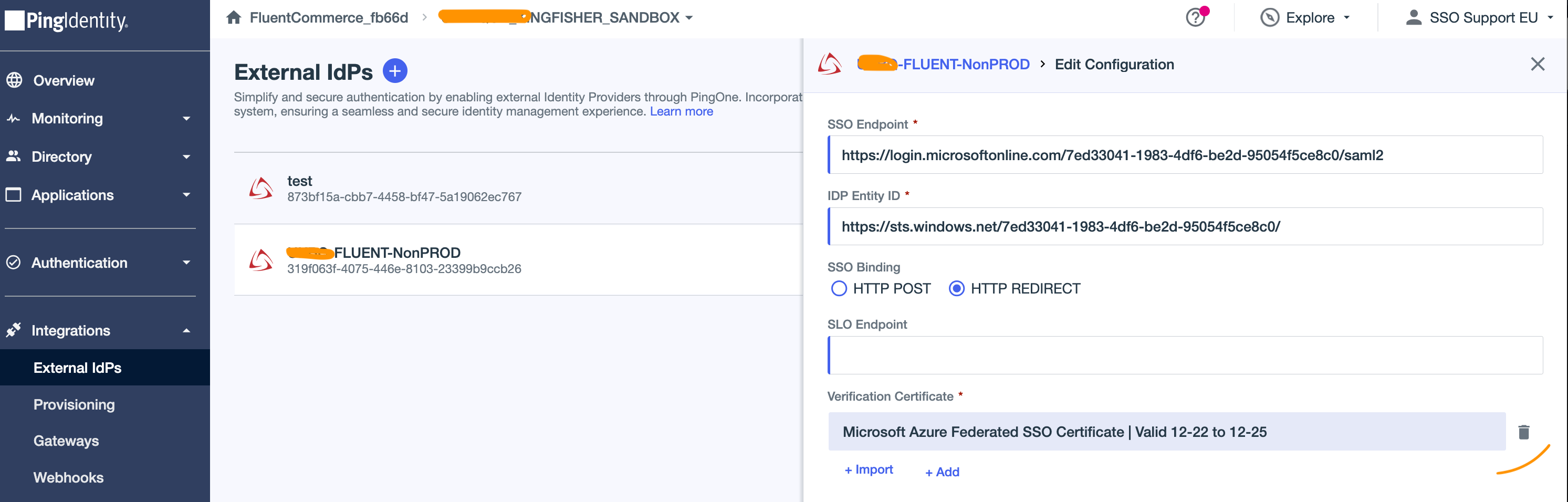
Edit the External IDP configuration
Open the Configuration tab and click Edit (pencil icon).
Replace the SAML certificate
Delete the existing certificate, upload the new certificate, and click Save.