
OMS Web App: Search order by ID using the Rules SDK
How-to Guide
Extend
Author:
Randy Chan
Changed on:
5 Sept 2025
Key Points
- This is the use case where users can look up OMS orders using order ID.
- Typically, the
`orderById`GraphQL query is used to look up an order by ID. However, only one order can be searched at a time, and there is no wildcard search. - This article provides an alternative approach that allows users to search for orders by ID or even with a wildcard, leveraging the new
`ref2`field on the order entity included in the Enhanced Order Lookup and Tagging Capabilities release.
Steps
 Steps to achieve the outcome
- Create a custom rule
`CopyOrderIdToOrderRef2`(by using the Rules SDK) - Add the rule
`CopyOrderIdToOrderRef2`to the order workflows - Extend the Order list screen manifest to include fc.filterPanel with ref2
- Test the outcome
Create a custom rule, CopyOrderIdToOrderRef2
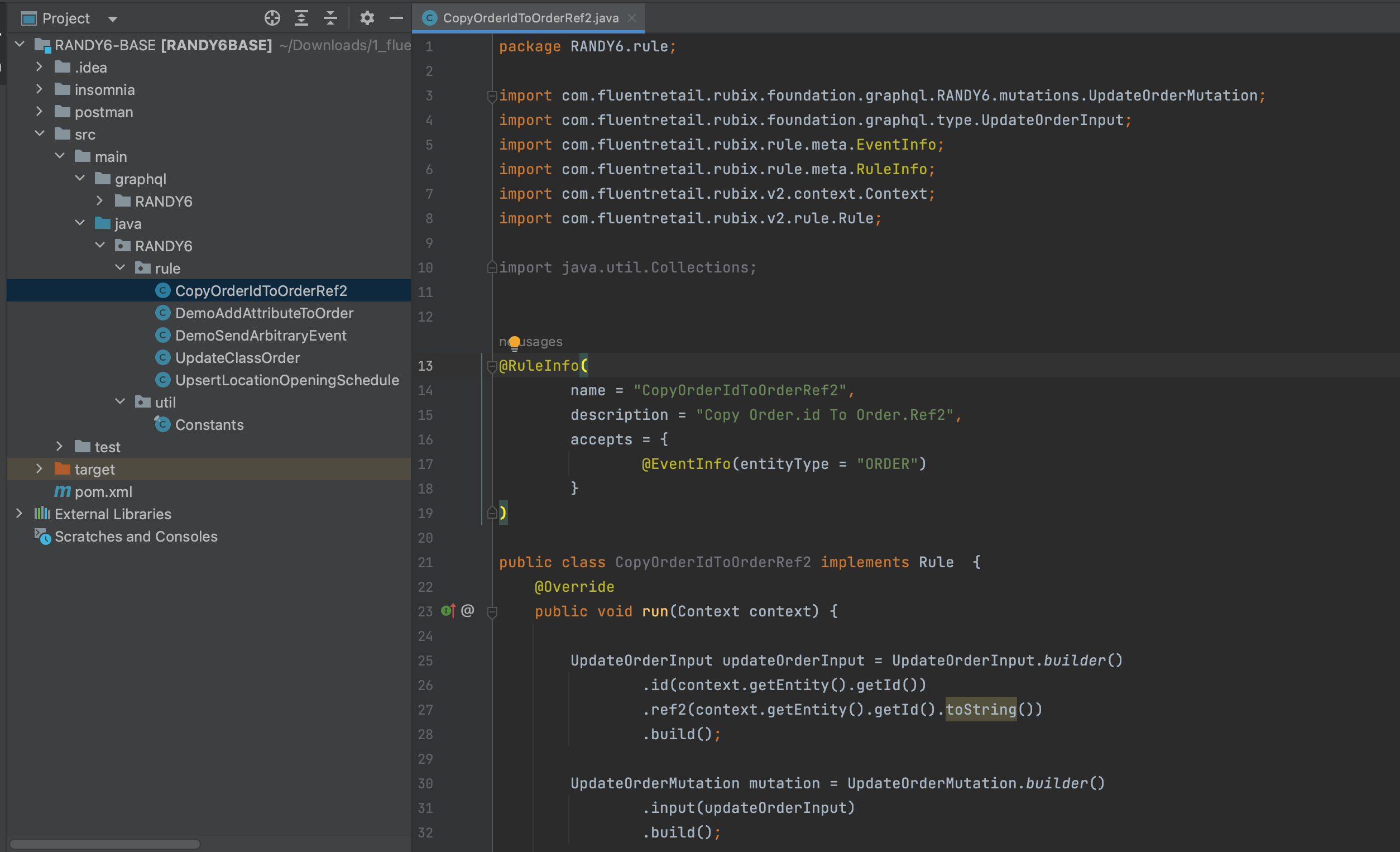
- Open the Rules SDK and create a new Java rule:
`CopyOrderIdToOrderRef2` - Compile to a jar and install the plugin onto your account.
- Use GET: {{fluentApiHost}}/orchestration/rest/v1/plugin to check the new available rule.
Add the rule CopyOrderIdToOrderRef2 to the order workflows
Once CopyOrderIdToOrderRef2 is deployed, you can add a new rule into the CREATE ruleset in the Order workflows (HD and CC):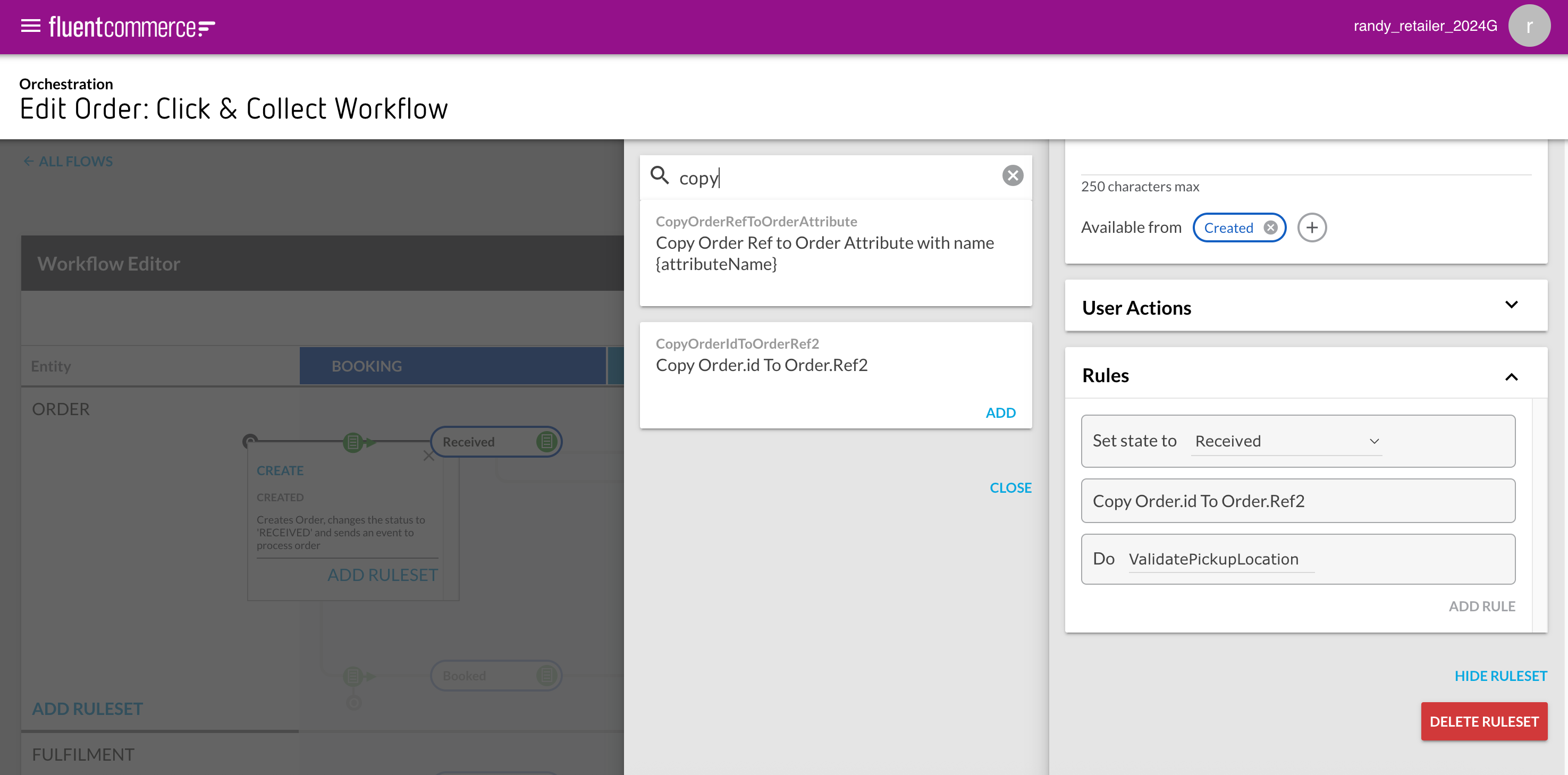
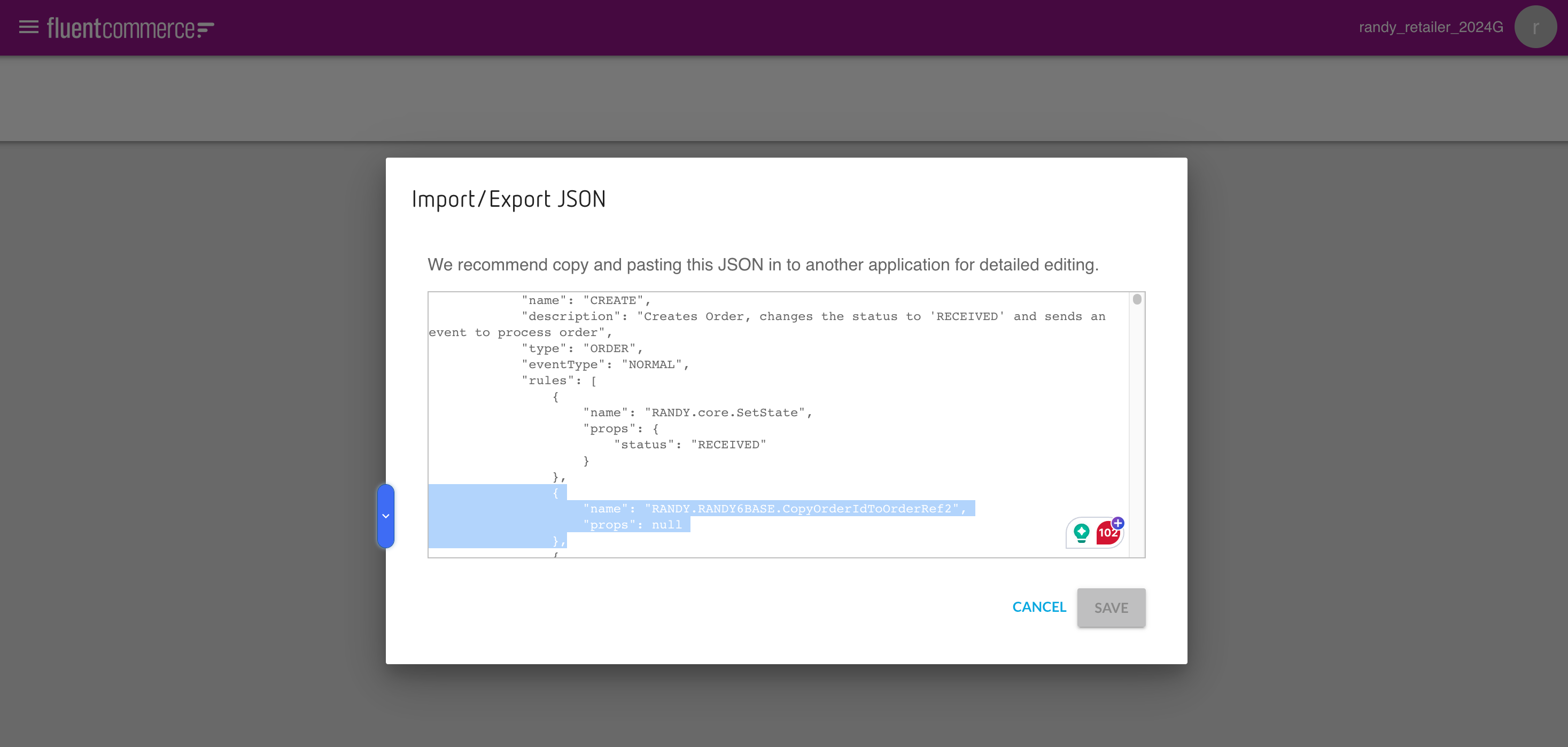 Save the change.
Save the change.Extend the Order list screen manifest to include fc.filterPanel with ref2
This will be done in the settings:
`fc.mystique.manifest.oms.fragment.ordermanagement`First, add `fc.filterPanel` above the `fc.list`:Then, for testing purposes, add the following order id and ref2 to the `fc.list` attributes section:Save the changeTest the outcome
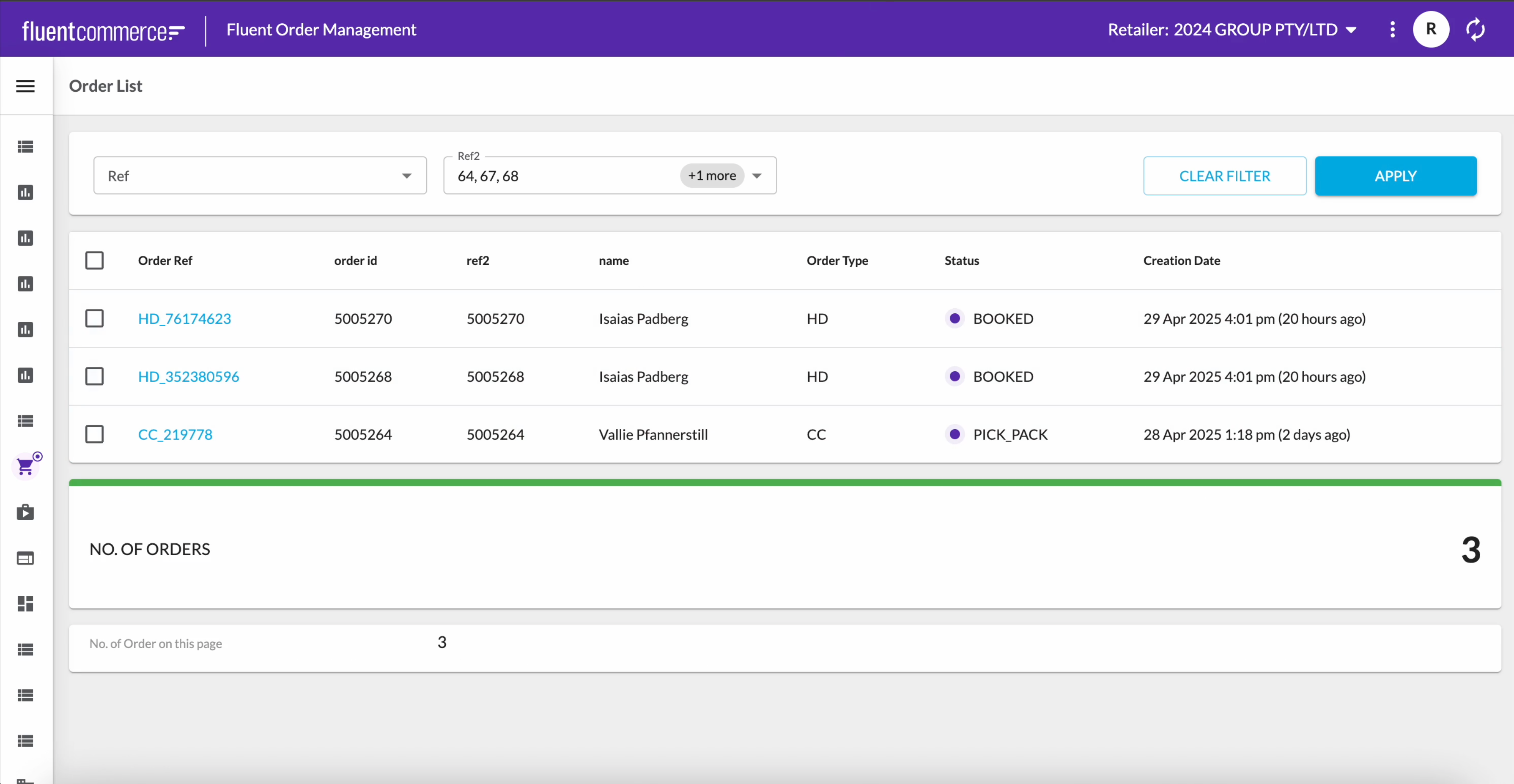
Create a few new orders, and the new workflow will populate ref2. Then go to the Order List page and refresh the browser to get the latest manifest:
Except as otherwise stated in the Extend Knowledge Content site policy, the content on this page is licensed under the Creative Commons Attribution 4.0 Licence, and any code samples that appear on this page are licensed under the Apache 2.0 Licence, unless any code sample forms part of the Fluent Order Management Platform code. Neither of these licences apply to any content on any other page that can be reached via a link on this page unless otherwise specified on that other page. If you wish to use any of the Extend Knowledge Content, you must do so in compliance with the licenses referred to above and the Extend Knowledge Content site policy, including attribution in the manner set out on this page.

