
Enable Home Delivery shipping label in Dispatch stage of Fluent STORE
How-to Guide
Extend
Author:
Randy Chan
Changed on:
29 Aug 2025
Key Points
- Typically, the HD shipping label is generated by the nominated carrier company or carrier aggregator. The label URL is then stored in OMS for printing.
- This guide will take you through the setup to allow the store users to print the shipping label from Fluent STORE.
Steps
 Overview
Here are the steps to implement a custom click and collect pack label:
- Configure the page query in the Waves fragment
- Create a setting fc.store.print.hd.label
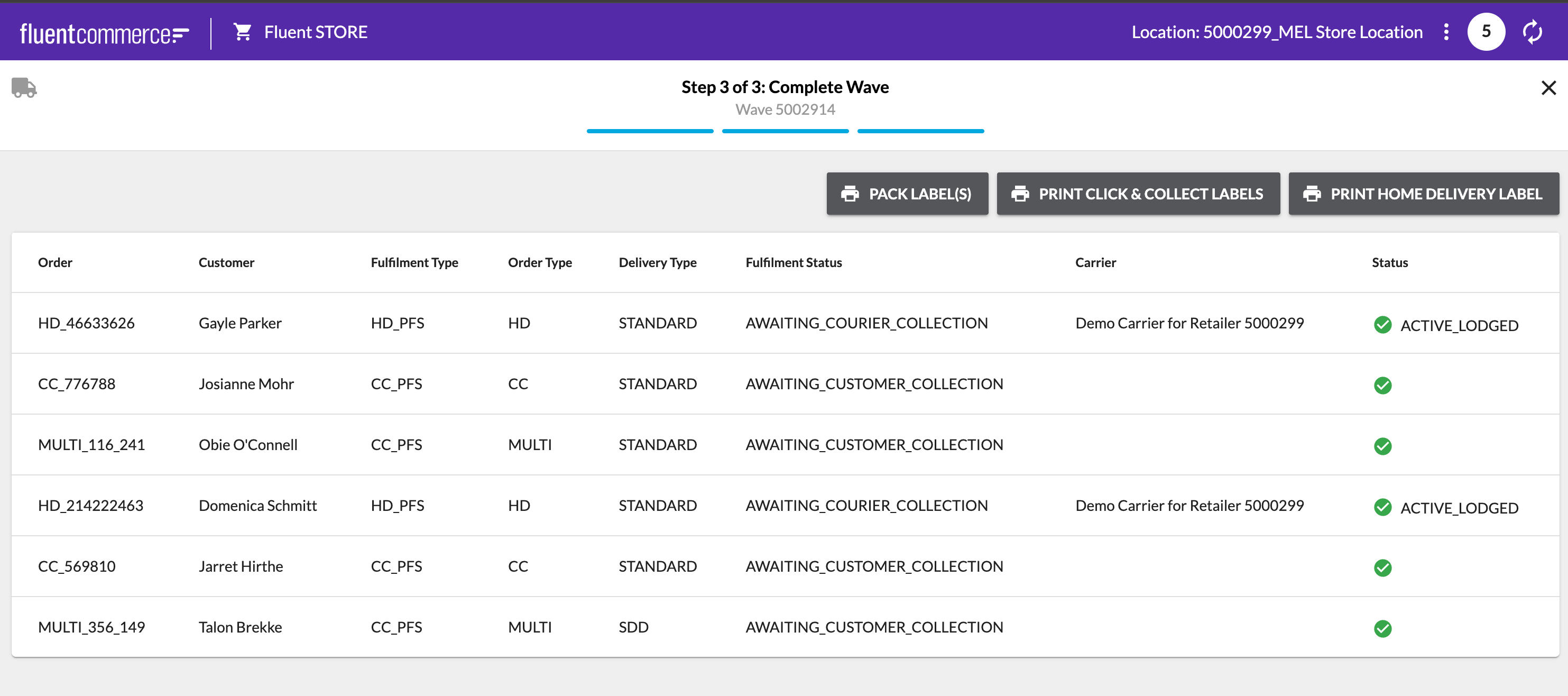
- Configure the Waves fragment to include the “Print Home Delivery Labels“ button
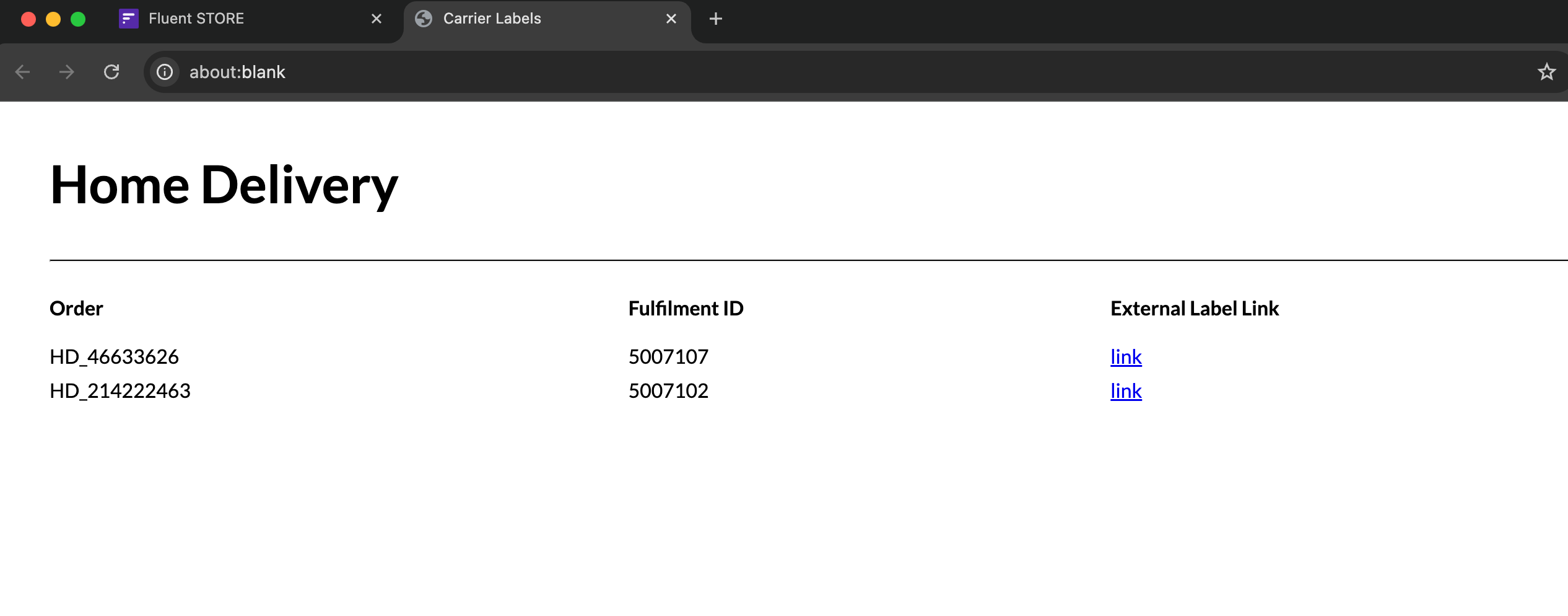
- Test the outcome
Configure the page query in the Waves fragment
Add the required fields in the page query of the waves fragment to populate the details on the custom pack label.The sample configured page query is as follows:
Create a setting fc.store.print.hd.label
| Name | fc.store.print.hd.label |
| Value type | `LOB` |
| LOB value | `<..The HTML template example provide below>` |
| Context | `RETAILER -or- ACCOUNT` |
| Context ID | `<RetailerID> -or- 0` |
Configure the Waves fragment to include the “Print Home Delivery Label“ button
If the Waves fragment has not been configured previously then you will first need to get the content of the baseline waves fragment. Otherwise, if you have already configured the waves fragment on your account, then get the content from your account settings instead.Once you have accessed the baseline waves fragment, copy the content into your preferred text editor.Define the following component to the third step of Wave (DISPATCH stage), just below the component
`fc.button.print`Test the outcome
Except as otherwise stated in the Extend Knowledge Content site policy, the content on this page is licensed under the Creative Commons Attribution 4.0 Licence, and any code samples that appear on this page are licensed under the Apache 2.0 Licence, unless any code sample forms part of the Fluent Order Management Platform code. Neither of these licences apply to any content on any other page that can be reached via a link on this page unless otherwise specified on that other page. If you wish to use any of the Extend Knowledge Content, you must do so in compliance with the licenses referred to above and the Extend Knowledge Content site policy, including attribution in the manner set out on this page.

