
Configure Retailer Switching and Default Retailer in Fluent OMS
How-to Guide
Author:
Fluent Commerce
Changed on:
27 May 2026
Key Points
- Retailer switching requires both manifest configuration and retailer context assignment to the user.
- The switcher is visible only to users with multiple assigned retailer contexts.
- Devices can automatically open Fluent OMS in a predefined retailer using a URL parameter.
- URL-based configuration does not override role-based access permissions.
Steps
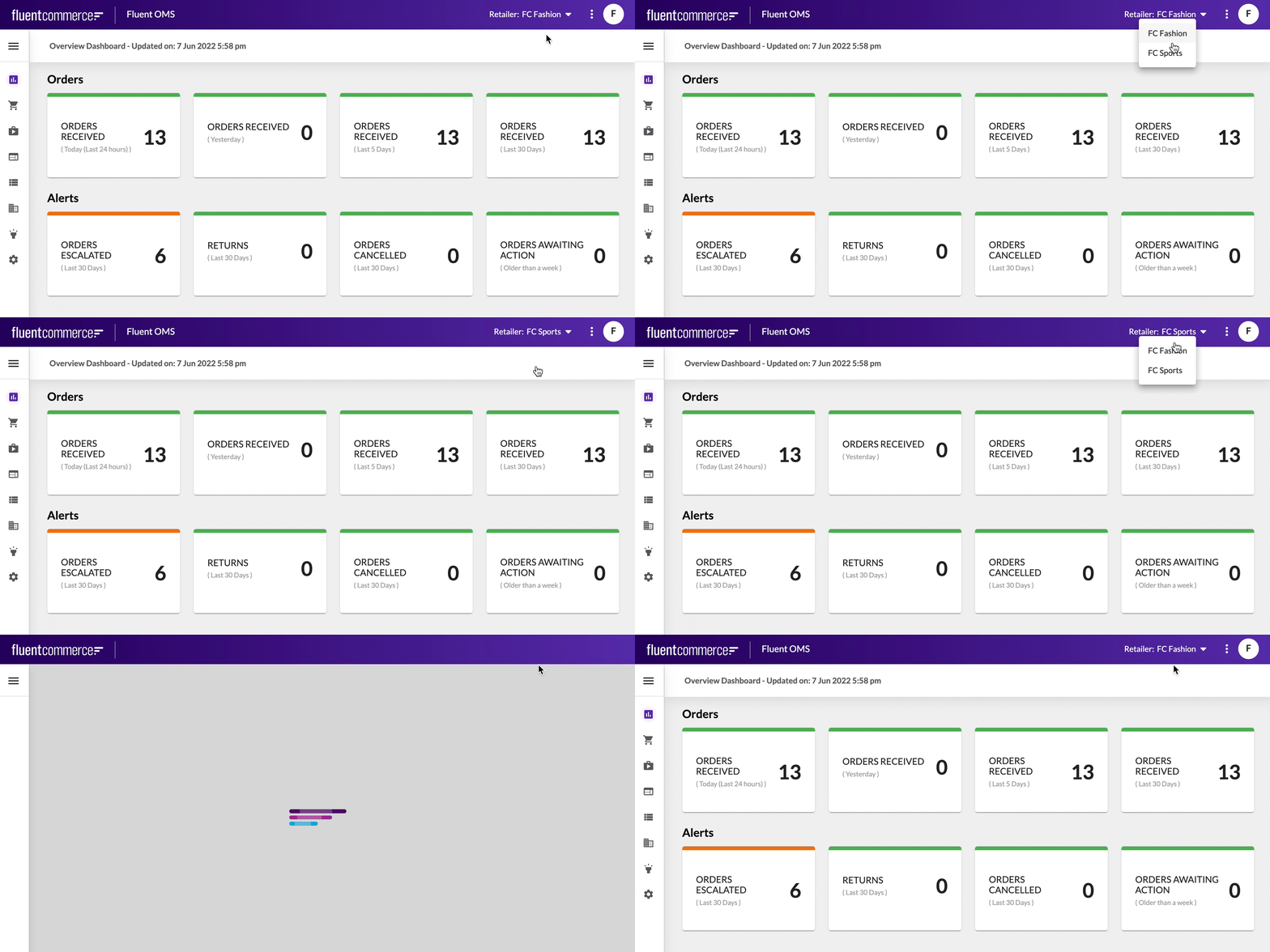
 Enable Retailer Switcher in the Manifest
Retailer switching is controlled through the OMS manifest setting.Navigate to:OMS → Settings →
`fc.mystique.manifest.oms`Ensure the manifest includes a `context` section similar to the following.Assign Retailer Contexts to User Roles
The switcher appears only if the user has access to multiple retailers.You need to assign retailer contexts to the user role.
Verify Existing User Contexts
Use GraphQL to confirm the user has multiple retailer contexts assigned.Add Retailer Context to a User
If required, update the user role configuration.Configure a Predefined Retailer Using a URL Parameter
If needed to reduce the risk of working in the wrong retailer, Fluent OMS can be configured to automatically open in a predefined retailer when the application loads.To ensure a device always opens Fluent OMS in the correct retailer, append the
`user.retailer.ref` parameter to the application URL.The parameter format is:`user.retailer.ref=<RETAILER_REF>`Example:`https://<oms-app-url>#/<homePath>?user.retailer.ref=123`When `user.retailer.ref` is provided:- The specified retailer is automatically applied on application load.
- No manual interaction is required.
- The predefined retailer is applied independently of the logged-in user.
- Standard permission checks are still enforced.
Understand Context Resolution
When Fluent OMS loads, the active retailer is determined in the following order:`user.retailer.ref`provided in the URL- Previously selected location (from the user's previous session)
- First accessible retailer from the user’s assigned retailer list
Access Restriction and Fallback Behavior
If a user does not have permission to access the retailer specified via`user.retailer.ref`:- The system automatically switches the user to a retailer they are authorized to access.

