
Accordion Component
UI Component
Changed on:
31 Aug 2026
Overview
The Accordion component is a Mystique content component that can expand to show its child components. It is useful for hiding details with the ability to pull it up when needed.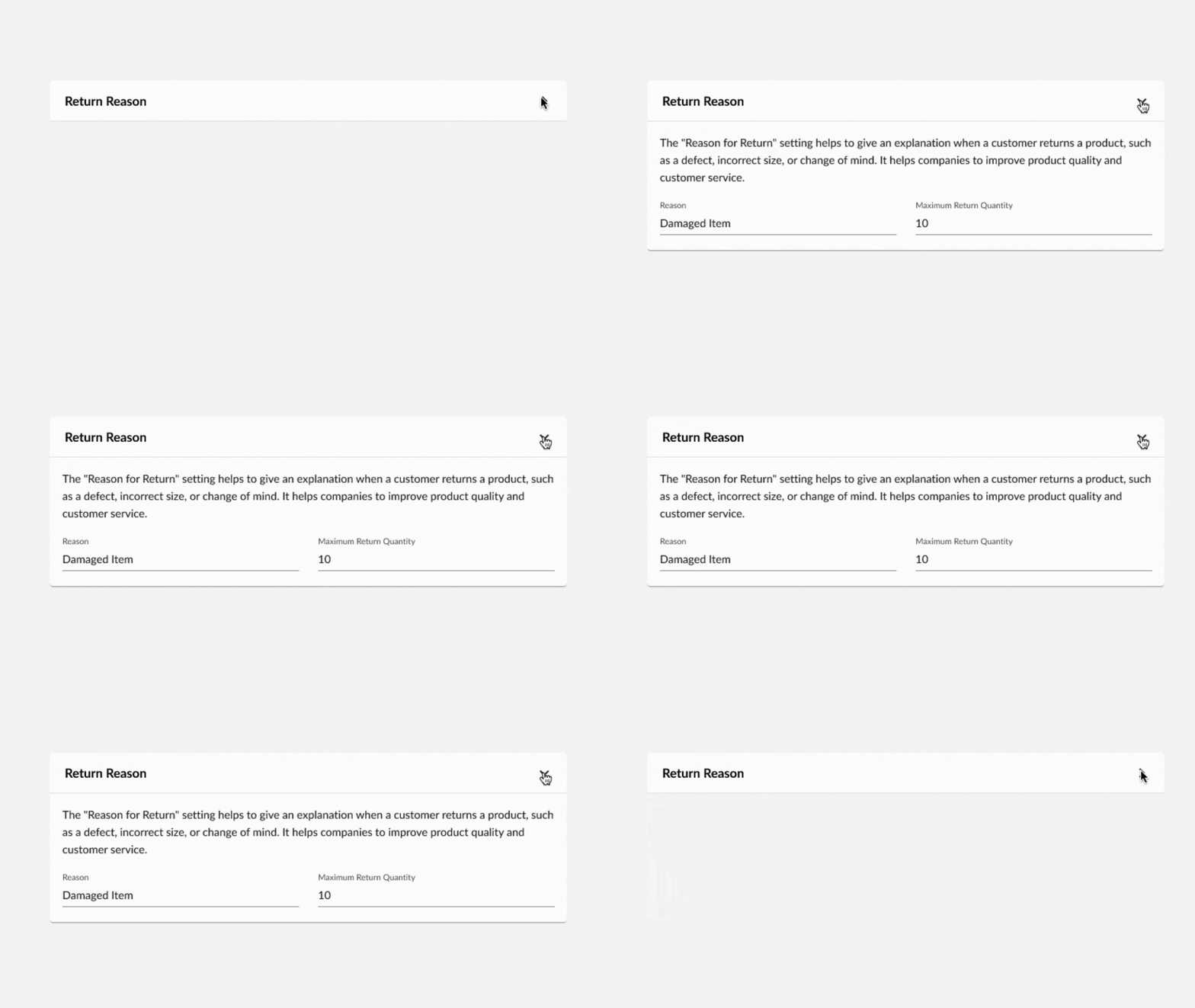
| Plugin Name | Core |
|---|
Alias
fc.accordion
Detailed technical description
Summary and Details
The Accordion is a wrapper with two sections:- Summary - always visible
It can also carry content on the right through`summaryRight`; selecting that right-side content does not expand or collapse the Accordion - Details - hidden until the Summary is selected, then expanded below it
`row` or `column` and toggles inner padding with `indent`.Behavior
- Selecting the Summary expands or collapses the Details section;
`expandIcon`shows or hides the chevron `expanded`forces the open or closed state, while`defaultExpanded`sets only the initial state`disabled`restricts interaction with the Accordion`detailsElevation`controls whether nested Card components in the Details section keep their own box shadow
`category: content`.Explanation Through an Example
The Summary and Details sections accept plain text, a template expression, or an array of custom components, and content can be placed on the right of the Summary with`summaryRight`:1{
2 "component": "fc.accordion",
3 "props": {
4 "summary": "Accordion Summary",
5 "details": "Accordion Details"
6 }
7}1{
2 "component": "fc.accordion",
3 "props": {
4 "summary": "{{someTemplate}}",
5 "details": "{{someTemplate2}}"
6 }
7}1{
2 "component": "fc.accordion",
3 "props": {
4 "summary": [
5 {
6 "component": "fc.mystique.collapsible.text",
7 "props": {
8 "text": "Text example",
9 "charCutoff": 50
10 }
11 }
12 ],
13 "details": [
14 {
15 "component": "fc.mystique.collapsible.text",
16 "props": {
17 "text": "Text example",
18 "charCutoff": 50
19 }
20 },
21 {
22 "component": "fc.mystique.collapsible.text",
23 "props": {
24 "text": "Text example",
25 "charCutoff": 50
26 }
27 }
28 ]
29 }
30}1{
2 "component": "fc.accordion",
3 "props": {
4 "summary": "Accordion Summary",
5 "summaryRight": "Summary Right",
6 "details": "Accordion Details"
7 }
8}Properties
| Name | Type | Required | Default | Description |
`expandIcon` | `boolean` | No | true | Displays or hides the expand icon in the Summary section |
`expanded` | `boolean` | No | Forces the opened or closed state of the Accordion | |
`defaultExpanded` | `boolean` | No | false | Sets the initial expanded state of the Accordion |
`disabled` | `boolean` | No | false | Restricts interaction with the Accordion |
`summary` | `string` / `MystiqueComponentInstance[]` | No | Text, template, or an array of custom components displayed in the Summary section | |
`summaryRight` | `string` / `MystiqueComponentInstance[]` | No |
| |
`details` | `string` / `MystiqueComponentInstance[]` / `{ components: MystiqueComponentInstance[], direction: "row" / "column", indent: boolean }` | No |
| |
`detailsElevation` | `boolean` | No | false |
|
Configuration example
1{
2    "component": "fc.accordion",
3    "props": {
4        "summary": "Accordion Summary",
5        "details": "Accordion Details"
6    }
7}Version History
See previous versions
2024-07-22
v24.7.22
The component extension with the`indent` property.2024-04-22
v24.4.22
Initial release.Recommended Placement
None
