
Create a Template helper to display the createdOn date in a specific time zone
How-to Guide
Extend
Author:
Randy Chan
Changed on:
23 Apr 2025
Key Points
- This article provides an example on how to create a simple template helper which can be used in the mystique manifest.
- With this template helper, the user is able to see the order in "local" created date/time. For example, the order was placed at Adelaide and the customer service representative in Sydney would like to see the order date time in Adelaide time zone.
- Here are the steps to implement the template helper by using Component SDK:
- Create a new function in component SDK
- Import and register the template in index.tsx
- Add the template to the mystique manifest in the setting
Steps
 Create a new function in component SDK
Open the Component SDK, create a file TemplateUtils.ts in src/utils folder:
Import and register the template in index.tsx
Add the following code to the
`index.tsx`Add the template to the mystique manifest in the setting
go to the setting: fc.mystique.manifest.oms.fragment.ordermanagement and add few columns in the order list section:
Test the template helper
Go to the OMS web app, and refresh the order list page. The tested columns are now displayed: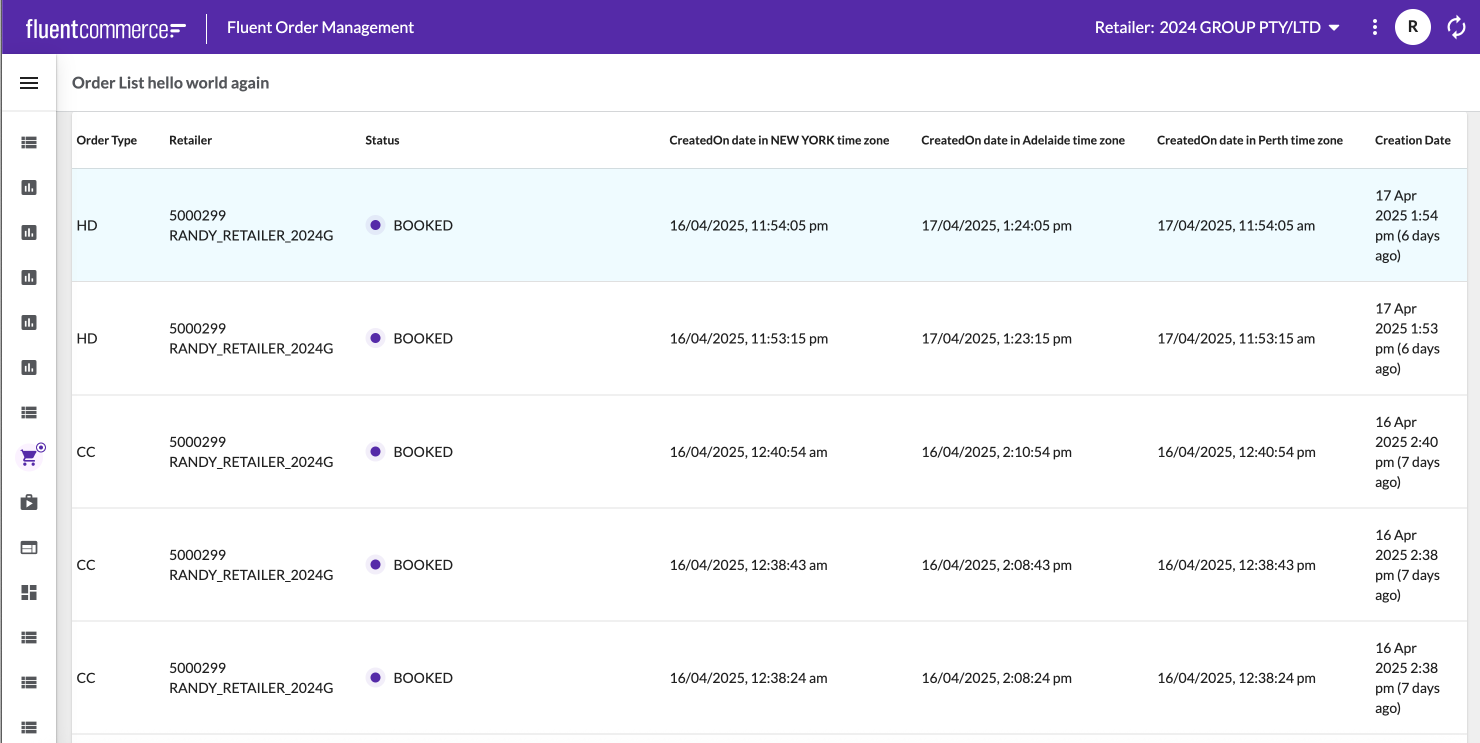
Except as otherwise stated in the Extend Knowledge Content site policy, the content on this page is licensed under the Creative Commons Attribution 4.0 Licence, and any code samples that appear on this page are licensed under the Apache 2.0 Licence, unless any code sample forms part of the Fluent Order Management Platform code. Neither of these licences apply to any content on any other page that can be reached via a link on this page unless otherwise specified on that other page. If you wish to use any of the Extend Knowledge Content, you must do so in compliance with the licenses referred to above and the Extend Knowledge Content site policy, including attribution in the manner set out on this page.

